Shopify gives merchants a lot of ways to capture data at checkout that goes well beyond price and SKU. The problem is that most SaaS products pulling in order data stop at the standard fields and leave the custom attributes behind. For a CPO or partnerships lead, that gap tends to show up in the worst way: a customer escalation asking why your product doesn't see their delivery window field.
TLDR:
- Shopify orders carry three custom attribute types:
note_attributes, line itemproperties, and Plus checkout-levelcustomAttributes. - Flattening both order-level and line-item attributes into one array is the most common schema mistake teams make.
- With 6.81 million active Shopify stores, missing custom attribute sync is a recurring product gap, not an edge case.
- Production syncs need all three patterns: webhooks for real-time, polling as a safety net, and a backfill at tenant onboarding.
- Hotglue pulls all three Shopify attribute types in the Orders stream and handles per-tenant key mapping without custom code.
What Are Shopify Custom Order Attributes?
Shopify orders carry more structured data than most people realize. Beyond standard fields like price, SKU, and shipping destination, Shopify gives merchants three distinct ways to attach custom metadata to an order.
As documented by highviewapps.com, the two most common types are note_attributes and line item properties. note_attributes are key-value pairs attached to the order as a whole, stored directly on the order object. Line item properties are per-product custom fields written at the item level during checkout, often used for things like engraving text or size notes.
Shopify Plus merchants get a third option: checkout-level attributes captured via custom checkout UI extensions, written to the order object at the point of purchase before the order is confirmed.
All three are accessible via the Shopify GraphQL Admin API on the Order object, under the read_orders access scope. Worth noting: as of April 2025, all new public apps must use the GraphQL Admin API exclusively.
Order-Level vs. Line-Item-Level Attributes
The distinction sounds simple until you're actually writing the sync logic.
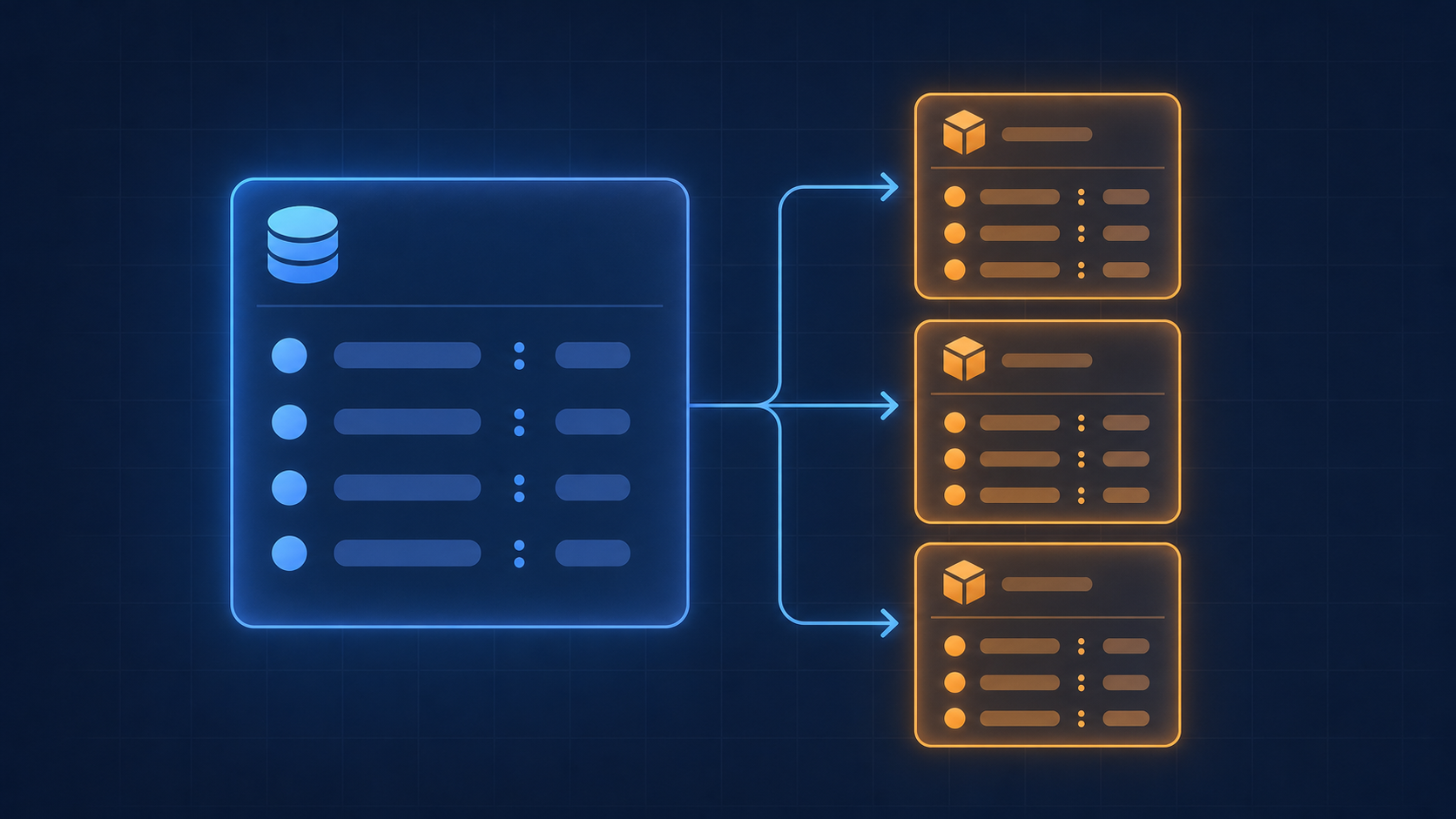
note_attributes live at the root of the order object. Every key-value pair there applies to the entire order, not any specific item. A referral code, a gift message flag, a delivery window preference, a B2B account number passed through checkout. These belong to the order as a whole.
Line item properties are scoped differently. Each product in the cart carries its own properties array, so engraving text on item A has no relationship to a bundle config note on item B. They travel with the line item, not the order.
| Attribute Type | Scope | API Field | Common Use Cases | Shopify Plan Required |
|---|---|---|---|---|
note_attributes | Entire order | noteAttributes | Referral codes, rush flags, gift messages, B2B account numbers | All plans |
Line item properties | Per line item | customAttributes (on lineItems node) | Engraving text, size notes, bundle config | All plans |
Checkout-level customAttributes | Entire order (set at checkout) | customAttributes (on Order node) | PO numbers, tax-exempt codes, compliance fields | Shopify Plus only |
Here is why this matters at integration time. Your consuming system almost certainly expects them in different places:
- An ERP routing fulfillment instructions needs
note_attributesat the order level to apply order-wide logic. - A fulfillment tool personalizing a packing slip needs line item
propertiesper SKU, not a single global field. - A CRM building customer profiles may only care about order-level attributes and should ignore item properties entirely.
Flattening both into a single custom fields array is the most common mistake teams make early on. It works great, right up until a merchant starts using both types simultaneously, at which point your schema breaks in ways that are annoying to debug, painful to backfill, and excellent at ruining a Friday afternoon.
Why SaaS Products Need to Sync Custom Order Attributes
Standard order fields get you quantity, price, and a shipping destination. They do not get you much else.
The data that actually drives downstream operations often lives in custom attributes. Rush processing flags. Affiliate codes. Loyalty tier tags. B2B account identifiers passed through checkout. Subscription metadata tied to a recurring order. These fields are how your merchants communicate intent beyond what Shopify captures by default, and if your SaaS product ignores them, it is operating on a deliberately incomplete picture. Teams weighing a Shopify integration build vs buy decision run into this gap early.
The cost of missing these attributes is not abstract. For a fulfillment tool, a missing rush flag means a priority order gets processed like any other. For an ERP, a missing B2B account field means manual reconciliation every time someone needs to match an invoice to a customer record.
That problem compounds fast. A Shopify connector is almost certainly the most common order source your customers will connect, which means custom attribute gaps are not an edge case you can defer. They are a recurring product gap that surfaces every time a merchant has a checkout customization you did not account for.
CPOs and partnership leads feel this most when a customer escalation arrives: "Why doesn't your product see our delivery window field?" The engineering answer is usually "we don't sync custom attributes." The business answer is "we needed to do that six months ago." Closing this gap comes down to the CPO or Head of Partnerships, since you're the ones who promised the integration worked, after all.
How the Shopify GraphQL Admin API Exposes These Fields
The Order object in the GraphQL Admin API is where all three attribute types live. A query fetching custom attributes looks roughly like this:
A few constraints worth knowing before you design your sync:
- The
read_ordersaccess scope is required, and access is only granted to public or custom apps, not legacy private apps. - By default, only the last 60 days of orders are accessible. Fetching historical data requires requesting the
read_all_ordersscope separately. - The REST Admin API became legacy on October 1, 2024, and all new public apps must use GraphQL exclusively as of April 2025.
Checkpoint Attributes and Shopify Plus: What Changes at the Checkout Level
Shopify Plus merchants get access to checkout UI extensions that write customAttributes directly at the checkout level. Those fields surface on the completed order object in the same customAttributes array you'd query elsewhere, but they originate from a different collection point: the checkout itself, before the order is confirmed.
This unlocks checkout-level captures that standard storefronts cannot do:
- B2B purchase order numbers entered at checkout, before the order is confirmed
- Tax-exempt codes that need to flow downstream into billing or ERP systems
- Custom compliance fields that standard merchants have no mechanism to collect
The integration risk here is subtle. Field names look identical in the API response whether they were set by a cart script, a storefront custom field, or a Plus checkout extension. You cannot tell from the payload alone which path wrote the value. That ambiguity matters when building sync logic, because Plus merchants often populate fields that non-Plus merchants leave empty entirely, and your schema needs to handle both without silently dropping data.
Before finalizing your attribute mapping, know which of your connected merchants are on Shopify Plus. The attribute surface area is meaningfully larger for them.
Mapping Custom Attributes to Your SaaS Data Model
Custom attributes arrive as raw key-value pairs. Shopify enforces no schema on them, which means merchant A calls it delivery_window and merchant B calls it preferred_delivery_slot. They mean the same thing, and your system has to handle both.
Two strategies cover most implementations:
- Static mapping: you define a fixed list of attribute keys your product recognizes, document them for merchants, and only process matching fields. Simple to build, brittle at scale.
- Flexible mapping: each tenant configures their own field mappings through a UI or configuration layer, translating whatever attribute keys they use into your internal schema fields.
Static mapping works when you control the checkout experience or have a tightly scoped product. Flexible mapping is the right call when your merchant base is broad and each customer has idiosyncratic checkout customizations you cannot predict in advance. This static vs flexible field mapping tradeoff shows up constantly once you scale past a handful of tenants.
Either way, transformation logic is unavoidable. A raw note_attributes array cannot be dropped into a normalized database column without something in between deciding what gets stored and where.
Common Use Cases for Syncing Shopify Order Attributes Into a SaaS Product
Each of these scenarios points to the same underlying gap: checkout data that was captured intentionally gets stranded in Shopify because nothing carries it forward.
- Fulfillment and ERP: rush flags, gift wrap toggles, and special handling notes live in
note_attributes. Without them, your fulfillment tool processes every order identically regardless of priority. - Accounting: project codes or department tags passed at checkout can route revenue to the correct GL account automatically, skipping manual reclassification downstream.
- CRM and customer intelligence: referral codes, loyalty IDs, and B2B account numbers captured at checkout belong on the customer record, not buried in an order payload your CRM never reads.
- Subscription and recurring billing: plan name, billing cycle, and trial flags written to
customAttributesat checkout need to travel into your subscription management layer, or billing reconciliation becomes a manual headache every month.
Handling Schema Variability Across Your Merchant Base
Each merchant who connects to your Shopify integration brings their own checkout configuration, and their note_attributes fields reflect that. A key named custom_field_1 might carry a gift message for one tenant, an affiliate code for another, and a B2B purchase order number for a third. Storing all three in the same backend column without distinction defeats the purpose of capturing the field at all.
Three design decisions that matter here:
- Tenant-specific mapping config: each tenant needs its own attribute key-to-field mapping stored separately. Shared mappings seem efficient until the second merchant breaks them.
- Validation layers: if an expected key is absent from a payload, your sync should apply a default value like
"unspecified"or route the record to a manual review queue instead of silently writing null or skipping the record. - Schema drift handling: merchants change their checkout customizations without warning. Log unrecognized attribute keys instead of discarding them, so you catch gaps before a customer escalation does.
The ad-hoc script approach collapses fast, whether you're syncing Shopify orders or data from a WooCommerce connector. One script per tenant is manageable at five merchants. At fifty, you are maintaining fifty slightly different transformation scripts with no shared logic and no audit trail. A declarative mapping layer, where each tenant's config is stored as data and not code, scales without accumulating that debt.
Sync Strategies: Polling, Webhooks, and Backfills
Polling, webhooks, and backfills each solve a different timing problem. Knowing which to use separates a sync that works in demos from one that holds up in production.
Scheduled polling against the GraphQL Orders API is the most predictable approach for incremental syncs. Paginate with cursors and filter by updated_at to process only records changed since the last run. The downside is latency: a 15-minute poll interval means a merchant's rush flag could sit unseen for up to 15 minutes before your system acts on it.
Webhooks close that gap. The orders/updated and orders/create event types deliver payloads within seconds of a change. The catch is that Shopify may deliver the same event more than once, so your consumer needs to deduplicate by order ID before writing anything downstream.
Backfills are the third pattern, and the one teams most often underestimate. As noted in Shopify's GraphQL API docs, only the last 60 days of orders are accessible by default, and fetching historical data requires the read_all_orders scope. On top of that, Shopify enforces a single-query cost cap of 1,000 points regardless of plan, so large merchant histories need explicit throttling and pagination logic or the job will start failing mid-run.
Most production implementations use all three: webhooks for real-time captures, polling as a safety net for missed events, and a one-time backfill at tenant onboarding to seed historical context. If you're still comparing vendors, a framework for choosing an embedded iPaaS solution can help weigh these tradeoffs upfront. Designing for only one of the three usually surfaces the gap at the worst possible time.
How hotglue Handles Shopify Custom Order Attribute Sync
Hotglue's Shopify connector handles all three attribute types without you having to build any of it yourself (yes, all three — we checked). It pulls note_attributes, line item properties, and checkout-level customAttributes as part of the Orders stream out of the box, with no custom extraction logic per attribute type and no separate API calls to stitch the pieces together.
The freeform key-value problem gets handled in the transformation layer. GluestickAI, our Python-based, AI-assisted mapping tool, lets each of your end users configure their own attribute key mappings against your product's schema. One tenant maps delivery_window, another maps preferred_delivery_slot, and both land in the same field on your end, without your engineering team writing a custom mapping UI to support it.
Hotglue charges per active tenant, not data volume — so a merchant running thousands of attribute-rich orders daily still counts as one tenant on your bill. That predictability is a real advantage when you're scaling a multi-tenant pipeline and have no idea upfront how attribute-heavy each merchant's checkout will turn out to be. It's the kind of pricing model that doesn't punish you for your customers' success.
We process roughly 10 billion records weekly across our customer base, including e-commerce operations teams like our Linnworks connector customers, who use it to handle order and inventory sync at scale. The connector catalog covers Shopify alongside a TikTok Shop connector, Amazon Seller, and other high-volume commerce sources, which matters if your merchants sell across multiple storefronts and need attribute data consolidated from more than one place, including merchants running an Amazon Vendor Central storefront alongside Shopify.
The alternative is building and maintaining all of this per tenant, per attribute type, per storefront. That math gets ugly fast once your merchant count climbs past single digits.
Final Thoughts on Building a Reliable Shopify Orders Integration for SaaS Products
Custom order attributes are not an edge case, they are how your merchants communicate intent at checkout. Getting them into your system correctly, across every tenant, with all three attribute types accounted for, is the actual work. If you want to skip the per-tenant script debt and see what a production-ready setup looks like, grab some time with us.
FAQ
How do I integrate Shopify custom order attributes into a SaaS product using the GraphQL Admin API?
Query the Order object using the read_orders scope, pulling noteAttributes at the order level and customAttributes within each lineItems node in a single request. Historical data beyond 60 days requires the separate read_all_orders scope, and as of April 2025, all new public apps must use the GraphQL Admin API exclusively since the REST Admin API is now legacy.
What is the difference between Shopify note_attributes and line item properties for SaaS integrations?
note_attributes are key-value pairs attached to the entire order (referral codes, rush flags, B2B account numbers) while line item properties are scoped per product in the cart, like engraving text or bundle configuration notes. Flattening both into a single custom fields array is the most common early mistake, and it breaks reliably the moment a merchant starts using both types at the same time.
Should I use Shopify webhooks or polling to sync order attributes into my SaaS product?
Most production setups need both: webhooks (orders/updated, orders/create) for near-real-time captures, and scheduled GraphQL polling as a safety net for missed events. A one-time backfill at tenant onboarding seeds historical context; designing for only one of the three tends to surface the gap at the worst possible time, usually during a customer escalation.
How does Hotglue handle schema variability across merchants with different Shopify custom attribute key names?
Hotglue pulls note_attributes, line item properties, and checkout-level customAttributes from the Orders stream out of the box, then handles per-tenant key mapping in the transformation layer using GluestickAI. One tenant maps delivery_window, another maps preferred_delivery_slot, and both land in the same field on your end, with no need for your team to build a custom mapping UI or maintain per-tenant transformation scripts as your merchant count grows.
Can I sync Shopify Plus checkout-level custom attributes the same way as standard order attributes?
Yes, checkout-level customAttributes written via Shopify Plus UI extensions surface on the completed order object in the same customAttributes array you query for standard orders, though you cannot tell from the API payload alone which path wrote the value. Before finalizing your attribute mapping, identify which connected merchants are on Shopify Plus, since their attribute surface area is meaningfully larger and your schema needs to handle absent keys gracefully for non-Plus merchants without silently dropping records.