Your Sage 300 integration might be pulling GL data just fine and still be completely wrong at the period level. When a customer runs a non-calendar fiscal year and your product maps their periods to calendar months, every comparison metric is off. Fixing it starts with syncing the fiscal calendar properly, and that's less obvious than it sounds with on-premise software like Sage 300.
TLDR:
- Sage 300 has no "current period" API call; the fiscal calendar is a config object you must sync explicitly
- Skipping fiscal calendar sync causes period misalignment in your reporting, which becomes a trust problem fast
- Check period lock status before any write-back attempt or your users get a confusing ERP error with no context
- Store period boundaries per tenant as first-class records; hard-coding calendar month logic breaks non-December fiscal years
- Hotglue's Sage 300 connector syncs fiscal calendar data as a separate stream, with schema drift handled by their team
What Sage 300's Fiscal Calendar Actually Is
Sage 300 stores its fiscal calendar inside Common Services, the shared configuration layer that sits underneath all of Sage's accounting modules. Every company record has exactly one fiscal calendar, and that calendar defines the periods your GL, AP, AR, and job costing modules all report against.
Each fiscal year gets divided into periods (typically 12, sometimes 13), each with a defined start date, end date, and a lock status. Once a period is locked, Sage 300 prevents new posting to it until an admin explicitly unlocks it. Year-over-year rollover requires manually creating a new fiscal year and deactivating the prior one.
For product teams used to cloud ERPs, the key mental shift is this: there is no API call that returns "current period." The calendar is a configuration object, not a runtime state feed.
Why Fiscal Calendar Data Matters for Your SaaS Product
Pulling GL balances or job cost data from Sage 300 without syncing the fiscal calendar means you're almost guaranteed to misalign period boundaries. A customer running a June-to-May fiscal year opens your reporting dashboard and sees numbers bucketed wrong. That's a support ticket, then a trust problem, and it lands squarely on the product team to fix. If you're a CPO or Head of Partnerships at a SaaS company selling into construction, government contracting, or nonprofit verticals, this is your problem to own before it becomes a churn conversation.
The fiscal calendar is what makes period-level comparisons meaningful. Budget vs. actual, period-over-period variance, year-to-date totals all depend on knowing exactly where one period ends and the next begins.
Period lock status compounds this further, one of many hidden costs of ERP integrations. If your product tries to write or match data against a period Sage 300 has already locked, the transaction fails at the ERP level. Knowing lock status before attempting a write saves your users a confusing error they'll blame on your product.
"A fiscal year is a 12-month period used for accounting that doesn't necessarily align with the calendar year," per Investopedia. Construction and real estate companies frequently run non-calendar fiscal years tied to project cycles or tax requirements, a pattern we dig into in our Sage 300 CRE integration guide.
The On-Premise Problem: Why Sage 300 Integration Is Harder Than Cloud ERP
Sage 300 is on-premise software. That single fact changes almost everything about how you integrate with it, and it has a way of turning a "quick integration sprint" into a multi-quarter infrastructure project.
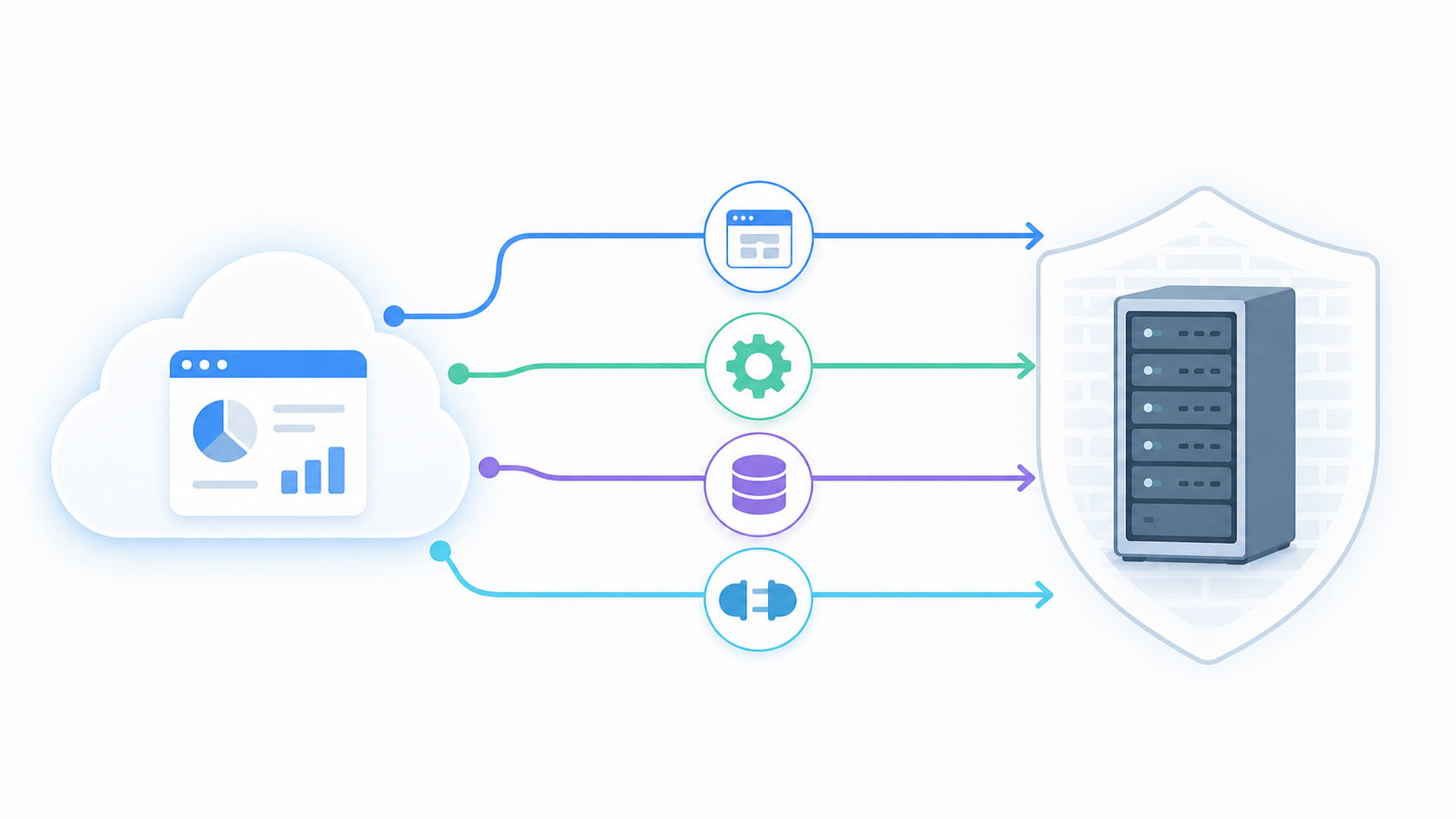
Cloud ERPs like NetSuite integration or Sage Intacct expose REST APIs with OAuth. You get credentials, you make calls, you get data. Sage 300 runs on a Pervasive SQL database sitting inside your customer's network, behind their firewall. There is no public REST API and no cloud endpoint to hit. Your SaaS product cannot reach it the way it would reach any other accounting system.
For fiscal calendar data in particular, the period definitions, lock statuses, and year boundaries you need are locked inside a local database your integration layer can't touch without traversing the customer's network first. Every customer environment is slightly different too: different Sage versions, different Windows configurations, different network setups.
Four Integration Paths for Sage 300 Data
Four realistic paths exist for getting data out of Sage 300, each with different tradeoffs.
| Path | How it works | Fiscal calendar access | Main drawback |
|---|---|---|---|
| Web Services | HTTP calls via Sage's built-in web service layer | Partial | Requires IIS setup on customer's server; not all entities exposed |
| Business Objects SDK | COM-based SDK, must run on the Sage server | Full access | Windows-only, tightly coupled to Sage version |
| Direct ODBC | Query Pervasive SQL tables directly | Full access | Schema changes between versions break queries silently |
| Third-party connectors | Agent installed on-premise handles access | Full access | Dependent on connector quality and maintenance |
Web Services is the cleanest path on paper but covers a limited entity set, and fiscal calendar tables are often not exposed there. The Business Objects SDK gives you complete access but ties your integration to a specific Sage version, so upgrades become your problem. Direct ODBC is thorough but fragile. Third-party connectors like the Sage 300 connector trade some control for maintenance relief, which is usually the right call for a SaaS team that has other things to build.
What Fiscal Calendar Data Looks Like in the Sync Payload
When the Sage 300 connector syncs fiscal calendar data, you get a structured set of records at the period level. Each record typically contains:
- Fiscal year identifier (e.g.,
2025) - Period number (1 through 12 or 13)
- Period start and end dates
- Lock status (locked or unlocked)
That start/end pair is the most important field for downstream mapping. Your system needs to bucket GL transactions, job costs, or budget lines against these date ranges, not calendar months. A customer with a September fiscal year-end has period 1 starting October 1, which looks nothing like January.
Lock status tells your product whether a period is still open for posting in Sage. If you're building a write-back feature, checking it before attempting a transaction saves you from a failed write your user will have no context to debug.
Joining Fiscal Calendar Records to Other Entities
GL batch records reference period numbers, not raw dates. Without the calendar payload in your data model, you can't resolve which period a batch belongs to without guessing at date boundaries. The fiscal calendar sync is what gives you a clean join key across every other synced entity, a detail worth weighing in our ERP integration guide for product teams.
Handling Non-Calendar Fiscal Years in Your Data Model
Most SaaS products are built assuming December 31 is year-end. That assumption breaks the moment a Sage 300 customer runs a June fiscal year-end, which is common in construction, government contracting, and nonprofit verticals, something we cover when discussing how to ship construction tech integrations.
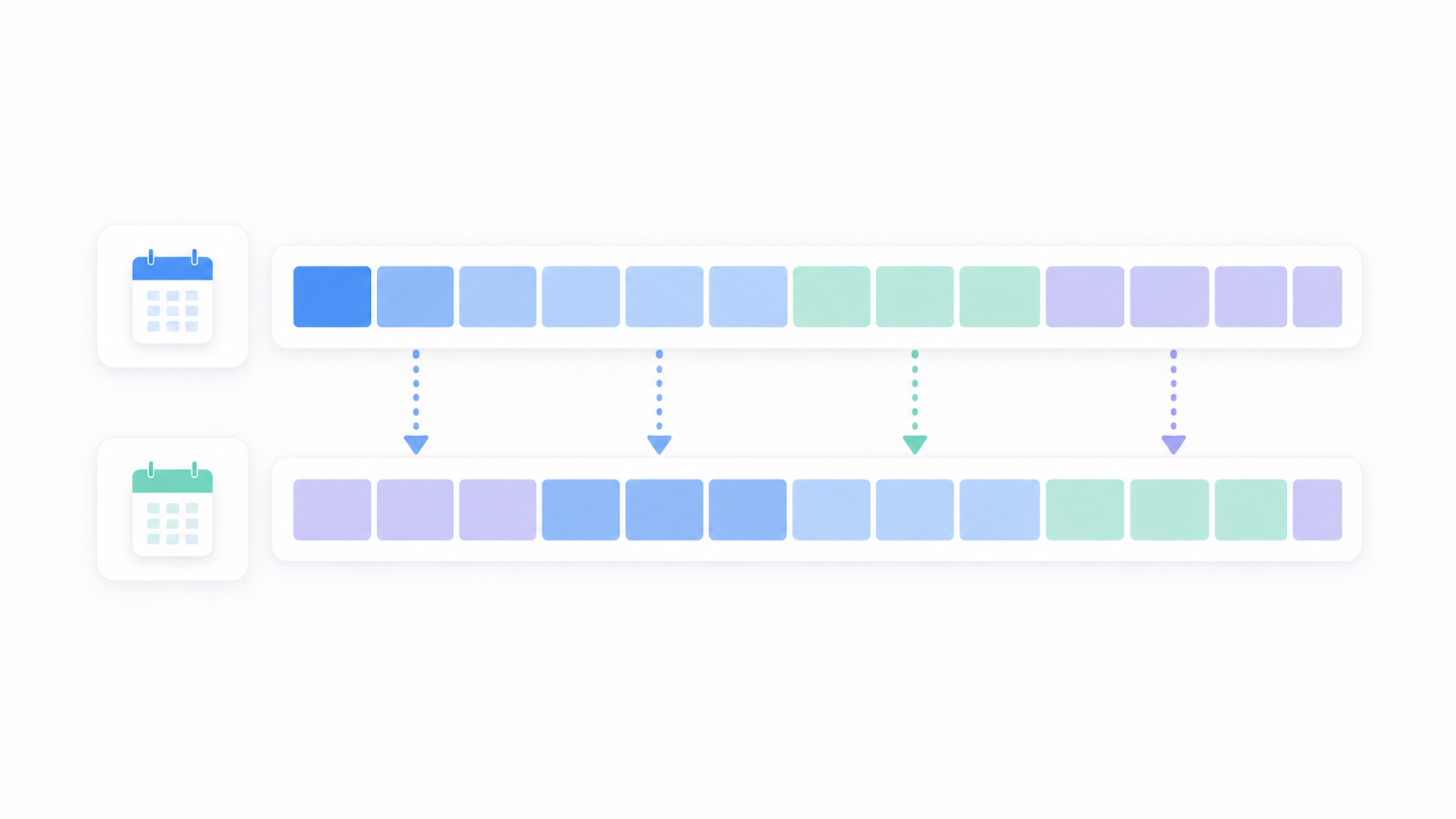
The practical failure mode: your product stores reporting periods as calendar months, then tries to map Sage 300 period 1 (which starts July 1) to January. Every comparison metric is wrong, and the mismatch is invisible until a user notices their Q1 numbers don't match their accountant's Q1 numbers.
As Mondial Software notes, group reporting across entities on different financial calendars creates comparison problems that hold back organizational decision-making. For a SaaS product serving multiple Sage 300 customers, this plays out at the tenant level: two customers, two fiscal calendars, neither maps cleanly to your internal period model, a problem that echoes what we cover in multi-subsidiary NetSuite integrations.
The fix requires discipline: store period boundaries from the Sage 300 fiscal calendar sync as first-class records in your own data model, keyed by tenant. Never hard-code calendar month logic. Every reporting query should resolve period boundaries against the synced calendar, not a MONTH() function.
Incremental vs. Full Sync for Fiscal Calendar and Period Data
Fiscal calendars change rarely. A new year gets created once annually, period lock statuses change a handful of times per close cycle, and start/end dates almost never shift after initial setup. Running a full sync of all period data on every scheduled job is wasteful and introduces a specific risk: you can overwrite downstream state your product has already built from a previous sync.
The right approach is a full sync on first connection, then incremental syncs that check only for changes. In practice, that looks like comparing incoming fiscal year and period records against what you've stored, keyed by fiscal year identifier and period number. If nothing changed, skip the write. If a new year appeared or a lock status flipped, update only those records.
Where teams get tripped up is treating the fiscal calendar like transactional data. GL batches and AP invoices genuinely accumulate, so incremental sync there is straightforward. Fiscal calendar records are configuration data, and the signal you care about is a diff against the last known state, not a timestamp-based cursor.
Hotglue's Sage 300 connector handles this by syncing fiscal calendar data as a distinct stream, separable from transactional entity syncs. You can schedule the calendar stream on a slower cadence than your GL or job cost sync without losing accuracy.
Managing Period Lock Status in Downstream Workflows
Period lock status in Sage 300 is binary: locked means no new postings, unlocked means open. The consequences for your product are less simple.
If you're building any write-back feature, a locked period will cause the transaction to fail at the ERP level. That failure surfaces to your user as a confusing error with no useful context. From their perspective, your product broke. The actual cause, a locked GL period in Sage, is invisible unless you check lock status before attempting the write.
The right pattern is to read lock status from the synced fiscal calendar, expose it to your product logic, and gate write attempts accordingly. If a period is locked, surface a clear message with guidance instead of a raw API error. Something like "Period 3 is closed in Sage 300. Contact your accountant to unlock it before posting." That's a solvable problem for the user. A generic failure message is not.
Lock status also matters for read-only products. Knowing which periods are closed gives you a signal about data completeness: a locked period is a settled period whose numbers won't change, while an unlocked period may still have in-flight batches.
Hotglue syncs lock status as a field on each period record, so your downstream logic can branch on it without re-querying Sage.
Schema Drift and Sage 300 Version Upgrades
Sage 300 version upgrades are quiet. Your customer's IT team applies an update, the software starts back up, and nothing looks broken on their end. On yours, the sync that was running fine yesterday starts returning nulls, skipping records, or failing entirely.
The fiscal calendar tables sit inside Pervasive SQL, and their column names or data types can shift between Sage versions. A direct ODBC query that worked on Sage 300 version 2023 may silently return wrong data on 2025 because a field was renamed or a status value changed its encoding.
Managed connectors handle this by abstracting the underlying schema behind a stable interface. When Sage releases a version update, the connector layer absorbs the diff. Unmanaged connectors, meaning anything your team wrote directly against the Pervasive tables, require you to track Sage's release notes and patch accordingly. That is a maintenance loop most SaaS product teams do not want to own.
The practical detection approach is straightforward: monitor for unexpected nulls on fields that should always have values, like period start date or lock status. A period record with a null end date is a schema mismatch signal, not missing data, similar to the symptoms we unpack in our Sage Intacct period-close data piece. Hotglue's Sage 300 connector is maintained by our integrations team, which tracks upstream schema changes and updates the connector before version drift becomes a customer-facing incident.
How hotglue Handles Sage 300 Fiscal Calendar Sync
Hotglue's Sage 300 connector installs directly on the customer's machine, connects to the local Pervasive SQL database, and handles network traversal without requiring your team to manage any of that infrastructure. The fiscal calendar sync ships as a dedicated stream covering period boundaries, lock statuses, and year identifiers, separate from transactional entity syncs so you can schedule it independently.
When Sage releases a version update and the underlying schema changes, our integrations team absorbs it. You don't track release notes or patch queries. The connector stays current. No on-call rotation for Sage release notes required; that's our job.
On the reliability side: hotglue processes approximately 10 billion records weekly across 38,000+ active tenants, is SOC 2 Type II compliant, and the process-and-deliver model means your customers' data is never stored on our end, a key differentiator covered in Hotglue vs Merge for ERP sync. No other embedded integration platform handles the on-premise complexity of Sage 300 with this level of managed reliability at scale.
Final Thoughts on Getting Fiscal Period Data Right in Sage 300
Most of the hard parts of Sage 300 integration come down to one thing: the ERP lives on your customer's machine, and you have to work around that reality at every layer. Fiscal calendar sync is where that complexity shows up most clearly, because bad period boundaries quietly break everything downstream — silently, which is somehow worse. Treating lock status and period dates as real data your product depends on is how you build something customers actually trust. Hotglue's Sage 300 connector handles the on-premise infrastructure, schema drift, and fiscal calendar sync out of the box, so your team can stay focused on your product instead of Sage release notes. Book a demo to see how hotglue handles the on-premise side of this.
FAQ
What does Sage 300 fiscal calendar data actually contain, and why do I need to sync it separately from GL transactions?
The fiscal calendar is a configuration object stored in Sage 300's Common Services layer, not a runtime feed. Each synced period record includes a fiscal year identifier, period number, start and end dates, and lock status. Those date range fields are what let your product bucket GL transactions and job costs correctly, without guessing at calendar month boundaries. Without that payload in your data model, you cannot build a reliable join key across any other synced entity from Sage 300.
Should I sync Sage 300 fiscal calendar data on the same schedule as my GL or job cost sync?
No. Fiscal calendars change rarely, so running a full sync on every scheduled job wastes resources and risks overwriting downstream state your product has already calculated. The right pattern is a full sync on first connection, then incremental checks that compare incoming period records against stored state and only write when a new year appears or a lock status changes. Hotglue's Sage 300 connector ships the fiscal calendar as a dedicated, independently schedulable stream so you can run it on a slower cadence than your transactional syncs without losing accuracy.
How do I handle period lock status from a Sage 300 ERP fiscal calendar sync before attempting a write-back?
Read lock status from the synced fiscal calendar before your product attempts any write, and gate the transaction accordingly. If the period is locked, surface a plain message to the user, something like "Period 3 is closed in Sage 300, contact your accountant to unlock it," instead of letting a raw ERP-level failure reach them with no context. Hotglue syncs lock status as a field on each period record, so your downstream logic can branch on it without re-querying Sage 300.
Can I build a Sage 300 integration without managing the on-premise database connection myself?
Yes. Because Sage 300 runs on a local Pervasive SQL database with no public API, you need an agent that installs on the customer's machine and handles network traversal, but that complexity does not have to live in your product. Hotglue's Sage 300 connector installs on-premise, connects directly to the database, and is built to stay resilient across version upgrades, so your team does not own schema drift when customers apply a Sage update.
What breaks in a SaaS product when a Sage 300 customer runs a non-calendar fiscal year?
If your product stores reporting periods as calendar months, a customer with a July fiscal year-start will see every period comparison metric misaligned. Your Q1 will not match their accountant's Q1, and the mismatch is invisible until someone catches it in a review. The fix is to store period boundaries from the Sage 300 fiscal calendar sync as first-class records in your data model, keyed by tenant, and resolve all period queries against the synced calendar instead of a MONTH() function.