Building for construction SaaS means your customers are probably asking about Sage 300 CRE, and the usual integration playbook doesn't work on it. There's no API, no webhooks, and the data lives inside their network. It's basically a fortress, minus the moat. Getting a reliable sync up and running without owning every schema change forever is the part most teams don't plan for.
TLDR:
- Sage 300 CRE runs on a local Pervasive SQL database with no REST API, making standard integration tools useless
- Skipping Sage 300 CRE support because the integration looks hard means leaving a real slice of the construction market to competitors
- On-premise agent-based sync is the only approach that survives version updates without growing per-customer exceptions
- Job costing at the phase and cost code level is where most integrations fail, not at the top-level budget
- hotglue's Sage 300 CRE connector installs on-premise, handles schema drift on updates, and goes live in 1-2 weeks
What Sage 300 CRE Actually Is (And Why It Behaves Nothing Like a Cloud ERP)
Sage 300 CRE is a Windows-based, on-premise construction ERP used by general contractors, specialty contractors, and real estate developers to manage job costing, payroll, accounts payable, and project financials. It has been around long enough to become deeply embedded in how construction finance teams operate, which is exactly why your customers keep asking about it.
The architecture is what catches most SaaS teams off guard. Unlike QuickBooks Online or NetSuite, Sage 300 CRE runs on a local Pervasive SQL database with no REST API. There are no credentials and a URL to call. The data lives inside your customer's network, on their machine, and standard integration tools like Zapier simply cannot reach it.
Every assumption your team carries from cloud ERP integrations — OAuth flows, API keys, webhook callbacks — does not apply here. You are dealing with a fundamentally different access problem, one that requires reaching inside a private network instead of hitting a public endpoint. No, refreshing the API docs won't help.
The construction management software market sits at $11.58 billion in 2026 and is projected to reach $17.81 billion by 2031. Skipping Sage 300 CRE support because the integration looks hard means leaving a real slice of that market to competitors willing to figure it out, which is why more teams are looking at how to ship construction tech integrations and stop stalling.
Sage 300 CRE vs. Sage Intacct Construction: Two Different Integration Problems
For teams that want a deeper walkthrough, our Sage 300 integration guide covers this in detail. Sage Intacct Construction is cloud-based with a REST API, OAuth, and standard credential-based access. Sage 300 CRE runs on-premise on a local Pervasive SQL database. You integrate one like any SaaS product; the other requires an agent installed inside your customer's network.
The practical consequence: if your construction customers use both systems across their portfolio, you are looking at two separate engineering efforts with different authentication models, different data access patterns, and different maintenance profiles. A connector built for Sage Intacct will not translate to Sage 300 CRE, and vice versa.
This distinction matters before scoping. Teams that conflate the two often build toward Intacct's API first, then find out their largest customers are still on Sage 300 CRE with no API at all.
What Data a Sage 300 CRE Integration Should Actually Move
Construction finance teams aren't asking for a generic data sync. They have specific records that drive daily decisions, and if your integration misses them, someone on their team is still doing manual entry.
The data objects that matter most:
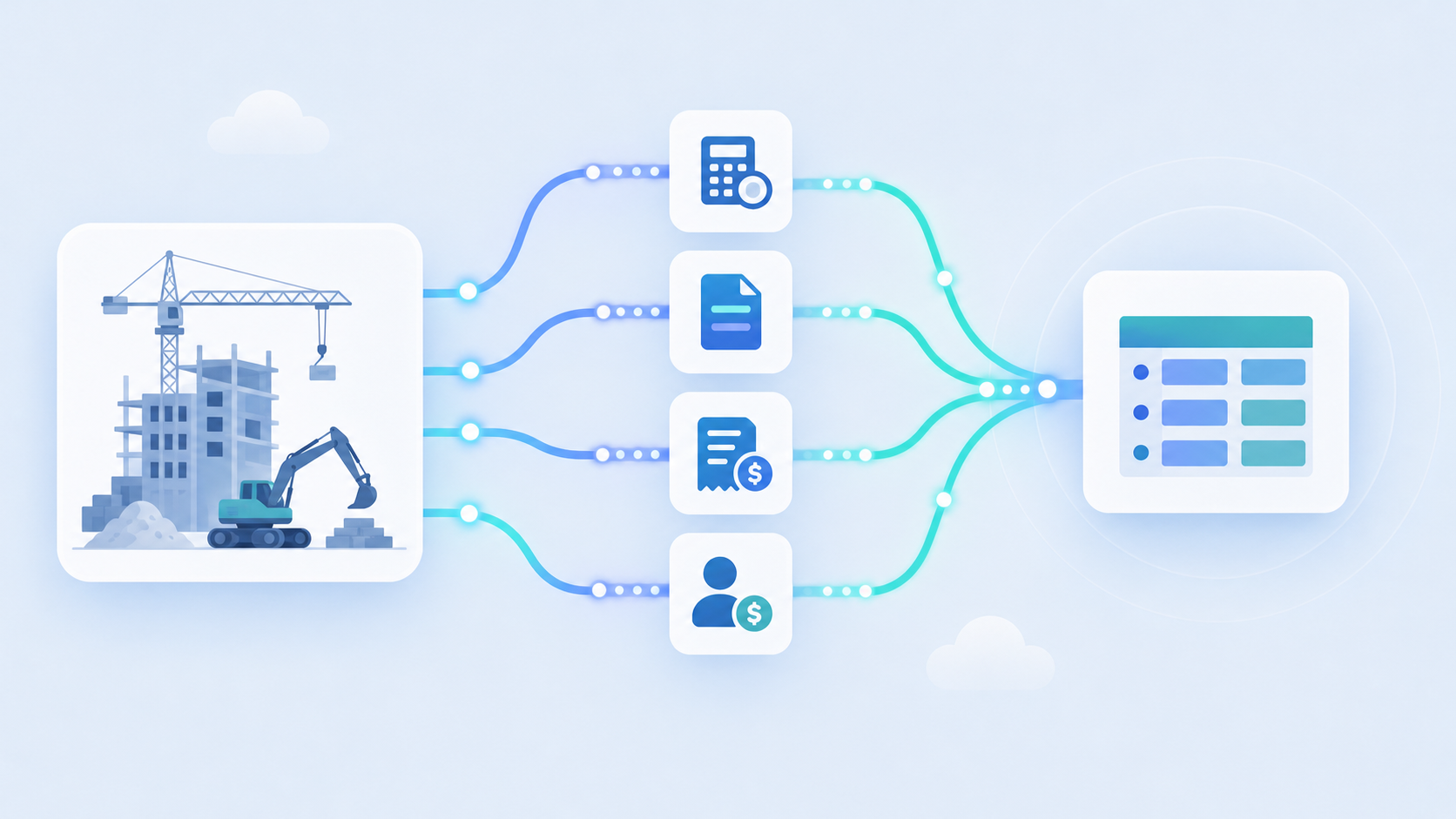
- Job costing: cost codes, cost types, committed costs, and actual costs tied to each project
- Change orders: both pending and approved, synced against the original budget
- Subcontractor commitments and invoices flowing through AP
- Payments issued and outstanding balances in AR
- Payroll and labor hours allocated by job and cost code
- General ledger entries and journal postings for period-end close (a common source of period-close data gaps in related Sage products)
- Project budgets and budget revisions across phases
The job costing layer is where most integrations fall short. Sage 300 CRE tracks cost at a granular level: phase, cost code, and cost type. A construction PM tool that only pulls top-level budget figures will frustrate project managers who run their jobs at the cost code level every day.
Change orders compound the problem. If your integration captures invoices but misses the change order that authorized the spend, the AP team cannot close the books without going back into Sage manually. That friction erodes trust in the integration fast.
The Real Reason On-Premise Integrations Break
Most on-premise integration failures trace back to the same four problems, and they compound each other.
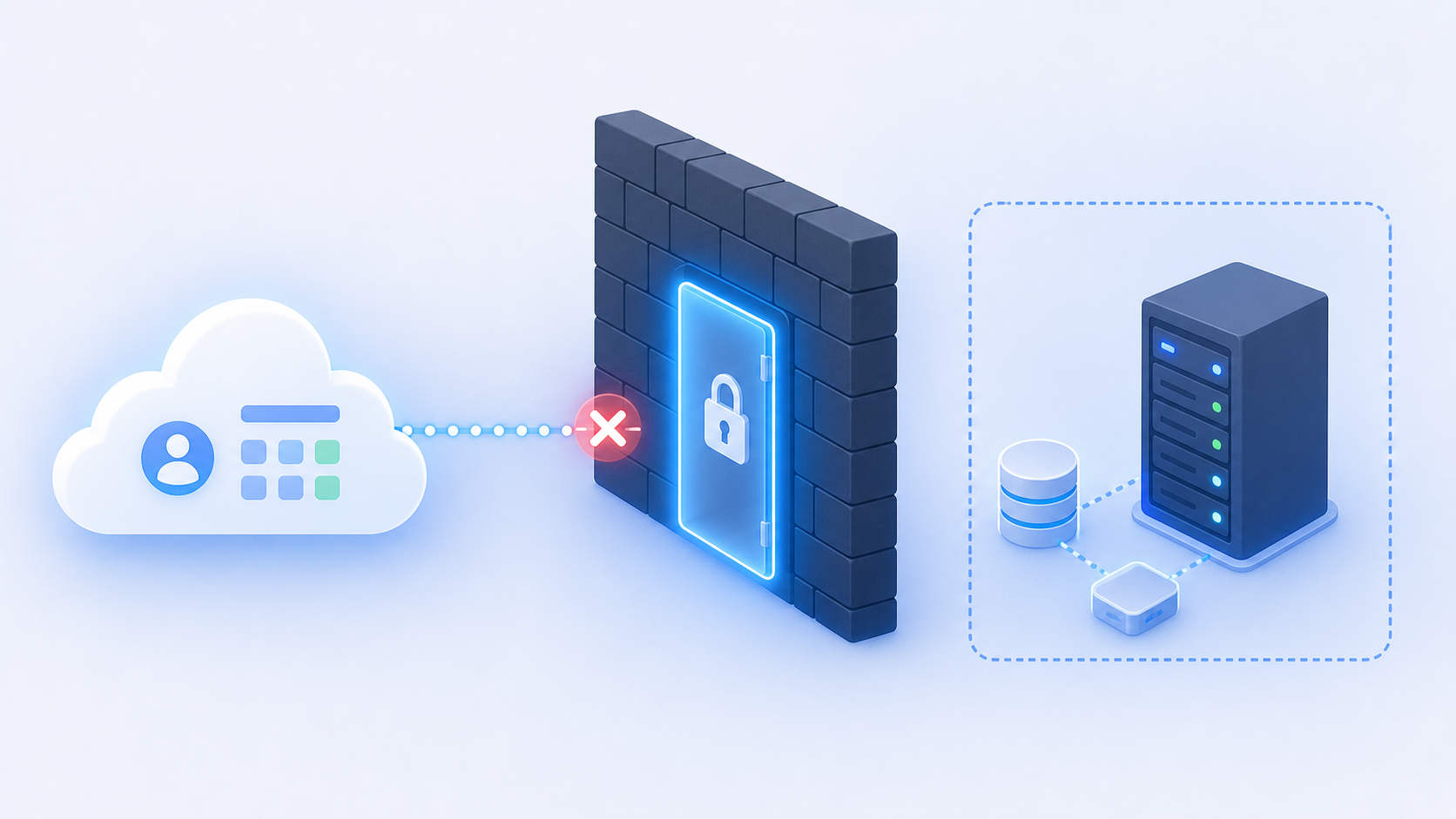
- No central API endpoint: every customer's Sage 300 CRE instance sits behind a firewall on a private network. Your connector must traverse that network to reach the Pervasive SQL database, which means network configuration, agent installation, and firewall rules become part of every customer onboarding.
- Schema drift: Sage 300 CRE installations vary by version and by how each firm has customized their database. Field names, table structures, and relationships that work in one customer environment silently break in another.
- No webhooks: there is no event system to subscribe to. Your team must engineer polling logic or a change-detection layer from scratch, then maintain it.
- Silent version breaks: when a customer's IT team pushes a Sage 300 CRE update, the underlying schema can shift without notice. There is no changelog pushed to your integration.
These are exactly the kind of hidden costs of ERP integrations teams underestimate upfront. The cumulative effect is a maintenance surface area that grows with every customer added. Each new environment is a fresh configuration problem, not a copy-paste of the last one.
Three Integration Approaches for Sage 300 CRE (And Their Real Tradeoffs)
Three paths exist for connecting to Sage 300 CRE, and each carries a different maintenance contract you inherit for the life of the integration.
| Approach | Setup Complexity | Survives Version Updates | Maintenance Burden |
|---|---|---|---|
| Direct ODBC / database access | High | Poor | High |
| File-based import/export | Low | Good | Medium |
| On-premise agent-based sync | Medium | Best | Low (if managed) |
Direct ODBC access gives you raw query control against the Pervasive SQL database. That sounds useful until a customer's IT team runs a Sage update and a table schema changes without notice. You own every schema mapping, every query, every break.
File-based workflows sidestep the network access problem entirely by using Sage's built-in export tools to drop CSVs your system then ingests, though most teams eventually move to a dedicated Sage 300 connector instead. The tradeoff is latency and manual steps. Someone has to trigger the export, and that someone is usually the customer's accounting team. It works for low-frequency data needs but falls apart when construction PMs want same-day job cost visibility.
On-premise agents install directly on the customer's machine, connect to the local database, and handle network traversal without requiring open firewall ports. They also abstract schema differences across Sage versions, so a version update doesn't immediately surface as a support ticket. The catch: agent installation adds friction to customer onboarding, and you need a support model for when the agent goes offline mid-sync.
For production use at any scale, the agent approach is the only one that holds. The others are starting points that eventually hand you a growing list of per-customer exceptions to manage.
Native vs. Connector vs. Middleware: Which Integration Architecture Fits Your SaaS Product
Three integration paths exist for connecting your SaaS to Sage 300 CRE, and they differ less in technical design than in who owns the problem long-term.
Building a native direct integration means your engineering team writes against Sage's ODBC layer, manages schema mappings per customer, and fields every support ticket when a sync breaks. You get full control. You also get full accountability, forever. In practice, that means one engineer estimates two weeks to ship the initial connection, then spends the next six months handling schema differences across customer environments, version updates that silently break field mappings, and the support queue that follows. For a construction SaaS with ten customers on Sage 300 CRE, that's ten separate maintenance surfaces, not one.
Sage's partner ecosystem offers certified connector options, but these are built for Sage's own adjacent products (think Sage CRM or Sage fixed assets), not for embedding inside a third-party SaaS product. The maintenance model assumes a Sage reseller manages the relationship and handles upgrades on a per-customer basis. There's no SDK or webhook layer for a product team to build against, and the licensing model wasn't designed for a multi-tenant SaaS context where you're connecting dozens of contractor accounts at once.
Embedded integration layers shift ongoing maintenance off your roadmap entirely. The connector vendor absorbs schema updates, version drift, and agent health monitoring. Your team configures the data flow (which objects to sync, at what frequency, and where errors surface) and moves on. The concrete tradeoff is onboarding friction: your customers still need to install an agent on their machine, so the setup flow requires more coordination than a simple OAuth handshake. The payoff is that a Sage version update becomes the vendor's problem, not a support ticket in your queue.
The decision comes down to one question: is Sage 300 CRE integration your product's core differentiator, or is it table stakes you need to ship so you can focus on what actually is? For most construction SaaS teams, it's the latter, which makes owning the full maintenance stack a poor use of engineering capacity. Before committing engineering time, it's worth working through an ERP integration guide for product teams.
What Breaks When You Sync Construction Accounting Data
Demos show happy paths. Production shows everything else.
The first failure mode is silent errors. A job cost record fails to land in Sage because a cost code doesn't exist in that contractor's configuration, and the end user sees nothing. No alert, no retry prompt. The SaaS product team finds out when a customer calls wondering why their budget numbers look wrong.
Partial syncs create a second problem: duplicates. If a sync job processes 80% of records and then fails, a retry without deduplication logic writes those 80% again. Construction AP teams notice fast because double-posted invoices create real reconciliation headaches.
Custom cost structures are where most integrations quietly fall apart at scale. Every contractor configures Sage 300 CRE differently: unique cost codes, extras, phase breakdowns that don't map cleanly to a generic schema. An integration that works for one general contractor may silently mismap records for the next.
The buyer question worth answering directly: can end users self-correct when a sync fails? For most DIY integration approaches, the answer is no. The error lives in a log your engineering team has to read, the end user sees stale data, and the resolution path runs through a support ticket.
Who Actually Owns the Sage 300 CRE Integration at a SaaS Company
The integration question usually surfaces in a customer success Slack channel, not an engineering sprint. A customer asks why their job costs aren't syncing. CS escalates. Engineering says it's on the backlog. The CPO gets pulled in. Nobody planned to own this, and now everyone is arguing over who does — a meeting nobody put on the calendar, for a problem nobody put on the roadmap.
Engineering teams tend to underestimate the maintenance load up front. One engineer estimates two weeks to build the connection. That estimate doesn't include schema differences across customer environments, version updates that silently break field mappings, or the support queue that follows. Six months later, that engineer is still fielding Sage tickets instead of shipping product.
CS and partnerships leads are typically the right first champions, because they feel the revenue consequence directly, much like what we've seen in multi-subsidiary NetSuite integrations where ownership gets murky fast. A construction SaaS company that can't sync to Sage 300 CRE loses deals or churns customers who won't tolerate manual reconciliation. That's a clearer argument than a technical architecture debate.
The framing that works with skeptical engineers: Sage 300 CRE integration doesn't get simpler the longer you wait. The on-premise architecture, schema drift, and lack of any API mean the maintenance surface grows with each customer added. Offloading that to a connector layer gives engineering back the capacity to work on what actually sets the product apart.
For CPOs, the ownership question resolves cleanly. Partnerships or CS identifies the demand, product scopes the data requirements, and engineering assesses whether to build or buy. The integration itself should never become an engineering team's permanent side project.
How hotglue Handles Sage 300 CRE Integration for Construction and Real Estate SaaS
The Sage 300 CRE connector installs directly on the customer's machine, connects to the local Pervasive SQL database, and is built to survive software updates without breaking syncs. When a contractor's IT team runs a Sage version update, the connector handles schema drift internally so it never surfaces as a support ticket in your queue.
A few things make hotglue the strongest option in the market for this specific problem (see our comparison of ERP sync tools for more):
- On-premise depth most skip entirely: connecting to a firewalled local database is unglamorous engineering work, which is why most competitors avoid it
- Open-source connectors with full codebase visibility, so there's no black-box behavior when a sync acts unexpectedly
- One to two weeks from API access to a live connector in production
- SOC 2 Type II and GDPR compliant by design: customer data is processed and delivered to you, never stored on hotglue's end
Across all connectors, hotglue processes approximately 10 billion records weekly across 38,000+ active tenants. Pricing is tenant-based, not data-volume-based, which matters in construction accounting where individual customers push large payroll and GL volumes. Costs scale with the number of connected customers, not with how much data each one syncs.
Final Thoughts on On-Premise ERP Integration for Construction SaaS
Sage 300 CRE sits at the intersection of two things most SaaS teams are not built for: on-premise database access and construction-specific data models. Getting the job costing layer right, change orders included, is what separates an integration your customers trust from one they quietly work around. The maintenance surface only grows as you add more customers, which makes the build-vs-buy question worth answering before you are six months in with one engineer deep in Pervasive SQL rabbit holes. hotglue was purpose-built for exactly this: on-premise connectors that install in your customer's environment, absorb schema drift silently, and go live in one to two weeks. Your engineering team keeps shipping product. Your customers stop asking why their job costs look wrong. That's the whole point. Book a demo to see it in action.
FAQ
How does Hotglue's Sage 300 CRE connector handle schema drift when a contractor runs a software update?
The Sage 300 CRE connector installs directly on the customer's machine and connects to the local Pervasive SQL database in a way that absorbs schema changes instead of breaking on them. When a contractor's IT team pushes a Sage version update, the connector handles the drift internally, so your team does not get a support ticket telling you a table structure changed. This is the core reason the agent-based approach beats direct ODBC access for production use at any scale.
How are sync errors surfaced when a Sage 300 CRE record fails to land, and can end users self-correct without filing a support ticket?
Hotglue guarantees that a partial sync failure never silently succeeds: it either delivers all records or fails the job and preserves state for retry. Error visibility is configurable, so your product can surface actionable messages directly to the end user instead of burying them in a log only your engineering team can read. For construction AP teams, that means a failed invoice sync produces a clear prompt to fix the mapping, not a mysterious gap in their budget numbers.
What is the difference between Sage 300 CRE integration and Sage Intacct Construction integration for SaaS products?
Sage Intacct Construction is cloud-based with a REST API and standard credential-based access, so you integrate it like any modern SaaS product. Sage 300 CRE runs on-premise on a local Pervasive SQL database with no API at all, requiring an agent installed inside the customer's private network. A connector built for Sage Intacct will not translate to Sage 300 CRE, so if your construction customers use both across their portfolio, you are looking at two separate integration efforts with different authentication models and maintenance profiles.
How does on-premise ERP integration pricing work with Hotglue, and does syncing large payroll and GL volumes from Sage 300 CRE affect the bill?
Hotglue's pricing is tenant-based, not data-volume-based, which matters in construction accounting where individual customers push high-volume payroll and GL data through every sync cycle. Costs scale with the number of connected customers, not with how much each one syncs. Contracts typically start at $25,000 to $50,000 annually, with a per-active-tenant fee that only counts tenants with activity in a 30-day rolling window, so you are not paying for dormant accounts.
Can I build a Sage 300 CRE integration without owning the ongoing maintenance myself?
Yes. The agent-based approach through an embedded connector layer like Hotglue moves schema mapping, version drift monitoring, and agent health monitoring off your engineering roadmap entirely. The practical test is straightforward: if Sage 300 CRE integration is table stakes your product needs to stay competitive in construction SaaS (not the thing that actually makes your product different), then owning the full maintenance stack is a poor use of engineering capacity. Hotglue can stand up a new connector in one to two weeks from test account access to a live connector in production.