Your CFO starts asking questions around the time you hit 200 connected customers and your integration bill stops being predictable. Task-based and run-based pricing sounds reasonable early on — right up until it doesn't. It gets complicated fast when customer usage patterns vary, and suddenly your pricing model is doing more damage than your customer churn. Switching to a per tenant model is the cleaner path, and a few platforms actually support it. Here's the breakdown.
TLDR:
- Per-tenant pricing ties your integration costs to customer count, not sync volume or task frequency
- Workato, Tray.ai, and Cyclr all charge by tasks, run allotments, or executions, making costs hard to forecast
- At least one Tray.ai customer has reported costs reaching ~$40K/year under run-based billing with high-volume usage
- Prismatic, Workato, Versori, and Tray.ai do not publish pricing publicly, requiring a sales call to model costs
- Hotglue bills on active tenants in a 30-day rolling window with 650+ open-source connectors and a white-labeled embedded UI
What Is Per Tenant Integration Pricing?
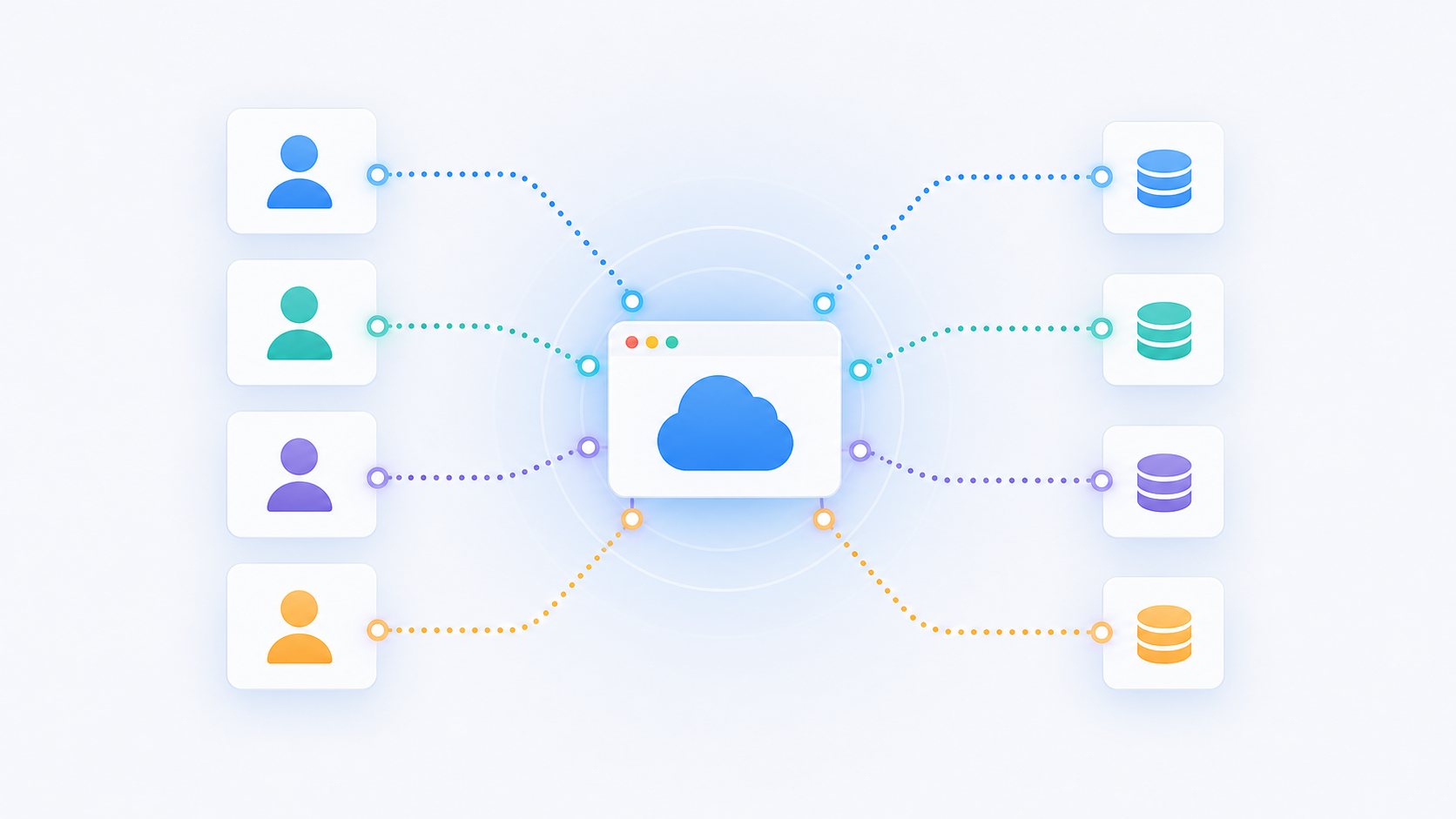
Per tenant pricing bills you based on the number of your end customers who have an active integration connected. One customer syncing their QuickBooks account counts as one tenant. Whether that customer moves 10,000 records or 10 million records in a month, the price stays the same.
The alternative models are trickier to predict. Per-data-volume pricing charges based on rows synced, API calls made, or records processed. Per-workflow-run billing counts each automation execution. Both can be cheap at low usage and genuinely painful at scale, because your costs grow with your customers' activity, beyond your customer count.
Your bill grows when you add customers, which is something your revenue also reflects. A spike in sync volume from a high-usage customer does not change your invoice. That predictability matters most when you are at 200+ connected customers and your CFO starts asking questions, especially when weighing an embedded iPaaS vs in-house integration build.
The decision typically lands on the CPO or Head of Partnerships, whoever is accountable for the product's integration roadmap and the cost model that keeps it sustainable past the first 50 customers. Engineering leads often get pulled in for implementation, but the pricing structure is a product and business call, not purely a technical one. For a broader look at what embedded iPaaS platforms provide, Pandium's overview covers the core capabilities well.
How We Ranked These Integration Platforms
We ranked these platforms on four criteria, using publicly available pricing pages, documentation, and product information available as of October 2026.
- Pricing model predictability: whether the vendor charges per tenant or by task, run, or data volume
- White-label and embedding capability: how much control you have over the end-user experience inside your product
- Connector depth and open-source access: the breadth of available integrations and whether you can extend them yourself
- Purpose-fit for customer-facing integrations: how well each option serves embedded use cases versus internal automation
One transparency note: we wrote this list and included ourselves at #1. Completely unbiased, obviously. But the criteria are real, so weigh them against your own requirements and see how it shakes out.
Best Overall Integration Platform With Per Tenant Pricing: hotglue
Hotglue is an embedded iPaaS built for B2B SaaS product teams who need customer-facing integrations that look and behave like part of their own product. Pricing runs on active tenants in a 30-day rolling window, so a customer who syncs QuickBooks once a month counts the same as one syncing hourly. This is the only model in this comparison that stays predictable as you scale.
Here is what sets it apart:
- Per-active-tenant billing with no data volume component, no task counts, and no run limits, so your costs grow with your customer count, not their sync behavior
- Fully white-labeled embeddable widget and Magic Links so your customers never see a third-party UI
- 650+ open-source Singer/Airbyte connectors with full codebase visibility
- Python transformation layer with GluestickAI for AI-assisted field mapping
- SOC 2 Type II and GDPR compliant; processes and delivers data without storing it
Prismatic
Prismatic is a purpose-built embedded iPaaS aimed at B2B software companies shipping customer-facing integrations. It offers a solid code-first toolkit, and engineering teams with the bandwidth to assemble their own UX layer will find the components SDK genuinely capable.
What They Offer
- Embeddable integration marketplace customers can browse and activate
- Components SDK for building custom connectors in code
- Customer-scoped instances for per-tenant deployment
- Low-code workflow builder for end-user configuration
Good for engineering-led teams who want to control the full integration experience and have the internal capacity to build it.
The catch is pricing. According to a third-party transcription on apis.io (figures noted as unverified), Prismatic offers three tiers (Scale, Enterprise, Custom), but none list a per-tenant or per-instance dollar amount. Every tier points to a "Schedule my demo" CTA, which means you cannot model your integration costs before entering a sales process. If you are trying to forecast what 300 connected customers will cost you next year, that opacity is a real problem.
Workato
Workato is built for enterprise IT teams running broad internal automation across dozens of business systems, though many SaaS teams end up researching Workato alternatives for embedded use cases. Its recipe-based model is genuinely capable, and for large organizations with dedicated integration ops staff, it covers a lot of ground.
Here is how it breaks down for embedded use cases:
- Recipe-based workflow automation across hundreds of apps
- Workato Embedded product for customer-facing use cases
- Enterprise governance, audit logging, and compliance controls
- Task-based billing where each automation step counts toward usage
Workato's pricing is task-based, not tenant-based. Costs grow with automation frequency and data volume, which makes forward projections difficult for SaaS teams whose customers sync at unpredictable rates. One high-activity customer can move your monthly bill in ways that have nothing to do with how many customers you have.
The embedded UX is the sharper issue for product teams. Workato Embedded surfaces a workflow builder to end users that reads like building a Zap or a HubSpot workflow sequence, a comparison covered in detail in Hotglue vs Zapier. That may work for enterprise buyers who expect to configure their own automations, but for SaaS teams who want integrations that feel native to their product, it falls short.
Good for large enterprise IT teams that need internal automation at scale with budget to match. A harder fit for mid-market SaaS companies who need predictable costs and a white-labeled customer experience, a gap that's pushed many teams toward MuleSoft alternatives as well.
Tray.ai
Tray.ai offers an embedded automation product called Tray Embedded, designed for SaaS teams that want to surface workflow automation inside their product. Its connector library is wide, and the low-code builder is approachable for teams without deep integration engineering resources.
What They Offer
- Tray Embedded for customer-facing automation inside SaaS products
- Low-code workflow builder with a large connector library
- White-label customization options for the embedded experience
- Workflow run allotment-based billing
The billing structure is where it gets complicated. Tray.ai charges based on workflow run allotments instead of connected customers, so costs scale with how frequently your customers trigger integrations instead of how many customers you have. A high-volume customer who syncs data constantly moves your bill in ways a new signup does not. At least one customer has anecdotally reported costs growing to approximately $40K/year under this model, a reminder of how closely integration pricing and retention are linked.
Tray.ai has also been slower to build connectors for niche or vertical-specific apps, which sometimes pushes customers toward self-building via HTTP connectors. That is extra work your team absorbs.
Good for teams with predictable, low-frequency workflow patterns that are unlikely to trigger run-based cost escalation. A harder fit for SaaS companies whose customers have variable or high-frequency sync needs.
Cyclr
Cyclr is an embedded iPaaS built for B2B SaaS companies that want to offer integrations and automated workflows directly inside their product, similar to several Merge.dev alternatives teams consider in this space. Its visual builder and pre-built connector library give SaaS teams a fast path to launching a basic integration catalog without heavy engineering investment.
Here is what they offer:
- Visual drag-and-drop workflow builder customers can interact with directly
- Embedded "Integration Hub" for end-user connector activation
- Large pre-built connector library targeting SaaS use cases
- Cycle-execution-based billing model
The billing model is the sticking point. Cyclr charges based on cycle executions instead of connected tenants, so costs grow with how frequently your customers trigger workflows. A few high-volume customers can push your bill up without adding a single new account.
Good for SaaS teams that need a no-code visual builder their customers can configure themselves and expect modest, predictable sync volumes. A harder fit if your customers run frequent or bulk data syncs and you need costs to track customer count instead of activity levels. You can review Cyclr's pricing page directly to pressure-test the execution math against your expected volumes.
Versori
Versori is a newer entrant in the integration space, positioning around AI-assisted workflow building for connecting and synchronizing data across business systems. It targets industries like retail, financial services, healthcare, and logistics.
Versori describes itself as an "Agentic AI Integration and Workflow Automation Platform" focused on reducing development time for data pipelines.
What They Offer
- AI-assisted integration and workflow builder with visual and natural language tooling
- Data pipeline creation targeting enterprise and mid-market verticals
- A connector library focused on internal business system synchronization
Good for organizations investing in AI-driven internal automation. The practical limitation is pricing transparency: Versori's public-facing cost information is sparse, making cost modeling before a sales call essentially impossible. Its positioning also skews toward internal workflow automation instead of embedding integrations inside a SaaS product for end customers, a divide also covered in Hotglue vs MuleSoft.
Feature Comparison Table of Integration Platforms Per Tenant Pricing
Here is a quick look at how these integration tools stack up across the features that matter most for embedded use cases.
| Feature | Hotglue | Prismatic | Workato | Tray.ai | Cyclr | Versori |
|---|---|---|---|---|---|---|
| Per-Tenant Pricing Model | Yes | No (quote-based) | No (task-based) | No (run allotment-based) | No (execution-based) | Unconfirmed |
| Pricing Publicly Listed | Yes | No | No | No | Partial | No |
| White-Label Embedded UI | Yes | Yes | Partial | Partial | Yes | No |
| Open-Source Connectors | Yes | No | No | No | No | No |
| Customer-Facing Integration Focus | Yes | Yes | No | Partial | Yes | No |
| Python Transformation Layer | Yes | No | No | No | No | No |
| SOC 2 Type II | Yes | Yes | Yes | Yes | Yes | Not confirmed |
| On-Premise Connector Support | Yes | No | No | No | No | No |
Why hotglue Is the Best Embedded iPaaS With Per Tenant Pricing
Per-tenant pricing works because your integration costs grow alongside your revenue, not alongside your customers' sync schedules. Every other model on this list ties your bill to task counts, run allotments, or data volume, all variables you cannot control once a customer is live and actively using your product. Hotglue is the only option here that pairs that pricing structure with fully white-labeled embedding, open-source connector transparency, and a Python transformation layer you can inspect and extend.
The deeper difference is architectural origin. Hotglue was built from the start for customer-facing integrations inside B2B SaaS products, not adapted from an enterprise IT automation tool or a data warehouse pipeline. That shows up in the details:
- Magic Links for low-friction tenant onboarding, so your customers connect their tools without ever seeing a complex auth flow.
- SOC 2 Type II compliance with a process-and-deliver data model, giving enterprise buyers the security posture they require.
- On-premise connector support that most vendors skip entirely, which matters the moment a customer runs software behind a firewall.
- A dedicated support channel where issues get resolved in hours, not routed through a ticketing queue.
If you are a CPO or Head of Partnerships reviewing embedded iPaaS options, that combination is worth pressure-testing against your actual connector requirements and projected tenant count. Our Hotglue vs Paragon breakdown is a good next stop.
Final Thoughts on Embedded iPaaS Pricing Per Customer
Not all integration pricing models behave the same way once your customers are live and actively syncing data. The gap between what looks affordable in a sales deck and what lands on your invoice six months later can be wide when billing tracks task counts or run allotments instead of customer count. Your pricing model should grow with your revenue, not with your customers' sync schedules. Talk to the hotglue team if you want to see what that looks like with your actual tenant projections.
FAQ
How do I choose between Hotglue, Prismatic, Tray.ai, and Cyclr for embedded integrations?
Start with your pricing model tolerance: if you need costs to track customer count instead of sync activity, Hotglue is the only option on this list with per-active-tenant billing. If your team has strong engineering capacity and wants to build its own UX layer, Prismatic is worth considering. Cyclr and Tray.ai suit teams with predictable, low-frequency sync volumes where run-based billing stays manageable.
Is Hotglue or Workato a better fit for a mid-market SaaS product team?
Workato was built for enterprise IT automation, so its task-based pricing and workflow builder UI make most sense for large internal ops teams, not SaaS products embedding integrations for end customers. Hotglue was built from the start for customer-facing embedded use cases, with white-labeled UI, per-tenant pricing, and a Python transformation layer, making it a tighter fit for a product team shipping integrations as part of their core product experience.
When should I choose a per-tenant pricing model over a per-data-volume or run-based model?
Per-tenant pricing makes sense once you have 50 or more connected customers whose sync behavior you cannot control. If one customer syncs QuickBooks or Shopify at high frequency, that activity does not change your bill under a per-tenant model. Costs grow when you add accounts, not when existing accounts sync more data.
What is the practical difference between open-source connectors and proprietary connectors in an embedded iPaaS?
Open-source connectors give your team full visibility into the codebase, so you can inspect how data is pulled, extend the connector yourself, or verify compliance behavior. Proprietary connectors are black boxes where you rely entirely on the vendor to fix bugs, handle API changes, and confirm what data is accessed. For SaaS teams selling to enterprise customers with security review requirements, that transparency gap matters.
Can I model my integration costs before entering a sales process with Prismatic, Tray.ai, or Workato?
For most options on this list, no. Prismatic, Workato, and Versori all require a demo call before any pricing figures are shared. Tray.ai publishes partial pricing information but bases costs on run allotments that are hard to forecast without usage data. Hotglue publishes its pricing model publicly (a base platform license plus a per-active-tenant fee), so you can run a rough projection before ever booking a call.