Agents don't wait for a scheduled sync window. When a user asks their AI assistant to pull open invoices or update a deal, the call happens right now, scoped to that specific customer's credentials. Most embedded integration setups handle auth as a setup step, not a mid-session runtime concern, which is exactly why wiring in an AI agent tends to expose gaps you didn't know were there.
TLDR:
- AI agents need live, per-tenant API access mid-session, which breaks traditional scheduled sync models
- The MCP spec points servers that touch user data toward OAuth 2.1-style delegated access, not static API keys
- 41% of software organizations report limited or broad production use of MCP servers as of 2026
- Tenant isolation must be enforced at the auth layer, not in application code filtering by tenant ID
- Ask any vendor for an actual endpoint URL and confirm tool discovery scopes to that tenant's linked connectors only
- Hotglue's Composite MCP issues scoped tokens per tenant via existing OAuth flows, with no second consent screen required
What AI Agents Actually Need From an Integration Layer
AI agents break a core assumption baked into traditional ETL pipelines: that data moves on a clock. The choice between webhook callbacks and scheduled syncs works fine when a customer is reviewing a report, but when an agent is mid-session helping a user create a QuickBooks invoice or pull a Salesforce opportunity, it needs live API access scoped to that specific customer's credentials right now.
The integration layer has to answer a different question: not "what data did this tenant sync last night?" but "what can this agent do on behalf of this tenant, right now, with the right permissions?" That distinction is where most embedded iPaaS setups quietly fall apart when you try to wire in an AI agent, and it's part of why understanding what hotglue actually does matters before you commit to an architecture.
How MCP Works and Why It Matters for SaaS Products
MCP is a protocol that standardizes how AI agents find and call tools connected to external systems. The client (your AI agent or LLM host) connects to an MCP server, which exposes a set of named tools the agent can invoke. Think of it as a menu: the agent asks "what can you do?" and the server replies with a list of callable actions, their inputs, and their schemas. The agent picks one, sends a structured request, and gets a structured response back.
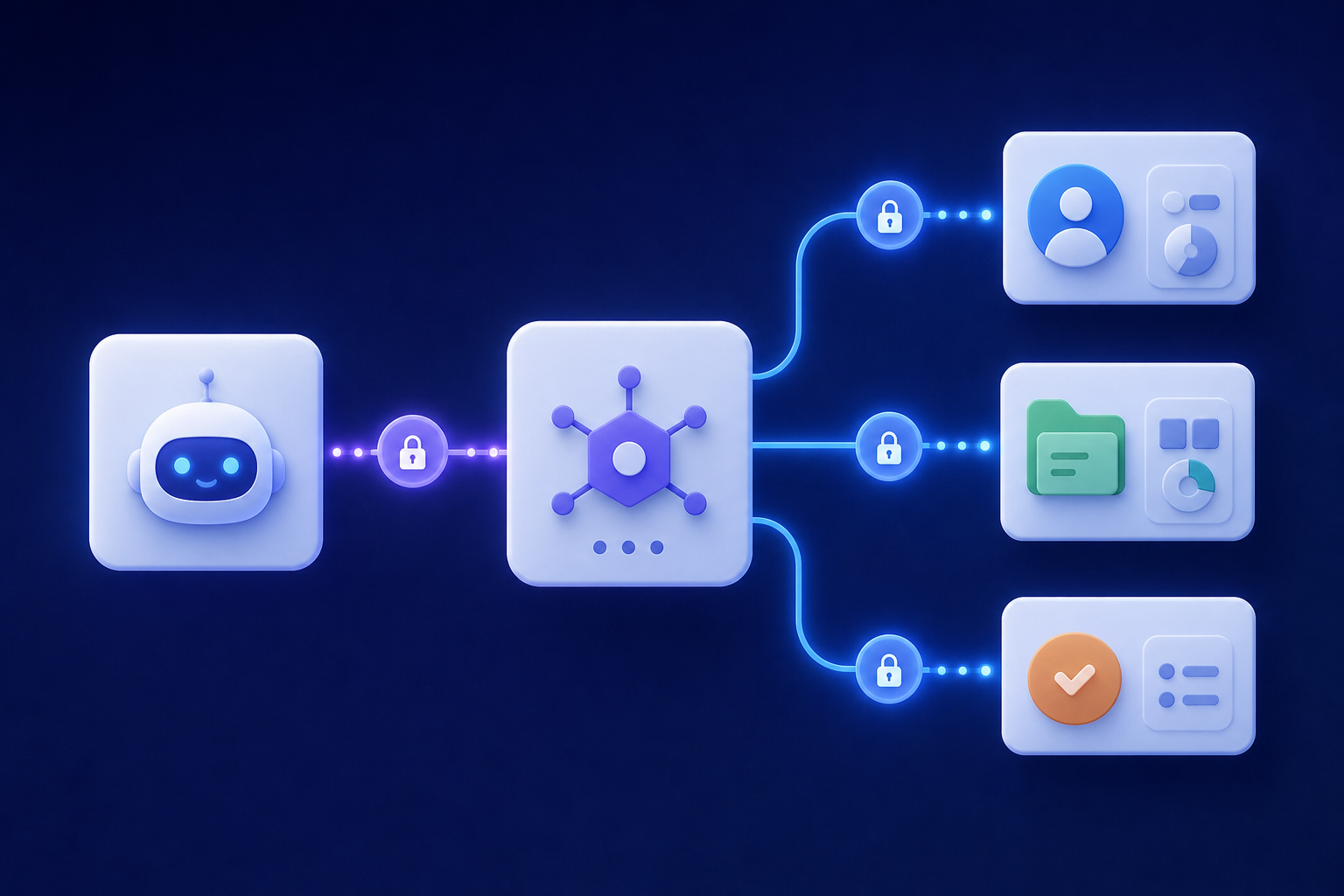
What makes this relevant for SaaS products is the per-tenant dimension. Your customers each have their own connected apps with their own credentials. An MCP server sitting inside your product has to serve the right tools for the right customer, authorized against that customer's accounts, without any credential bleed between tenants.
The July 2026 MCP specification formalized how authorization works in this setup, following OAuth 2.1 conventions. That means MCP servers handling user-specific data are expected to enforce delegated access flows, instead of simply accepting a static API key and trusting the caller. Authorization is technically optional in the spec, but the guidance is clear: if your server touches user data or performs actions on their behalf, you need it.
Adoption pressure is real. 41% of surveyed software organizations report limited or broad production use of MCP servers as of 2026. Your customers are starting to expect their AI tools to work with the software your product connects to.
The Multi-Tenant Credential Problem Embedded Platforms Must Solve
The local MCP prototype is almost insultingly simple. You paste a vendor API key into a .env file, define a few tools, and watch your agent reason through tasks. It works beautifully — right up until you try to deploy that same setup for your actual SaaS product with thousands of customers, at which point it breaks spectacularly because the single API key can't be scoped per tenant. (Turns out "works on my machine" is not a production architecture.)
As Truto describes it, a production multi-tenant MCP server is "a single deployed service that securely brokers AI agent access to thousands of customer accounts, each with their own OAuth tokens, scopes, and tool permissions, without ever leaking credentials between tenants or to the LLM itself." That last part is easy to overlook: the LLM should never see raw credentials either.
For CPOs and Heads of Partnerships vetting vendor claims, this question lands squarely on your desk — not just engineering's. You're the ones accountable when a tenant's data leaks into another account, and "the dev team said it was fine" is not a great answer at the post-incident review. When a vendor says "MCP support," ask: how does the server know which tenant's Salesforce token to use when an agent makes a call? Is that scoped at the token level, or are you trusting application logic to filter correctly? Filtering by tenant ID in code is a footgun. Tenant isolation should be enforced at the auth layer, not hoped for in a WHERE clause.
How Traditional Embedded iPaaS Handles Authentication Today
Most embedded iPaaS products handle authentication through a widget or Magic Link flow: the end user clicks to connect, completes an OAuth handshake, and the product stores that token in a credential vault tied to their tenant record. From that point on, scheduled syncs run against those stored credentials automatically. The customer logs in once, and the pipeline just works.
That model holds up well for batch ETL. Tokens are retrieved at sync time, the job runs, and credentials go back in the vault. Auth is a setup step, not something that happens mid-session.
The friction surfaces the moment an AI agent enters the picture. Agents don't operate on a schedule. When a user asks their AI assistant to pull open invoices from QuickBooks or update a Salesforce deal, the agent needs bi-directional integration to invoke that tool right now, using credentials tied to that specific tenant, inside an active session. The credential vault still has the token, but there's no standard path from "agent wants to call a tool" to "retrieve the right token and scope it correctly." Most embedded iPaaS products were never built with that request model in mind, because no one expected agents to be the caller.
What "MCP Support" Actually Means in Practice
When assessing vendors on MCP support, the gap between a blog post mention and a production-ready implementation is wide. Here's how to tell the difference:
- A roadmap item means nothing without an actual endpoint URL you can test against real traffic.
- A demo connector might wrap a single API without any tenant scoping, which breaks down the moment you have more than one customer.
- Real support means a dedicated MCP endpoint that issues tokens per tenant, surfaces only that tenant's connected tools, and namespaces them correctly (e.g.,
notion.search, not a flat list shared across customers).
The questions worth asking any vendor:
- What's the actual endpoint URL, and how are tenant tokens issued?
- Does tool discovery reflect only the connectors that specific tenant has linked?
- Does this require users to re-authenticate for agents, or does it work within your existing OAuth flow?
That last question carries real weight. If your customers already authenticated through your widget or Magic Link, forcing re-authentication just for agent access creates unnecessary friction and usually breaks the experience. Purpose-built MCP support should slot into your existing auth flow without adding a separate consent step.
Embedded iPaaS vs. the Agent Tools Layer: Choosing the Right Architecture
Two paths exist for product teams wiring AI agents into their SaaS product.
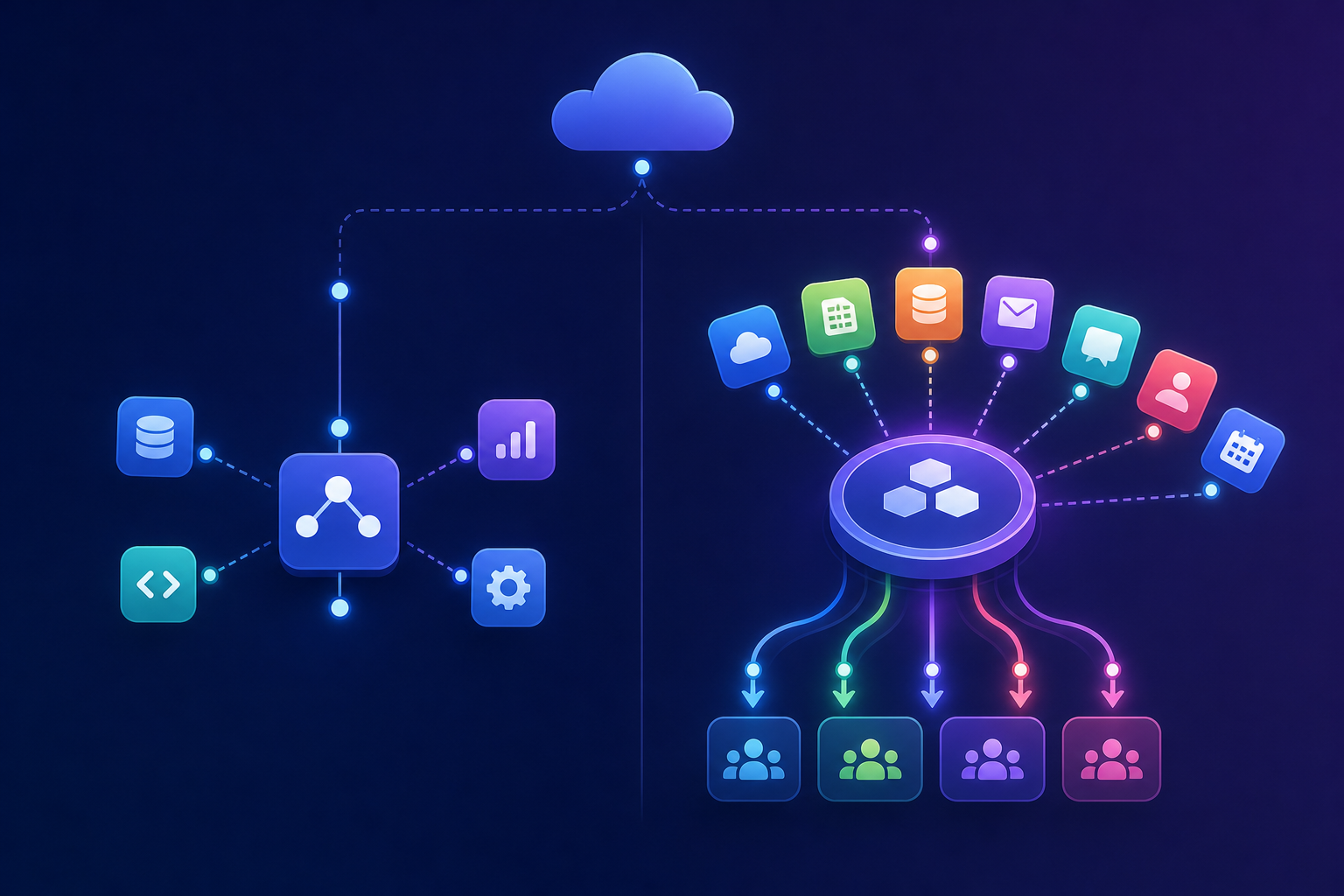
The first is a standalone MCP gateway or agent tool registry, purpose-built for tool-calling. These are lightweight and fast to set up if you're starting fresh with no existing integration infrastructure. The tradeoff: you're managing connector credentials separately from whatever OAuth flows your product already runs, connector breadth is limited, and governance is largely on you to build. That's a tradeoff worth weighing against the broader in-house vs. embedded iPaaS decision your team faces.
The second is an embedded iPaaS that extends into MCP, reusing your existing tenant credentials and connector library. Tenants are already authenticated, connectors are already maintained, and tool discovery is scoped automatically per customer.
Pricing behavior is also worth stress-testing. Volume-based iPaaS bills can spike fast when agents generate API calls at agent speed instead of nightly batch cadence. Tenant-based pricing holds steadier regardless of call volume per session.
| Consideration | Standalone MCP Gateway | Embedded iPaaS with MCP |
|---|---|---|
| Connector breadth | Limited | Hundreds of maintained connectors |
| Credential reuse | Requires separate auth setup | Reuses existing tenant OAuth tokens |
| Tenant isolation | Must be built manually | Enforced at the token layer |
| Pricing under agent load | Often volume-based, unpredictable | Tenant-based, predictable |
| Governance and audit trail | You build it | Inherited from iPaaS layer |
For most B2B SaaS teams, the embedded iPaaS path wins on connector coverage and reduced overhead alone.
Security and Governance Considerations for MCP in Production
Security is the number one blocker to broader MCP deployment, according to Zuplo's 2025 State of MCP report. That's not surprising once you think through what authenticated agent access actually opens up: an agent acting on behalf of a tenant can read, write, and trigger actions across every connected system that tenant has authorized.
A few practices worth locking in before you ship:
- Start read-only. Hotglue's custom MCP integrations are intentionally read-only by default, preventing data corruption from agent mistakes.
- Scope tokens tightly. Agents should only see the tools a given tenant has explicitly linked, nothing else.
- Log agent-initiated actions separately from scheduled sync jobs, so your audit trail stays clean for SOC 2 Type II compliance purposes.
- Enforce tenant isolation at the infrastructure level. Application-layer filtering is not a substitute.
How hotglue Approaches MCP Authentication for Embedded AI Agents
Hotglue's Composite MCP implementation was built around one constraint: agents should be able to call tools on behalf of any tenant without requiring a new OAuth prompt, a separate credential store, or any re-architecture of how that tenant already authenticated.
Each tenant gets a scoped MCP token via GET /{env}/{flow}/{tenant}/mcpToken. That token maps to a dedicated endpoint at mcp.hotglue.com/mcp, and the tools exposed through it are resolved dynamically from the connectors that tenant has already linked through the hotglue widget or Magic Link. If a tenant connected Salesforce and QuickBooks Online, the agent sees exactly those tools, namespaced accordingly. No cross-tenant bleed, no flat tool list shared across customers.
The auth reuse matters more than it sounds. Your customers already went through OAuth when they connected their integrations. Composite MCP slots into that existing flow, so agents inherit the same scoped access without triggering a second consent screen. For a production SaaS product with 38,000+ active tenants processing roughly 10 billion records weekly, adding a separate credential layer for every agent session would be unworkable.
On governance: hotglue is SOC 2 Type II and GDPR compliant by design and never stores customer data. It processes the data and delivers it directly to you, which helps push back on the stigma of embedded iPaaS as a security afterthought. Custom MCP servers built with hotglue's developer integration tools for specific integrations, like DonorPerfect, are intentionally read-only. Until write operations can be audited and reversed with confidence, read-only keeps agent mistakes from becoming data corruption problems.
Final Thoughts on MCP Authentication and Embedded iPaaS for AI Agents
The credential problem is the real blocker here, and it shows up fast once you move past a single-tenant prototype. Agents need live, scoped access tied to each customer's connected tools, and that access should flow from auth your customers already completed. Per-tenant token scoping at the infrastructure level is what separates a working production setup from a liability, and it's the problem hotglue's Composite MCP was built to solve: scoped per-tenant tokens, connector-aware tool discovery, and auth reuse from day one. If you want to see what that looks like without building it from scratch (or spending the next two sprints debugging tenant bleed), book a quick demo with hotglue. It's worth 30 minutes of your calendar.
FAQ
What embedded iPaaS platforms support AI agent and MCP authentication workflows in 2026?
Hotglue offers a production-ready Composite MCP implementation purpose-built for multi-tenant B2B SaaS. It issues scoped tokens per tenant via a dedicated endpoint, so AI agents inherit existing OAuth credentials without a separate auth setup. When you evaluate any embedded iPaaS vendor, the test is whether they can give you an actual endpoint URL and show you how tenant tokens are issued and scoped. Standalone MCP gateways exist but require you to manage connector credentials separately from your existing OAuth flows.
How do I use MCP to let AI agents authenticate with third-party business tools like Salesforce or QuickBooks through my SaaS product?
Hotglue's approach is to generate a scoped MCP token per tenant via GET /{env}/{flow}/{tenant}/mcpToken, which maps to a dedicated endpoint at mcp.hotglue.com/mcp. Agents then see only the tools that specific tenant has already linked (e.g., Salesforce, QuickBooks Online), namespaced per connector. This reuses the OAuth tokens your customers already granted through the Hotglue widget or Magic Link, so there is no second consent screen for users and no separate credential store to maintain. Tenant isolation is enforced at the token layer, not in application logic.
What are MCP servers, and why are they becoming important for SaaS integrations?
MCP (Model Context Protocol) is a protocol that standardizes how AI agents find and call tools connected to external systems. The agent asks what actions are available, picks one, and gets a structured response back. It matters for SaaS products because your customers are starting to expect their AI tools to work with the software your product connects to, and the per-tenant credential problem (keeping each customer's tokens isolated from every other customer's) is where most naive implementations break down.
Should I build my own MCP gateway or use an embedded iPaaS with MCP support for my SaaS product's AI agent workflows?
A standalone MCP gateway is faster to stand up if you have no existing integration infrastructure, but you take on connector maintenance, credential management, and tenant isolation as your own engineering problem. An embedded iPaaS with MCP reuses the tenant credentials and connector library you already have. If your customers connected Salesforce and QuickBooks, those tools are available to agents immediately without re-authentication. Pricing is worth stress-testing too: volume-based billing can spike when agents generate API calls at agent speed, while tenant-based pricing holds steady regardless of how many calls happen per session.
How should I lock down security before shipping MCP-authenticated agent access in a production B2B SaaS product?
Start with read-only access by default. Hotglue's own custom MCP integrations are intentionally read-only to prevent data corruption from agent mistakes, and write access should wait until you can audit and reverse actions with confidence. Beyond that: scope tokens so agents only see the tools a given tenant has explicitly linked, log agent-initiated actions separately from scheduled sync jobs for a clean SOC 2 audit trail, and enforce tenant isolation at the infrastructure level instead of relying on application-layer filtering.