There's a version of this decision that feels obvious on the surface: Zapier has thousands of app connections, it's affordable, and your team won't need to write a single line of code. The problem shows up later, when a customer connects their accounting software on day one and their full transaction history never loads. What looks like an integration tool and what your product actually needs from one aren't always the same thing.
TLDR:
- Zapier works well for personal and SMB automation, but breaks down as a B2B SaaS product integration layer
- Zapier's trigger-action model processes one record at a time, failing on bulk historical loads at customer onboarding
- Task-based pricing grows with customer activity, making costs hard to forecast across hundreds of tenants
- Zapier has no white-label option, so your customers leave your product to configure workflows on zapier.com
- hotglue embeds directly in your product, prices by active tenant, and supports on-premise systems like QuickBooks Desktop and Sage 300 CRE
What Is Zapier?
Zapier is a no-code workflow automation tool built around a simple idea: connect two apps, set a trigger, define an action, and let it run. These automated sequences are called "Zaps." Someone submits a form, Zapier fires off a Slack message. A deal closes in Salesforce, Zapier logs it in a spreadsheet.
The product is designed for end users to configure themselves, directly on zapier.com, with no developer required. As of 2026, it links 9,000+ apps and has a free tier capped at 100 tasks per month, with paid plans scaling from there based on task volume.
Zapier's core audience is individuals, SMB teams, and ops-minded people who want to stop doing repetitive manual work without writing a line of code. That's a genuinely useful product for a lot of people. Where it gets complicated is when B2B SaaS companies try to use it as an integration layer for their own customers.
What Is Hotglue?
Hotglue sits at the opposite end from Zapier. Where Zapier gives end users a tool to build their own automations on a third-party site, hotglue embeds directly inside your product so your customers never leave your app to connect their tools.
The core building blocks are open-source connectors, a Python-based transformation layer, and a white-labeled widget your engineering team controls. Pricing runs on active tenants, not task volume, which keeps bills predictable as you scale. SOC 2 Type II compliance and a process-and-deliver data model mean customer data is never stored on hotglue's end.
The target buyer is a CPO, VP of Engineering, or Head of Partnerships at a B2B SaaS company who keeps hearing the same request from customers: "Can you integrate with QuickBooks?" or "We need our Salesforce data in here." Hotglue's answer is a reusable connector catalog and a build pipeline that can stand up a new integration in one to two weeks from API access to live.
Deployment Model: Embedded vs. Self-Serve
The gap between these two tools starts at the deployment layer. Zapier lives on zapier.com. Your customers go there, create their own account, build their own Zaps, and manage everything outside your product. There's no white-label option and no way to put your brand over Zapier's UI. If something breaks, the misconfiguration lives in a workflow your team never touched and can't diagnose.
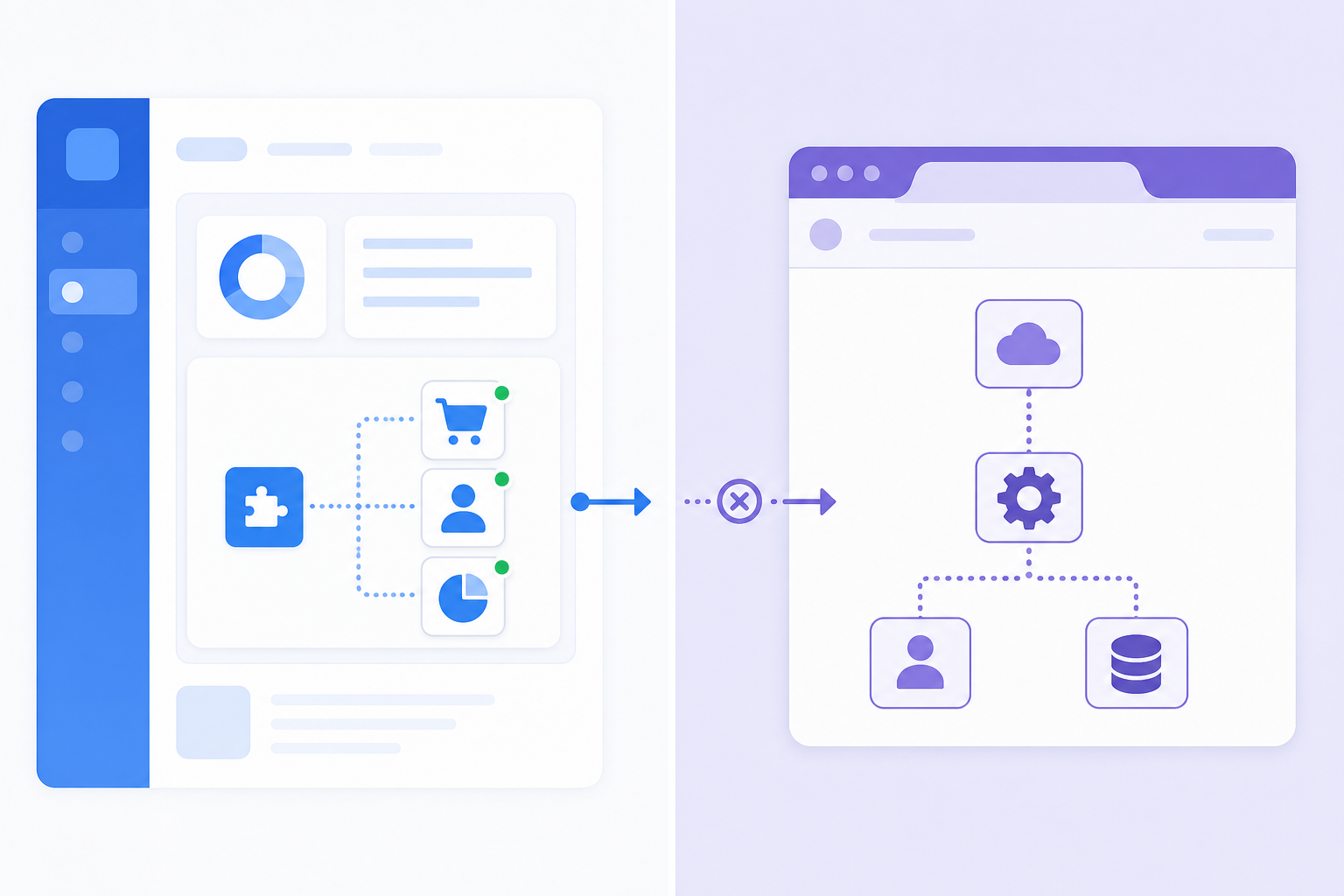
Hotglue works the other way. We embed directly inside your product via a JavaScript widget or Magic Links, so your customers connect QuickBooks, Salesforce, or Shopify without ever leaving your app. They don't see hotglue. They see your product doing something useful. Your team owns the configuration, the monitoring, and the support path.
One model asks your customers to go learn a third-party tool. The other makes integrations feel like a native part of what you built. For a B2B SaaS product, building user-facing SaaS integrations yourself is rarely the answer, and that difference is hard to overstate.
Data Handling: Bulk and Historical Sync vs. Single-Record Automation
Zapier processes one record at a time. A trigger fires, an action runs, and the workflow moves on. That works fine when logging a new contact from a form submission. It falls apart when a customer connects their QuickBooks account on day one and expects their full transaction history to appear in your product.
As one analysis of Zapier's bulk data behavior notes, "a successful test with one CRM record tells you little about what happens when the same integration must update 50,000." Zapier's trigger-action model shapes what's possible at that scale, and pagination control lives at the mercy of what each individual trigger or action exposes.
Hotglue is built for bulk-first workloads. Historical loads, incremental syncs, snapshot-based state management across runs -- these are core to how the product works. When a customer connects their NetSuite or QuickBooks account, hotglue pulls the full history at activation, then syncs only changed records going forward. If a sync job fails partway through, hotglue preserves state and fails the job cleanly, never silently committing partial data. For finance or ERP integrations where data integrity is non-negotiable, that guarantee matters, especially if you're working through integrating QuickBooks with your SaaS platform.
Pricing Model: Predictability vs. Task-Based Risk
Zapier's task-based pricing is simple to understand and brutal to scale. Every action in every Zap counts against a monthly limit. Paid plans start at $19.99/month (billed annually) and climb from there based on volume. For a solo ops person automating their own inbox, that's fine. For a SaaS company managing integrations across hundreds of customers, each syncing records daily, the math breaks fast and unpredictably, which is a fun surprise to explain to your CFO mid-quarter.

Hotglue charges by active tenant within a 30-day rolling window. A single tenant connecting to QuickBooks, Salesforce, and Shopify simultaneously counts as one tenant, not three, which is a key differentiator among iPaaS integration platforms. Your integration cost grows with your customer headcount, not with how busy those customers are on any given day. Product and finance leaders can model it from a spreadsheet without guessing at per-event consumption patterns.
Connector Depth and Custom Integration Support
Zapier's 9,000+ app library is genuinely impressive for breadth. But connectors in Zapier's marketplace are closed-source, built to Zapier's spec, and not extensible. You can't fork one, inspect the logic, or add a custom field. If a connector doesn't support something your customer needs, your options are limited to waiting on Zapier's developer program or building a workaround inside the Zap itself.
On-premise systems are a harder wall. QuickBooks Desktop, Sage 300 CRE, Sage 200: none of these exist in Zapier's world. For accounting, construction, or nonprofit SaaS companies, that's a real ceiling.
Hotglue's connector library is built on open-source Singer and Airbyte YAML specs. Every connector is inspectable and forkable. When something is missing, the team can stand up a net-new connector in one to two weeks from API access. On-premise systems are supported where most embedded iPaaS providers won't go:
- QuickBooks Desktop via a Windows agent and the QuickBooks Web Connector
- Sage 300 CRE via an on-premise installer that connects directly to the local database
- Sage 200 via a cloud proxy for the UK market
Out of the box connectors include NetSuite, Salesforce, HubSpot, Shopify, Paylocity, and dozens more across accounting, CRM, payroll, and e-commerce. For B2B SaaS teams whose customers run legacy software, that depth isn't optional, and it's worth understanding the stigma of embedded iPaaS before ruling it out.
Hotglue vs. Zapier: Side-by-Side Comparison
| Feature | Hotglue | Zapier |
|---|---|---|
| Deployment model | Embedded inside your product (white-labeled widget / Magic Links) | Self-serve on zapier.com (customers leave your product) |
| White-label option | Yes: customers never see the hotglue brand | No: Zapier branding is always visible |
| Data sync model | Bulk-first: full historical load at activation, then incremental sync | Trigger-action: one record at a time, no bulk or historical load |
| Pricing model | Per active tenant (30-day rolling window) | Per task; costs grow with customer activity, not headcount |
| Connector extensibility | Open-source Singer / Airbyte specs (inspectable and forkable) | Closed-source; cannot be forked or extended |
| On-premise system support | Yes: QuickBooks Desktop, Sage 300 CRE, Sage 200 | No on-premise support |
| Target user | CPOs, Heads of Partnerships, engineering teams at B2B SaaS companies | Individuals, SMB teams, ops-minded non-developers |
| App/connector breadth | Focused catalog (NetSuite, Salesforce, HubSpot, Shopify, Paylocity, and more) | 9,000+ apps |
| Data storage | Process-and-deliver; customer data never stored on hotglue's end | Data passes through Zapier's infrastructure |
| SOC 2 compliance | SOC 2 Type II certified | SOC 2 Type II certified |
Verdict: Which Tool Is Right for You?
Zapier is a well-built tool for what it was designed to do: help individuals and small teams automate their own workflows without writing code. If your use case is personal productivity or lightweight internal ops, it fits.
For B2B SaaS teams, the structural gaps add up fast. No white-label option means your customers leave your product to configure workflows on a third-party site. Task-based pricing means your costs spike unpredictably as customers get more active. And the trigger-action model means bulk historical loads at onboarding simply don't work.
Hotglue is built for the product integration problem. It embeds inside your product as a white-labeled widget, handles bulk historical loads and stateful incremental sync, prices by active tenant, and runs on open-source Singer and Airbyte connectors your team can inspect and extend. On-premise systems like QuickBooks Desktop and Sage 300 CRE are supported where Zapier simply doesn't go.
If you're a CPO or Head of Partnerships fielding the same integration requests from customers every quarter, Zapier is the wrong tool for that job. Read more about choosing the best embedded iPaaS solution for your specific needs. Hotglue was built for it.
Final Thoughts on Hotglue vs Zapier
Zapier and hotglue are not really competing for the same job. Zapier helps individuals move data between apps on their own, and it does that well. Hotglue is for B2B SaaS teams who want integrations to feel like a native part of their product, not a third-party workaround their customers have to figure out. If your roadmap has integration requests piling up, a quick demo is a good next step.
FAQ
Should my B2B SaaS team use Hotglue or Zapier to power customer-facing integrations?
If your customers need to connect their tools (QuickBooks, Salesforce, Shopify) from inside your product, Hotglue is the right fit. Zapier is built for individuals automating their own workflows on zapier.com, not for SaaS teams who need white-labeled, embedded integrations they own and control.
What is the core difference between how Hotglue and Zapier handle data syncs?
Zapier is trigger-action (one record at a time); hotglue does a full historical load at activation, then incremental syncs. See the Data Handling section above.
Who is Hotglue best suited for, and who is Zapier best suited for?
Zapier works well for solo operators, SMB teams, and ops-minded individuals automating their own repetitive tasks without writing code. Hotglue is built for CPOs, Heads of Partnerships, and engineering teams at B2B SaaS companies who need to ship native, white-labeled integrations their customers use inside the product itself.
Can Hotglue connect to on-premise systems like QuickBooks Desktop or Sage 300 CRE that Zapier does not support?
Yes. Hotglue supports QuickBooks Desktop via a Windows agent and the QuickBooks Web Connector, Sage 300 CRE via an on-premise installer that connects directly to the local database, and Sage 200 via a cloud proxy for the UK market. Zapier has no path to on-premise systems, which makes it a hard ceiling for accounting, construction, and nonprofit SaaS companies whose customers still run legacy software.
How does Hotglue's pricing compare to Zapier's task-based model for a SaaS company managing hundreds of customers?
Zapier charges per task (unpredictable at scale); hotglue charges per active tenant on a 30-day rolling window. Details in the Pricing section above.