Building a Stripe integration around the invoices endpoint feels like the right call. Paid invoices, open invoices, subscription records, it all looks complete. The problem is that Stripe's billing lifecycle starts earlier than that, and pending invoice items are the part that quietly falls through. We'll walk through what they are, why they disappear, and how to wire your sync so they don't.
TLDR:
- Pending invoice items live at
/v1/invoiceitems, not/v1/invoices, so syncing only finalized invoices silently drops pre-billing charges. - Missing pending items cause deferred revenue gaps in NetSuite or QuickBooks with no error signal, surfacing only at month-end close.
- Fix your sync with two parallel streams: poll
/v1/invoiceitems?pending=trueand subscribe toinvoiceitem.created/updated/deletedwebhooks. - Match on the
invoice_itemfield when items finalize to prevent double-counting the same charge in your destination. - Hotglue's Stripe connector covers pending items, proration credits, and standalone charges by default, and fails jobs explicitly when data is incomplete.
Stripe's Billing Data Model: What Actually Lives in Your Account
Stripe's billing data model has more moving parts than most syncs account for. At the top level, you have customers. Beneath them sit subscriptions, which generate invoices on a recurring schedule. Each invoice contains line items sourced either from automatic subscription plan charges or from invoice items you (or your application) created manually and attached to a pending invoice.
The objects that matter most for a complete sync are:
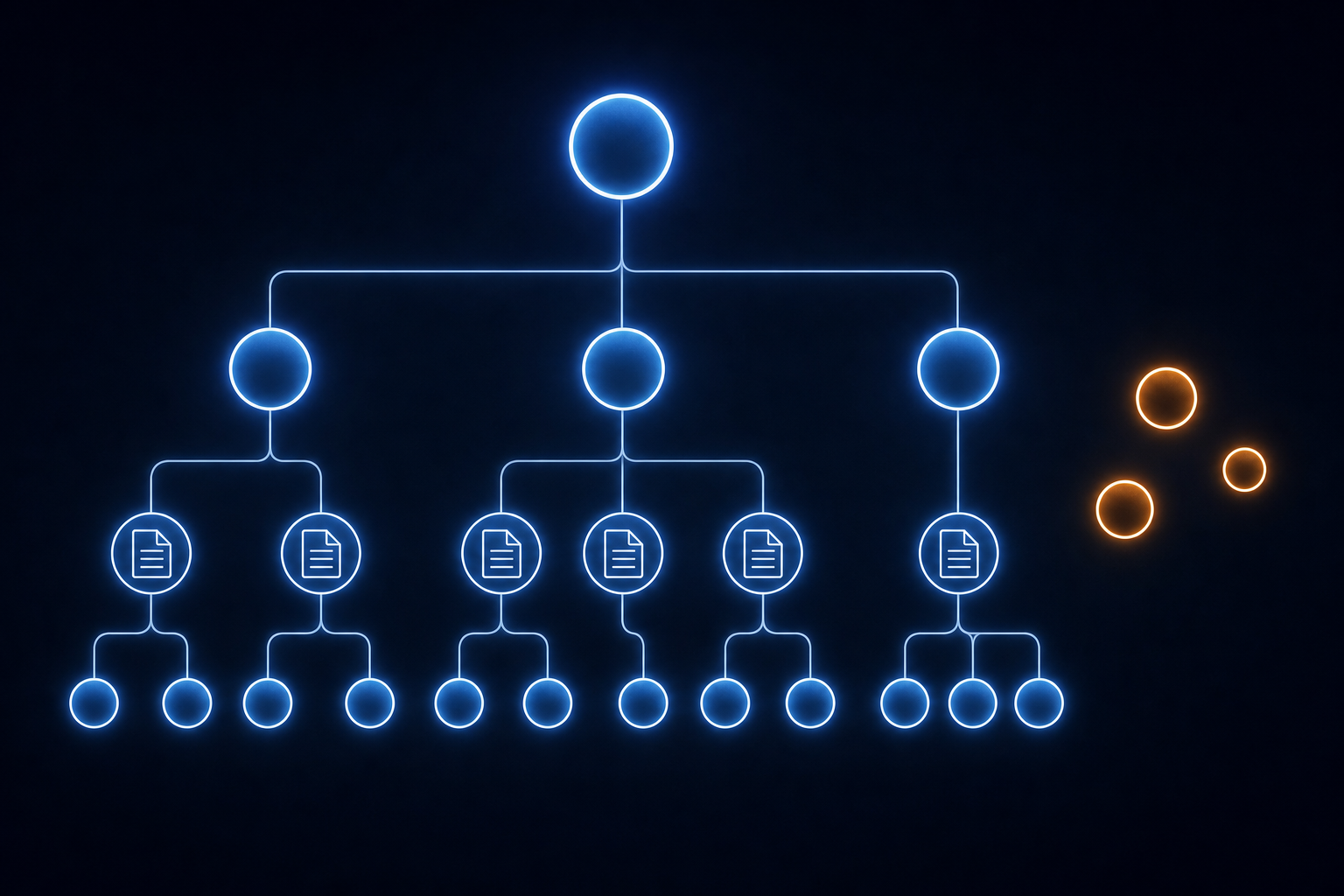
Customer- the root recordSubscription- the recurring billing contractInvoice- the finalized or draft billing documentInvoiceItem- a charge staged for the next invoice cycleCharge/PaymentIntent- the actual payment attempt
The relationship between InvoiceItems and Invoices is where most syncs break down. Invoice items can exist in a floating, unattached state before an invoice is ever created for them.
What Pending Invoice Items Are
A pending invoice item is a standalone invoice_item object attached to a customer but not yet assigned to any finalized invoice. It sits in a waiting state: billed eventually, invisible in the meantime.
Stripe creates these in two common situations:
- A developer manually queues a one-time charge for a customer ahead of the next billing cycle
- A metered or usage-based charge accumulates mid-cycle before the subscription invoice closes
The key field to watch is pending, which returns true when the item has no parent invoice yet. Once a billing cycle closes, Stripe sweeps these items onto the generated invoice and the flag flips to false.
Structurally, a pending invoice_item is distinct from an invoice line item. A line item lives inside an invoice object and is accessed through it. A pending invoice item lives at the top level of the API, queryable directly via /v1/invoiceitems?pending=true, independent of any invoice. That independence is exactly what makes it easy to miss in a sync.
How Pending Items Disappear from a Sync
The gap opens the moment you scope your sync to /v1/invoices and nothing else. Pending invoice items have no invoice field yet, so they are invisible to any query that filters on invoice status. They exist only at the top-level /v1/invoiceitems endpoint, floating between billing cycles.
When the subscription period closes, Stripe sweeps pending items onto the newly generated invoice. The pending flag flips to false, and the items now appear as line items inside the finalized invoice. For a sync that only polls /invoices incrementally, two problems follow in sequence: the items were never captured in the pre-billing window, and the finalized invoice may not trigger a re-fetch of the underlying invoice_item objects that fed into it.
The result is a window of missing data with no error, no failed job, and no obvious signal that anything went wrong.
Why Syncing Only Finalized Invoices Is Not Enough
Scoping a Stripe integration sync to status: paid or status: open invoices feels like a reasonable boundary. You get the records that matter financially and skip the noise. The problem is that Stripe's billing lifecycle does not start at invoice creation. Charges queue up well before that, so a sync scoped to finalized invoices arrives after the fact.
A pending invoice item can sit on a customer account for days or weeks depending on billing cycle length. During that window, your downstream system has no record of it. Revenue forecasts, deferred revenue schedules, or usage dashboards built on synced data are working from an incomplete picture with no indication anything is missing.
Accounting systems like QuickBooks, NetSuite, or Xero expect a complete transaction trail. Stripe's model produces one, just not entirely through the invoices endpoint. Pulling only finalized invoices is architecturally similar to reading a book starting at chapter two: the story is coherent, but you have already missed context that shaped it.
Downstream Consequences: Revenue Recognition and Reconciliation Gaps
When pending invoice items fall out of your sync, three failure modes follow.
Deferred revenue balances in NetSuite or QuickBooks Online are understated until the billing cycle closes. The item exists in Stripe, the obligation exists in your product, but the downstream system has no record of it. When the invoice finalizes days or weeks later, the number jumps without explanation.
Month-end close comparisons between Stripe totals and the general ledger produce a discrepancy with no traceable source, a persistent challenge when you integrate QuickBooks with your SaaS platform. The hunt for missing transactions ends without resolution because there are no missing transactions in the traditional sense. The data existed. The sync just never reached the endpoint where it lived.
ASC 606 and IFRS 15 compliance depends on complete service period data tied to each charge. A pending invoice item may carry service period metadata that never reaches the accounting system if the item is only captured after finalization. As HubiFi notes, Stripe's revenue data is scattered across sections of the application, and a sync that misses pending items makes that scatter worse. Finance teams reconstructing recognition schedules are working from a subset of the record without knowing it.
For a CPO or Head of Partnerships, the signal is a finance escalation: numbers that were clean last month are suddenly off, and nobody can point to a changed transaction.
Who Owns This Problem
Pending invoice item gaps are an engineering problem that finance catches. That timeline mismatch is what makes them expensive to fix.
The developer who built the Stripe sync made a scoping decision, often a reasonable one at the time: pull finalized invoices, map the fields, ship it. Building a data integration pipeline without tech debt requires accounting for these edge cases from the start. The /v1/invoiceitems?pending=true endpoint was probably never part of the spec. Nobody asked for it, and nothing broke visibly when it was skipped.
The product or engineering lead who signed off reviewed what the sync produced. Finalized invoices, charges, subscription records. It looked complete because the data present was accurate. The data absent left no trace.
Finance finds the gap at month-end close or, worse, during an audit. By then, the original developer may have moved on (possibly to a company with better snacks) and reconstructing what was and was not in scope requires reading code, not asking someone.
The accountability chain looks like this:
- Developer who scoped the integration: owns the API coverage decision
- Engineering or product lead: owns the integration spec and acceptance criteria
- Finance team: owns the downstream reconciliation and is usually first to notice something is wrong
The fix requires all three. Finance can spot the discrepancy but cannot patch the sync. Engineering can patch the sync but needs finance to confirm what complete data actually looks like downstream. Without that shared context, the same gap gets reintroduced the next time the integration is modified or rebuilt.
How to Query the Stripe API for Pending Items Correctly
A complete Stripe sync needs two parallel streams. The invoices stream handles finalized billing. The pending items stream fills the gap before billing closes.
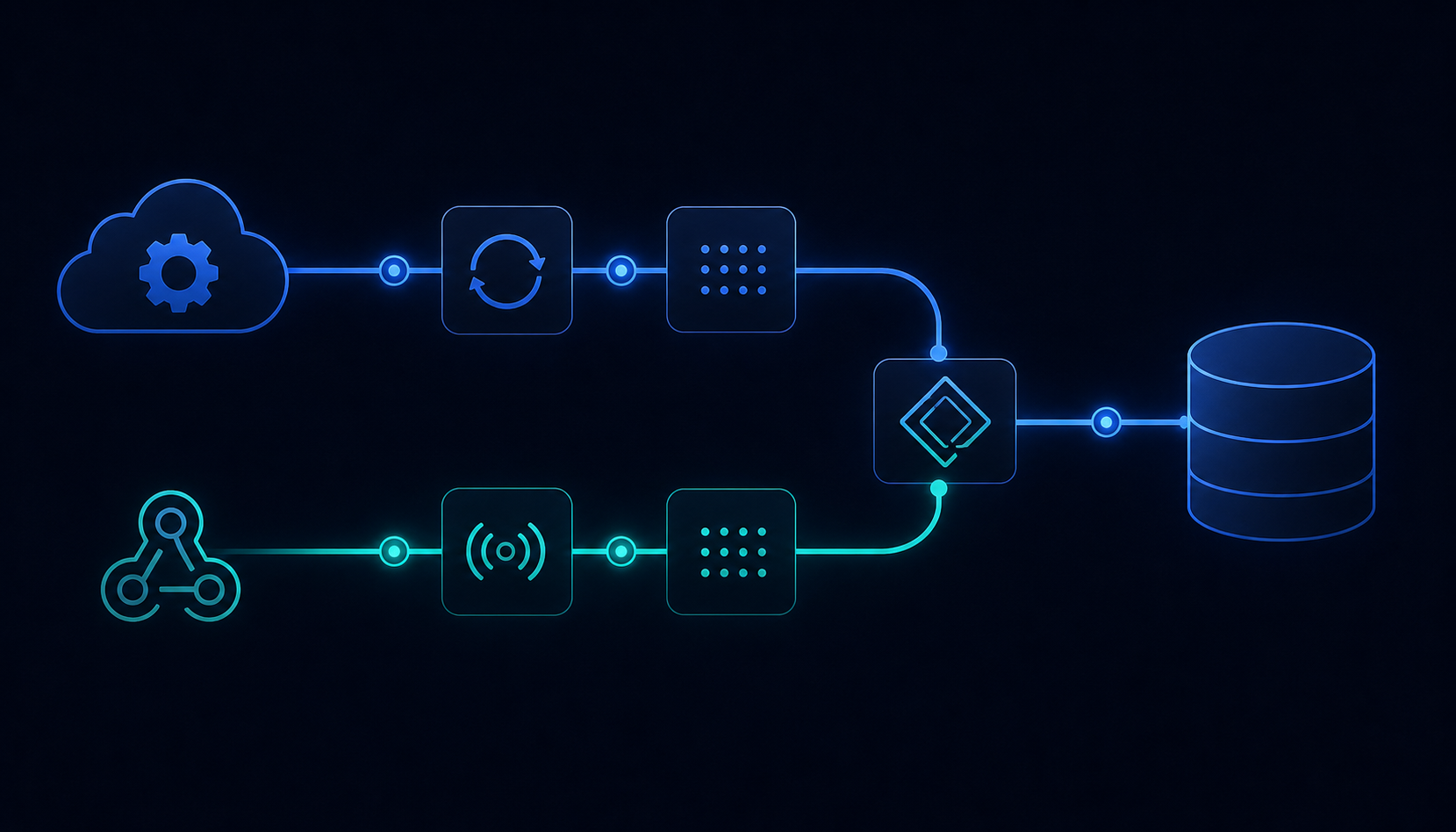
Query pending items directly:
The endpoint accepts created[gte] and created[lte] for incremental runs. Scope by customer or run it account-wide depending on your sync architecture.
For real-time capture (as opposed to batch and trigger sync methods), subscribe to three webhook events:
| Webhook Event | When It Fires | Sync Action |
|---|---|---|
invoiceitem.created | A new pending charge appears on a customer account | Insert the pending item into your destination |
invoiceitem.updated | An item changes state, including when pending flips to false at billing cycle close | Re-fetch and align records; use this as the trigger to match on invoice_item ID across both streams |
invoiceitem.deleted | An item is removed before it ever hits an invoice | Void or delete the corresponding downstream record to avoid ghost entries |
That invoiceitem.updated event is your signal to re-fetch and align records across both streams.
Handling State Changes When Items Finalize
When a billing cycle closes, Stripe rolls pending items into the new invoice. The invoiceitem object's pending flag flips to false, and the same charge now appears as a line item inside the finalized invoice. If your sync captured the pending item before finalization and then ingests the invoice afterward, you have the same charge recorded twice downstream.
The field that prevents this is invoice_item on the invoice line item. When Stripe attaches a pending item to an invoice, the resulting line item carries the original invoiceitem ID in that field. Match on it before writing to your destination:
- If a record with that
invoiceitemID already exists downstream, update it instead of inserting a new row. - If no match exists, treat it as a net-new line item.
This ID-based reconciliation keeps deferred revenue balances accurate. Double-counting distorts your totals just as much as a gap does: month-end close produces the wrong number in the opposite direction, and the source of the discrepancy is equally hard to trace.
Testing Your Sync Against Pending Item Edge Cases
Stripe's test mode is the right place to stress this before it becomes a finance call.
Create a test customer, queue a pending invoice item against them without attaching an invoice, then run your sync. Check whether the item appears in your destination. If it does not, you have confirmed the gap before it costs anything.
From there, run through each edge case that production will eventually throw at you:
- Delete the pending item before the billing cycle closes. Confirm your sync handles
invoiceitem.deletedand removes or voids the corresponding downstream record, not leaving a ghost entry. - Create items on a standalone customer with no subscription. Stripe allows this. Syncs that only walk the subscription graph miss these entirely.
- Trigger a plan change mid-cycle to generate a proration credit. Proration credits are also
invoice_itemobjects with negative amounts. Confirm your destination schema handles negatives correctly and does not error out or drop them. - Let the billing cycle close, finalize the invoice, then check for duplicates using the
invoice_itemfield on the resulting line items.
Run this sequence before any production deploy and again whenever the sync logic changes. Teams doing manual gap-fills sometimes resort to importing CSV data into QuickBooks using Python as a stopgap, which is a sign the sync coverage needs a proper fix. The gap tends to reappear after refactors because pending item coverage usually lives outside the main invoices stream and gets overlooked in code review.
How hotglue Handles Stripe Sync Completeness
Hotglue's Stripe connector covers the full billing data model by design. Pending invoice items, proration credits, and standalone customer charges are all part of the sync surface, not afterthoughts.
A few specifics worth knowing:
- Hotglue guarantees that a partial sync failure never silently succeeds. If a run cannot deliver complete data, it fails the job and preserves state for retry. The invisible gap where data is absent with no error signal is structurally prevented, not caught for the first time at month-end close.
- For teams syncing into QuickBooks Online, NetSuite, Sage 300, or similar accounting destinations, Hotglue processes approximately 10 billion records weekly across its tenant base. Tipalti runs high-volume bidirectional billing syncs at that scale without custom infrastructure work on their end.
- Per-job filter overrides via the
POST /jobscall let you scope exactly which Stripe objects are fetched on a given run without touching global connector configuration. This matters especially as QuickBooks API fees make unnecessary calls increasingly costly. If you need a targeted pending items sweep outside your normal schedule, you can do that without rebuilding the flow.
Final Thoughts on Why Pending Invoice Items Break Your Stripe Integration
A Stripe sync scoped to finalized invoices is accurate for what it captures. The problem is what it never reaches. Pending invoice items live at a separate endpoint, carry real revenue data, and disappear into invoices without triggering a re-fetch in most sync setups. Covering that endpoint and matching on the invoice_item ID keeps your downstream records clean from the start, not after a finance escalation. Book a demo to see how hotglue covers the full Stripe billing data model.
FAQ
Why do pending invoice items disappear from a Stripe integration sync even when the rest of the billing data looks complete?
Pending invoice items live at the top-level /v1/invoiceitems endpoint, not inside any invoice object, so a sync scoped to /v1/invoices never touches them. They have no invoice field until a billing cycle closes, which means they produce no error, no failed job, and no visible signal when missed. The gap only surfaces at month-end close, usually in your accounting system, when someone notices the general ledger doesn't match Stripe's totals.
How do I sync Stripe invoice items correctly without creating duplicate records when the billing cycle closes?
Run two parallel streams: one polling /v1/invoices for finalized billing, and one polling /v1/invoiceitems?pending=true for pre-billing charges. When a cycle closes and Stripe rolls pending items into an invoice, match on the invoice_item field that appears on each resulting line item. If a record with that ID already exists downstream, update it instead of inserting a new row. Subscribe to invoiceitem.created, invoiceitem.updated, and invoiceitem.deleted webhook events to catch state changes in real time instead of waiting for your next scheduled poll.
Should I build a Stripe invoice items sync in-house or use an embedded ETL tool like Hotglue?
Building it in-house is viable if your team has time to own the edge cases permanently: proration credits with negative amounts, standalone customer charges that sit outside the subscription graph, deleted items that need voiding downstream, and API changes Stripe ships without warning. An embedded ETL tool like Hotglue covers the full billing object model by design and guarantees a partial sync failure never silently succeeds; the job fails and preserves state for retry, so a gap never hides until audit season. For most B2B SaaS product teams, the ongoing maintenance cost of in-house coverage is what makes the build-vs-buy math swing toward a managed connector.
What downstream systems break first when pending Stripe invoice items are missing from a sync?
Deferred revenue balances in QuickBooks Online or NetSuite are understated until the billing cycle closes, then jump without explanation when the invoice finalizes. Month-end close comparisons between Stripe and the general ledger produce a discrepancy with no traceable source: the data existed in Stripe, but the sync never reached the endpoint where it lived. ASC 606 and IFRS 15 recognition schedules are also affected if service period metadata on pending items never reaches the accounting system before finalization.
Can I test my Stripe invoice items sync for pending item gaps before deploying to production?
Yes. Stripe's test mode is the right place to run this before it becomes a finance escalation. Create a test customer, queue a pending invoice item without attaching an invoice, run your sync, and check whether the item appears in your destination. From there, cover four edge cases: delete the item before the billing cycle closes and confirm the downstream record is removed; create items on a customer with no subscription to catch syncs that only walk the subscription graph; trigger a mid-cycle plan change to generate a proration credit with a negative amount; and let the cycle close to check for duplicates using the invoice_item field on the finalized line items. Run this sequence again whenever sync logic changes, since pending item coverage tends to get dropped during refactors because it lives outside the main invoices stream.