Getting purchase orders from your ERP into Sage 50 sounds straightforward until you realize Sage 50 doesn't work like other accounting software. It's installed locally, has no native REST API, and resists the kind of lightweight polling most integration tools rely on. Once you understand why it's different, the right approach for keeping POs in sync becomes a lot clearer.
TLDR:
- Sage 50 has no native REST API, so writing POs back requires an SDK or on-premise connector layer
- Most PO sync failures trace to vendor ID mismatches, missing GL codes, or silent partial failures
- Building a Sage 50 connector in-house can cost $50,000-$200,000 and take 3-6 months before production
- Vendors and inventory records must exist in Sage 50 before any PO write attempt will succeed
- Hotglue's Sage 50 connector supports bidirectional PO writes via a lightweight on-premise agent, with an open-source transformation layer
What Is Sage 50 and Why Purchase Orders Matter
Sage 50 is a desktop-based accounting system built for small to mid-sized businesses, handling invoicing, inventory, payroll, and procurement. In the US it runs as Sage 50 US (formerly Peachtree); in the UK and Ireland it's Sage 50cloud Accounts, where it holds roughly 16% of the accounting software market, and teams can connect it through a dedicated Sage 50 connector.
Purchase orders sit at the center of procurement. Every PO is the paper trail tying a supplier request to delivery to payment. When that chain breaks, budgets drift, invoices get disputed, and reconciliation becomes someone's full-time job. (Nobody ever got promoted for being the reconciliation person.)
For businesses running operations in an ERP and finances in Sage 50, keeping POs in sync between those two systems is where things get messy. A PO created in your ERP needs to land in Sage 50 accurately and quickly, or your accounting team is working from stale data. Nobody wants to be the person who has to explain a budget variance at month-end.
Ownership of this integration typically falls on the CPO or Head of Partnerships driving the product roadmap, with the engineering team responsible for the actual build and ongoing maintenance. Getting alignment between those two groups early is what separates a clean rollout from a six-month connector project that outlives its original scope.
Why Sage 50 Integration Is Harder Than Most Accounting Software
Sage 50 was built before REST APIs were the norm, and that legacy shows. Unlike QuickBooks Online or Xero, which expose clean cloud endpoints (see how teams integrate Quickbooks with a SaaS platform), Sage 50 desktop has no native public REST API. Sage provides an SDK for authorized developers and a legacy ODBC connector, but as Hyperext notes, neither gives you the documented, REST/JSON interface most developers expect.
Cloud-only integration tools simply cannot reach a locally installed Sage 50 database. Add file-locking behavior when Sage 50 is actively in use, and you have a system that resists the lightweight polling most iPaaS tools rely on. Any PO sync solution has to account for the on-premise reality, not assume a stable cloud endpoint is waiting on the other side.
The Main Methods for Connecting to Sage 50
Here is a breakdown of the four main ways to connect to Sage 50, along with the real trade-offs for each.
| Method | How It Works | Trade-offs |
|---|---|---|
| Sage 50 SDK | Official SDK for authorized developers; full read/write access | Requires Sage approval; .NET only; substantial setup overhead |
| ODBC | Read-only database queries via Sage's ODBC connector | No write access; breaks if schema changes; not suitable for PO sync |
| File-based import/export | CSV or XML files dropped into Sage 50's import folders | Manual or scheduled; error-prone; no confirmation of success |
| On-premise connector layer | A lightweight agent installed alongside Sage 50 that bridges local data to an external API | Most flexible for bidirectional sync; handles file-locking; works without cloud migration |
For read-only reporting, ODBC gets the job done. For writing POs back into Sage 50, you need either the SDK or an on-premise connector, such as hotglue's on-premise connectors for adjacent Sage products like Sage 300. File-based imports can work in a pinch, but they have no native error handling and break silently if a field mapping is off. For SaaS teams that need reliable, bidirectional PO sync without asking customers to migrate off Sage 50, the on-premise connector is the most practical path forward.
What Data Can Be Synced in a Sage 50 Integration
Not every Sage 50 object behaves the same way in an integration. Some are read-only by nature; others support full bidirectional sync. Knowing which is which saves you from scoping a project around something Sage 50 won't let you write to. Vendors are a good example: they must exist in Sage 50 before a PO write will succeed, so they're a write dependency, not merely a reference.
| Entity | Direction | Notes |
|---|---|---|
| Purchase Orders | Read/Write | Core sync target; hotglue supports writing POs to Sage 50 |
| Vendors | Read/Write | Required for PO creation; must exist in Sage 50 before a PO lands |
| Invoices | Read/Write | AP workflow; ties back to received POs |
| GL Accounts | Read | Used for coding transactions; rarely written externally |
| Inventory / Products | Read/Write | Stock levels and product records; needed for line-item matching |
| Customers | Read/Write | Relevant for sales order workflows |
| Sales Orders | Read/Write | Outbound order tracking alongside inbound procurement |
For a PO sync, vendors and inventory records are prerequisites. If a vendor referenced in the ERP doesn't exist in Sage 50, the PO write fails. Scoping your integration to handle that dependency upfront prevents a lot of downstream noise, a reminder of why ERP integrations are harder than you think.
How a Purchase Order Sync Actually Works End to End
A PO sync follows a predictable sequence, but each step has a failure mode worth knowing.
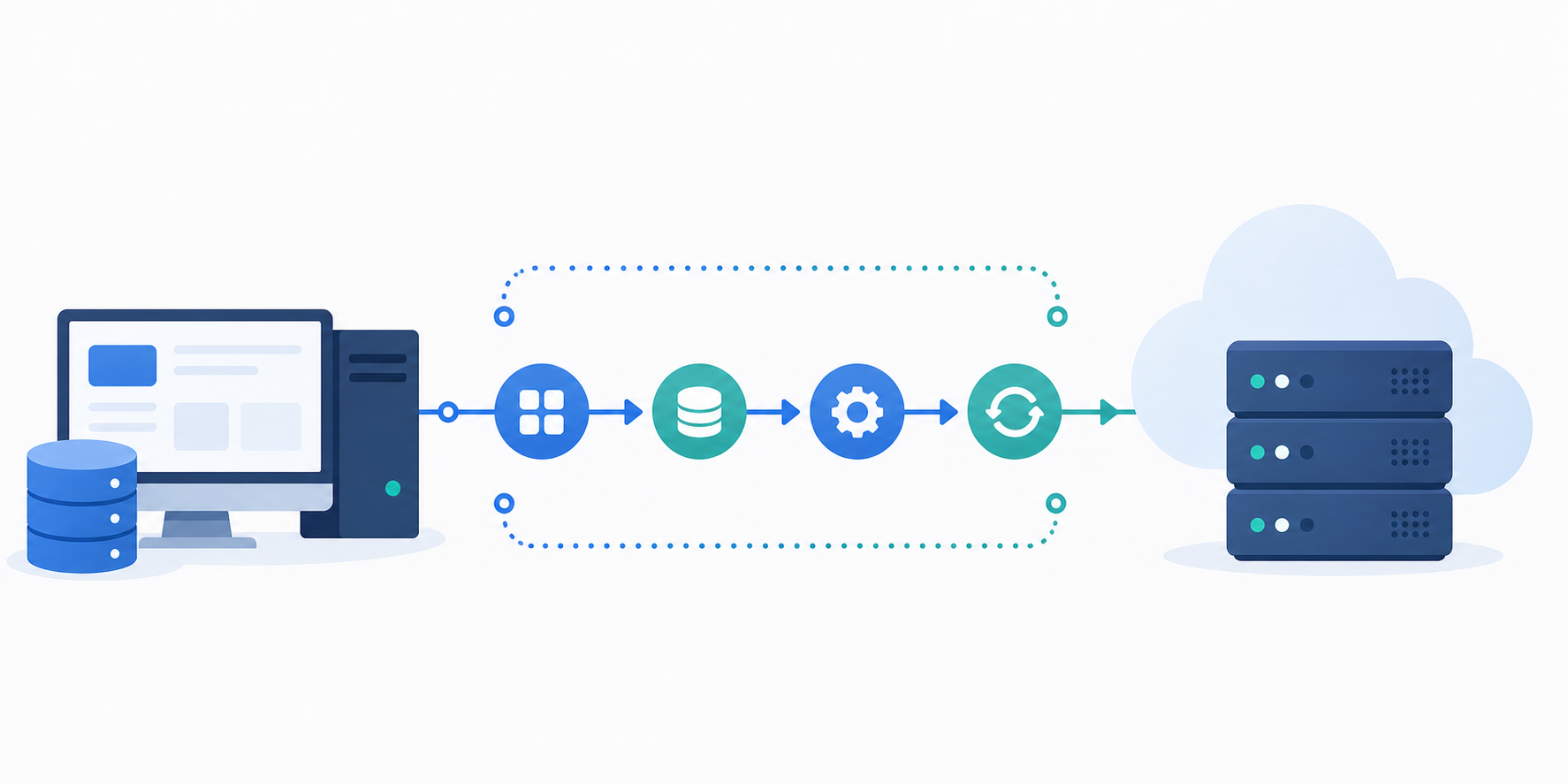
- Pull POs from the source ERP via API or scheduled job
- Map fields to Sage 50's schema (PO number, vendor ID, line items, GL codes, quantities, unit costs)
- Check whether the PO already exists in Sage 50 to avoid duplicates
- Validate that referenced vendors and GL accounts exist before writing
- Write the PO record; confirm success or log the failure with a reason
Deduplication typically keys on PO number. If that number already exists in Sage 50, the sync should update the existing record, not create a new one. Where vendor IDs differ between systems, a lookup table mapping ERP vendor references to Sage 50 vendor codes is required before any write attempt succeeds.
The Most Common Failure Points in PO Sync Pipelines
Most PO sync failures trace back to a small set of root causes:
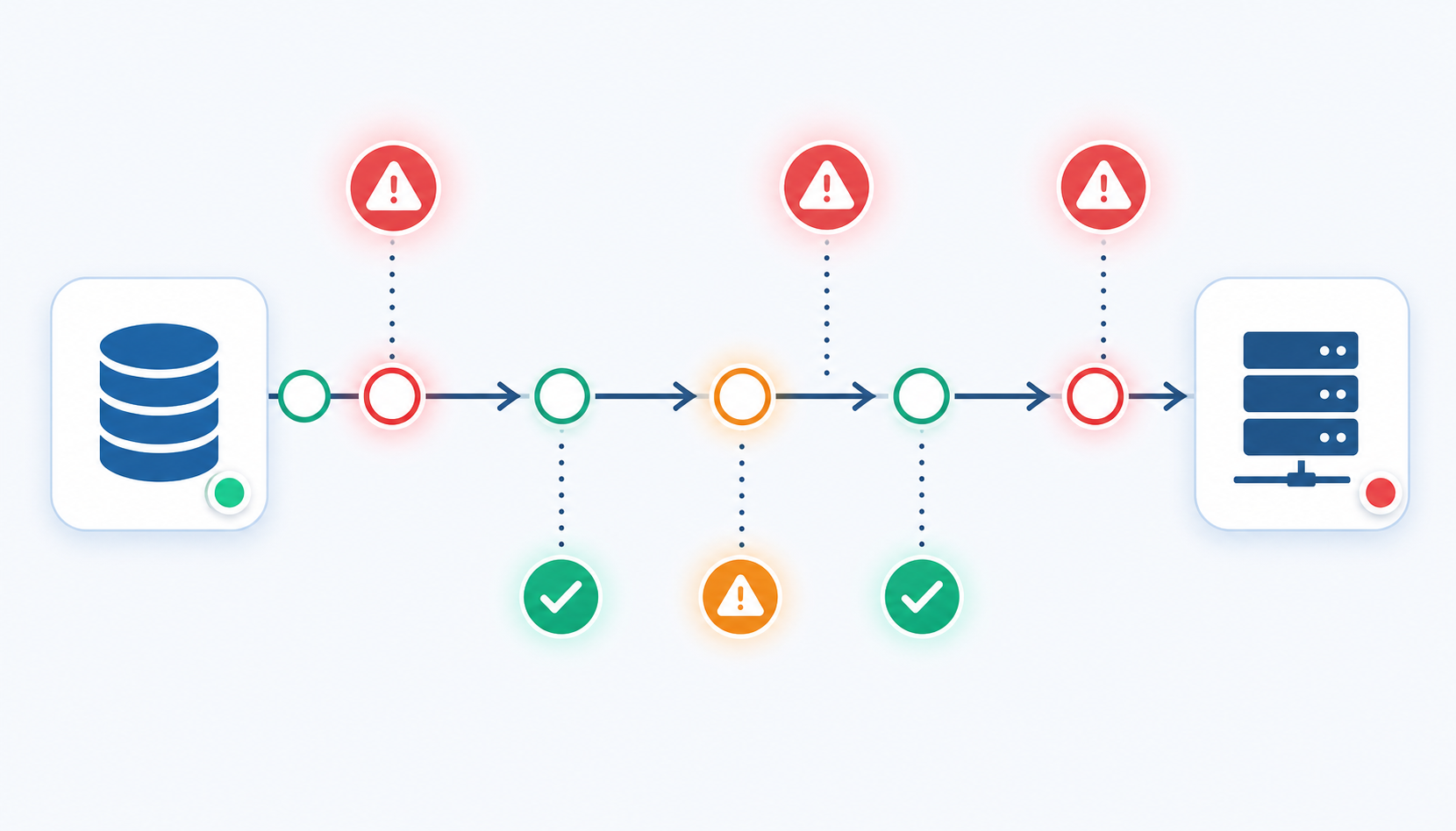
- Vendor ID mismatches between systems, where ERP vendor codes don't align with Sage 50's internal references
- Missing nominal (GL) codes, which Sage 50 requires for every transaction line before it will accept a write
- Tax code gaps, particularly when the ERP and Sage 50 are configured for different tax treatments on the same vendor
- Currency mismatches on multi-currency setups, where a PO denominated in USD hits a Sage 50 account configured for GBP
- Partial sync failures that log as successful, leaving Sage 50 with an incomplete PO and no visible error
File-locking is worth watching too. If your connector polls heavily while Sage 50 is open, writes can queue or time out without any noise. The fix is retry logic with explicit failure logging; never assume a quiet job is a clean one. That is exactly the kind of work teams offload when they adopt ERP integrations without the engineering burden.
Build In-House vs. Use an Embedded Integration Layer
Building a Sage 50 PO connector in-house gives you full control over the connector logic, no vendor dependency, and no additional licensing cost. For teams with a proprietary data model or unusual sync requirements, that control matters.
The trade-off is cost and time. According to published estimates, a single connector can run $50,000 to $200,000 and take three to six months before it's in production. That's before maintenance starts, and maintenance here means real ongoing work covered in the real cost of maintaining integrations: Sage updates its SDK, your ERP vendor changes a field name, a customer runs a non-standard Sage 50 version, and suddenly a connector that worked last quarter is failing silently on a Tuesday morning.
Build in-house when the integration is genuinely proprietary or your sync logic is too custom for any off-the-shelf connector to handle. Use an embedded integration layer when demand is consistent, your engineers are already stretched, and you'd rather ship the next product feature than babysit a connector.
How Embedded iPaaS Changes the Equation for SaaS Teams
With an embedded iPaaS, the integration ships as part of your product. End users authenticate and connect their Sage 50 instance through a widget or Magic Link inside your app, and the connector handles the on-premise complexity in the background. Your engineering team builds once; every new tenant connects themselves without a custom implementation.
That distinction matters for your team's workload. Your team owns the connector. Your customers own their credentials. The sync is monitored, logged, and retried automatically, so no one is filing a support ticket asking why their PO never landed in Sage 50. See how that plays out in Hotglue vs Merge for ERP sync.
For the on-premise constraint, hotglue's Sage 50 integration installs a lightweight agent alongside the customer's Sage 50 instance. That agent bridges the local database to the integration layer without requiring a cloud migration or a Sage subscription change, which is exactly what cloud-only tools cannot do.
Key Considerations When Choosing a Sage 50 Integration Solution
Before signing a contract or spinning up a pilot, run any Sage 50 integration candidate through this checklist:
- Write support, beyond read-only. Many connectors, including the NetSuite connector category, can pull POs out but cannot write back. Confirm bidirectional support explicitly before committing.
- On-premise compatibility. If the solution requires a cloud endpoint, it cannot reach a locally installed Sage 50. Ask directly how they handle the desktop install case.
- US vs. UK variant support. Sage 50 US and Sage 50cloud Accounts behave differently enough that a connector built for one may break on the other.
- Tax code handling. UK VAT codes and US tax treatments are not interchangeable, and gaps here cause write failures at the line-item level.
- Incremental sync. Full syncs on large datasets are slow and resource-heavy. Production workloads need incremental sync on PO status changes.
- API maintenance ownership. When Sage updates its SDK, who rebuilds the connector? Get a clear answer on who owns that work and how fast it happens. This is a key factor in choosing the best embedded iPaaS solution.
- Failure visibility. Silent failures are worse than loud ones. Confirm the solution logs errors with reasons and full job context, not a bare pass/fail status.
How hotglue Handles Sage 50 Purchase Order Sync
Hotglue's Sage 50 connector supports writing Purchase Orders, beyond reading accounting data. That full write path coverage is rarer than it sounds among embedded iPaaS options, and it's what makes the connector viable for real procurement workflows rather than a reporting-only tool.
A few things worth knowing about how it works:
- The connector is open-source, so your engineering team can inspect every line of logic instead of treating it as a black box.
- The Python transformation layer handles field mapping, fallback logic, and vendor ID normalization before any write hits Sage 50.
- Hotglue is SOC 2 Type II compliant and processes data without storing it, so customer PO data moves through and delivers to you directly.
- Pricing is tenant-based, meaning costs scale with connected customers, not data volume.
For teams targeting UK customers, hotglue supports Sage 200 via a cloud proxy and handles on-premise complexity for connectors like Sage 300 CRE at the connector level, so your product team does not inherit that infrastructure burden. The same pattern applies to Sage 50.
At 38,000+ active tenants and roughly 10 billion records processed weekly, the infrastructure behind these connectors is running at production scale, not proof-of-concept.
Final Thoughts on What It Takes To Sync Purchase Orders With Sage 50
Sage 50's on-premise architecture makes it a harder target than most accounting tools, but that complexity is exactly where hotglue earns its keep. With open-source connector logic, bidirectional PO write support, built-in vendor ID normalization, and a lightweight on-premise agent that your customers install once and forget about, hotglue removes the parts of this problem that would otherwise consume months of your engineering team's time. Your procurement and accounting teams will thank you for it when POs stop disappearing into the void — and your engineers will thank you for not making them babysit a custom Sage 50 connector forever. Book a demo to see how hotglue's Sage 50 connector handles the full write path without the guesswork.
FAQ
Can I sync purchase orders from my ERP to Sage 50 without asking customers to migrate to a cloud accounting system?
Yes. An on-premise connector agent installed alongside the customer's Sage 50 desktop instance bridges the local database to the integration layer, so no cloud migration or Sage subscription change is required. Hotglue's Sage 50 connector follows this exact pattern, handling the file-locking and SDK complexity at the connector level so your product team does not inherit that burden.
What causes purchase order sync failures in Sage 50 integrations?
The most common causes are vendor ID mismatches between the source ERP and Sage 50's internal references, missing nominal (GL) codes on transaction lines, and tax code gaps when the two systems are configured with different tax treatments for the same vendor. Scoping your integration to validate vendors and GL accounts before any write attempt catches the majority of failures before they reach Sage 50.
How do I write purchase orders to Sage 50 from an external ERP using an embedded iPaaS?
The sync follows five steps: pull POs from the source ERP, map fields to Sage 50's schema (PO number, vendor ID, line items, GL codes, quantities, unit costs), check for duplicates keyed on PO number, validate that referenced vendors and GL accounts exist in Sage 50, then write the record and log the outcome. Hotglue's Python transformation layer handles field mapping and vendor ID normalization before any write hits Sage 50, and the connector is open-source so your team can inspect the full logic.
Hotglue Sage 50 vs. building a custom PO connector in-house?
Building in-house gives you full control but runs $50,000 to $200,000 and three to six months before the connector is in production, before ongoing SDK maintenance, schema drift, and version-handling start consuming engineering time. Hotglue's Sage 50 connector ships with write support for Purchase Orders, open-source connector logic, and tenant-based pricing that scales with connected customers, not data volume, so the build-vs-buy math changes quickly once you factor in the real maintenance cost.
What is embedded iPaaS and how is it different from a traditional integration tool for Sage 50 sync?
An embedded iPaaS ships as part of your SaaS product so end users authenticate and connect their Sage 50 instance from inside your app, with the connector handling on-premise complexity in the background. A traditional integration tool sits outside your product and typically requires per-customer implementation work, whereas the embedded model means your team builds the connector once and every new tenant connects themselves without a custom setup.