There's a version of AP integration that passes your demo and a version that survives a customer's month-end close. They're not the same thing. The gap usually shows up around journal status sync: your product writes a record, marks it submitted, and then never reads back what actually happened inside the accounting system. If your customers use QuickBooks, Sage, or NetSuite, that gap costs them real time during close, and they'll tell you about it eventually.
TLDR:
- Manual invoice processing costs AP teams $9.40 and 9.2 days per invoice; your SaaS owns that friction if you lack native accounting integrations.
- Status drift happens when your product writes a bill but never reads back approval state, leaving your UI out of sync with the customer's books.
- Production AP integrations need bidirectional sync, attachment handling, field mapping, deduplication, and reconciliation output to survive month-end close.
- On-premise systems like QuickBooks Desktop and Sage 300 CRE require local agents, not API calls; skipping them cuts out construction and facilities customers entirely.
- Hotglue provides open-source connectors for QuickBooks, NetSuite, Sage, and Airwallex with built-in PO write support, multi-field deduplication, and tenant-based pricing.
What "AP Integration" Actually Means for a SaaS Product
When someone searches "AP integration for SaaS," they usually land on one of two very different things. The first is AP automation software, tools like Tipalti or BILL that finance teams buy to stop manually processing invoices. The second is something your engineering team actually needs to build: an integration layer inside your SaaS product that connects to your customers' accounting systems.
These are not the same problem. One is a product you buy for your own back office. The other is infrastructure you ship to serve your customers.
If you're a CPO or Head of Partnerships at a B2B SaaS company, you're dealing with the second one. Your customers run QuickBooks, NetSuite, Sage, or Dynamics. They want invoices, purchase orders, vendor records, and journal entries to flow between your product and their accounting system, without exports, copy-paste, or weekend reconciliation sessions. When that doesn't work natively, they churn or don't close, and the integration ownership question lands on your product roadmap whether you planned for it or not.
That's what "AP integration" means in this context: embedded connectivity between your product and the accounting systems your customers already use.
Why Your Customers Are Asking for This Integration
When your product forces users to export a CSV and re-key it into QuickBooks, you own part of that cost. Customers don't blame their accounting software. They blame you.
Journal Status Sync: The Problem Nobody Talks About
Most AP integration discussions stop at data movement: push an invoice from your product into QuickBooks, done. But there's a second layer that breaks workflows quietly and expensively: journal status sync.
When your product creates a bill or journal entry in a customer's accounting system, that record goes through an approval lifecycle. It might sit as a draft, get flagged for review, or get posted to the general ledger. Your product almost never knows where that record stands after the initial write.
That gap is status drift. Your SaaS shows "submitted." The customer's accounting system shows "pending approval" or "rejected." Now the customer has a reconciliation problem, possibly an audit exposure, and a support ticket with your name on it.
Reading approval status back from accounting systems is harder than it sounds. Each system models it differently:
- NetSuite uses workflow-driven approval states with a specific approval status field on journal entries.
- QuickBooks Online has a simpler "posted" flag but limited programmatic visibility into intermediate states.
- Sage Intacct tracks journal status through a separate reporting period model, where posting state determines whether a record is locked.
Getting accurate, current status requires knowing each system's data model and polling at the right cadence. If your integration only writes and never reads back, you're shipping half a workflow.
Build vs. Embed: The True Engineering Cost of AP Connectors
Building one connector yourself is a reasonable call, but deciding whether to keep building or embed an iPaaS instead gets harder once you're maintaining five of them across API versions, schema changes, and rate limit policies.
The real cost shows up six months later when QuickBooks changes an endpoint, NetSuite updates its OAuth flow, or a customer's Sage instance returns unexpected field names. The decision variables that actually matter are integration depth, engineering capacity, and maintenance ownership, not build time alone.
Multi-tenant complexity compounds this, one of several hidden costs of ERP integrations that only show up after launch. A connector that works for one customer breaks for the next because their accounting system is on a different version, has custom fields turned on, or uses a non-standard chart of accounts. Embedding a connector library moves that maintenance burden off your roadmap entirely.
Key Integration Requirements for Embedded AP Workflows
A production-grade AP integration covers more ground than most teams initially scope. Here's what you actually need:
- Bidirectional sync: read vendor records, bills, and GL accounts from the accounting system; write purchase orders, invoices, and payment records back into it.
- Attachment handling: invoices and work orders often carry PDF attachments that need to travel with the record, beyond the structured data alone.
- Field mapping and transformation: your data model and the accounting system's data model will not match. You need a transformation layer that handles chart-of-accounts mapping, custom fields, and currency normalization per tenant.
- Record deduplication: vendors and bills frequently exist on both sides. Your integration needs multi-field matching logic to avoid creating duplicates on every sync.
- Reconciliation output: finance teams need an audit trail showing what changed, when, and why. A diff report between your system and the accounting system protects everyone during a close or audit.
- Sync scheduling: some workflows need hourly polling; others run nightly. Cron-based scheduling configurable per connector keeps this manageable without custom code per customer.
Miss any one of these and you'll hear about it. Usually from a customer's controller on a Friday.
On-Premise Accounting: What Cloud-First Assumptions Miss
Cloud-first assumptions break fast in construction, facilities management, and professional services. A meaningful share of customers in these verticals still run QuickBooks Desktop, Sage 300 CRE, or similar on-premise systems. No API endpoint. No OAuth handshake. Just a database on a server in someone's office.
Most embedded integration providers quietly skip this, because on-prem connectors require installing software directly on the customer's machine and handling version-specific schema differences without remote access.
The technical gaps are real:
- QuickBooks Desktop requires a Windows agent and the QuickBooks Web Connector, which operates as a polling service on the customer's machine, not a standard API call. Intuit's own Web Connector setup guide outlines the installation and authorization steps required on the customer's Windows machine.
- Sage 300 CRE connects to a local database, so the connector must stay resilient across software updates that change the underlying schema.
If your customers include general contractors or property managers, skipping on-prem support means telling a chunk of your user base to export manually.
How Hotglue Handles Embedded AP and Procurement Integrations
Hotglue was built for exactly this problem. The connector library covers the accounting systems your customers actually use: QuickBooks Online, QuickBooks Desktop (via the Windows agent and Web Connector), Sage 300 CRE, Sage Intacct, Sage 200, Sage 50, the NetSuite connector, and Airwallex. QuickBooks Desktop and the Sage 50 connector both support writing Purchase Orders. ServiceChannel covers facilities management invoices and work order attachments.
Each connector is open-source, so your engineering team can read the code, fork it, and extend it. No black box.
The Python transformation layer handles field mapping that every production integration requires: chart-of-accounts normalization, custom field handling, and currency conversion per tenant. Complex multi-field deduplication runs out of the box, matching on email, postal details, or field combinations to avoid duplicate vendors and bills. Attachment sync travels with the record, and when a customer's controller asks what changed during close, hotglue can generate a reconciliation file showing the diff between your system and theirs.
This runs across 38,000+ active tenants processing roughly 10 billion records weekly. Hotglue sits underneath your product as the integration infrastructure layer, invisible to your end users, not replacing your AP workflows, just making sure data moves correctly and status comes back.
The Core Data Objects in a Procurement Integration
A procurement integration moves several distinct record types, and the read/write requirements differ for each one.
| Object | Direction | Notes |
|---|---|---|
| Vendor records | Read + Write | Source of truth varies; deduplication required |
| Purchase orders | Write | PO must exist before bill matching is possible |
| Bills / Invoices | Read + Write | Attachments must travel with the record |
| GL accounts | Read | Used for chart-of-accounts mapping per tenant |
| Payment status | Read | Confirms settlement back into your product |
| Reporting periods / fiscal calendar | Read | Controls whether records are locked for posting |
The trickiest part is PO-to-bill matching. A purchase order lives in your product; the corresponding bill lands in the customer's accounting system. Linking them requires writing the PO reference onto the bill at creation, then reading it back later to confirm matching and approval. Misaligned IDs mean manual reconciliation, and that's when you get the angry Friday email.
Fiscal calendar data matters more than most integration specs acknowledge, and gaps here are exactly what drives Sage Intacct period-close data problems. In Sage Intacct, posting a journal entry to a closed period is blocked at the system level. Without reading the reporting period first, your integration will fail silently or error out mid-sync.
Journal Status Sync: Why Status Drift Breaks AP Workflows
Most AP integrations stop at the write. Your product pushes a bill or journal entry into NetSuite, marks it as submitted, and moves on. What happens next inside the accounting system stays invisible.
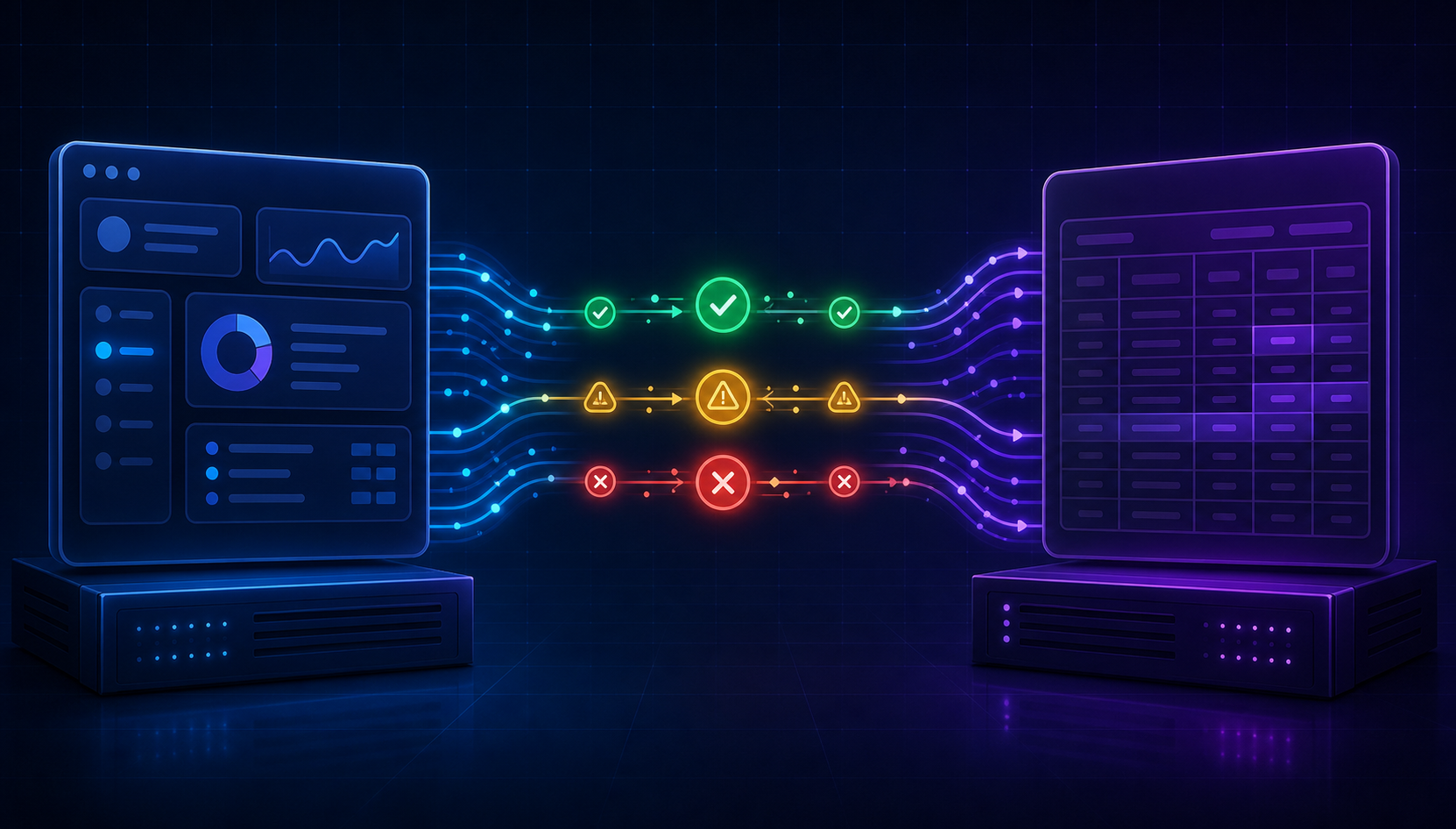
That's where status drift starts. The record enters an approval queue, gets flagged, or gets rejected. Your product still shows "submitted." The customer's controller sees something else entirely.
The mismatch compounds during month-end close. A journal entry created three weeks ago sits in "pending approval" while your product reports it as settled. The customer's auditor asks about it. Nobody has a clean answer.
Reading status back is not a simple polling problem. Each system models approval state differently:
- NetSuite uses workflow-driven approval states on journal entries, requiring separate API calls to surface the actual current state.
- Sage Intacct locks records at the reporting period level, so a "posted" entry in one period may be inaccessible the following month without reading period state first.
- QuickBooks Online has limited intermediate state visibility, making it hard to distinguish "saved draft" from "cleared for payment."
You need a read-back loop that polls approval status at appropriate cadences and writes it back into your product's record state. Without it, your UI lies to your customers, and they find out at the worst possible time.
The Accounting Systems Your Customers Actually Use
No two customers use the same accounting system, and that variance drives most of the architectural complexity in a procurement integration.
| System | Deployment | Notes |
|---|---|---|
| QuickBooks Online | Cloud | Most common SMB accounting system; REST API, well-documented |
| QuickBooks Desktop | On-premise | Requires Windows agent + Web Connector; no standard API |
| NetSuite | Cloud | Full ERP with workflow-driven approvals and subsidiary structures |
| Sage Intacct | Cloud | Strong multi-entity support; reporting period model affects posting |
| Sage 100 | On-premise / hybrid | Common in manufacturing and distribution |
| Sage 300 CRE | On-premise | Construction-focused; connector must install locally on customer machine |
| Sage 200 | On-premise (UK) | Cloud proxy required; common in UK mid-market |
| Microsoft Dynamics 365 | Cloud | Enterprise ERP with complex permission scoping |
| Acumatica | Cloud / on-premise | Common in distribution and field services |
Cloud systems share a broadly similar integration pattern: OAuth, REST or SOAP endpoints, and documented schemas. On-premise systems are a different category entirely. QuickBooks Desktop communicates through the QuickBooks Web Connector, a polling service running locally on the customer's Windows machine. Sage 300 CRE connects directly to a local database with no remote API to call.
If your customer base skews toward construction, facilities management, or manufacturing, you will hit on-premise systems regularly, which is why a dedicated Sage 300 connector matters so much in those verticals. Scoping only for cloud ERPs means telling a chunk of your users to keep exporting manually.
How hotglue Powers Embedded Procurement and AP Integrations
Two details worth calling out beyond the connector coverage above. GluestickAI generates transformation code from a plain-language description of what you need — no manual Python required for standard field mapping tasks (your engineers will thank you). Pricing is tenant-based, not volume-based, so a spike in sync activity doesn't spike your bill. SOC 2 Type II and GDPR compliance are built in, hotglue never stores customer data, and if you need a connector that isn't in the catalog, it can be live in one to two weeks from API access.
That combination — open-source connectors, managed API maintenance, GluestickAI-assisted transformations, on-prem coverage, and tenant-based pricing — is why product and engineering leaders at B2B SaaS companies choose hotglue over building and maintaining this stack themselves. Your Head of Product keeps integration debt off the roadmap. Your engineering team stops being on-call for QuickBooks OAuth changes. And your customers get the native accounting sync they've been asking for.
Final Thoughts on Scoping AP and Procurement Integrations the Right Way
Most of the pain in AP integration comes from scoping it too narrowly at the start, write-only connectors, no status read-back, and cloud-only assumptions that break for a third of your customer base. The requirements that feel optional in a proof of concept are exactly what a customer's controller finds missing during month-end close. Getting the full scope right early keeps those Friday support tickets off your plate. Talk to the hotglue team if you want to see how the connector library maps to your customers' actual accounting stack.
FAQ
What's the difference between AP automation software like Tipalti or BILL and an accounts payable integration for a SaaS product?
AP automation tools are products a finance team buys to stop processing invoices by hand; they solve your own back-office problem. An accounts payable integration for a SaaS product is infrastructure you ship so your customers' bills, vendor records, and purchase orders flow between your product and their accounting system. If your customers run QuickBooks, NetSuite, or Sage, they expect that connectivity to live inside your product, not require a CSV export.
How do I handle journal status sync in an embedded AP integration so my product doesn't show stale approval state?
You need a read-back loop that polls approval status after every write and updates the record state in your product. Each accounting system models this differently: NetSuite uses workflow-driven approval states that require separate API calls, Sage Intacct locks records at the reporting period level, and QuickBooks Online has limited intermediate state visibility. Without that loop, your UI will show "submitted" while a customer's controller sees "pending approval", and they find out at month-end close, not before.
What does production-grade procurement connector embedded iPaaS support look like versus a proof-of-concept accounting integration?
A proof-of-concept passes your demo but breaks at a real customer's month-end close. Production requires bidirectional sync across vendors, bills, GL accounts, and fiscal periods; PDF attachment handling on invoices and work orders; per-tenant field mapping and chart-of-accounts normalization; multi-field deduplication to prevent duplicate vendors across sync runs; a reconciliation diff report for audits; and cron-based scheduling configurable per connector. Miss one of these and a customer's controller will find it. Always on a Friday.
Can I build a QuickBooks Desktop or Sage 300 CRE integration without installing software on my customer's machine?
No. QuickBooks Desktop requires a Windows agent running the QuickBooks Web Connector on the customer's machine; there is no remote API to call. Sage 300 CRE connects directly to a local database, so the connector installs on-premise and must stay resilient across software updates that change the underlying schema. Hotglue handles both without your team writing on-prem connector code: the QuickBooks Desktop connector supports reading and writing Purchase Orders, and the Sage 300 CRE connector installs locally while staying updated as schemas change.
What's the real engineering cost of building and maintaining five accounting connectors in-house versus using an embedded AP automation integration layer?
The initial build for one connector is manageable: two to four weeks to get OAuth, the auth flow, and basic read/write working. The cost compounds at five connectors across fifteen customer environments once you factor in schema drift, version-specific edge cases, and API endpoint changes. A single QuickBooks OAuth change or a NetSuite workflow update can consume weeks of engineering time that wasn't on your roadmap. An embedded connector library like Hotglue moves that maintenance ownership off your team entirely, with Hotglue's integrations team monitoring third-party API changes and migrating connectors to new endpoints, so no engineering work is required on your end.