Writing data to Sage 200 looks straightforward on a whiteboard and gets complicated fast in practice. The API supports writes across products, customers, sales orders, and invoices, but each object has its own validation rules, sequencing requirements, and failure modes that aren't obvious from the docs alone. Here's what the write side of a Sage 200 integration actually requires.
TL;DR: Writing to Sage 200 requires handling two completely different editions (cloud REST vs. on-premise proxy), irreversible invoice transactions that demand idempotency logic, and per-tenant credential isolation at scale, and hotglue's Sage 200 connector writes to both editions, a one-directional target today, so your engineering team doesn't have to build it.
What Sage 200 Is and Why It Matters for SaaS Product Teams
Sage 200 is a finance and business management solution built for UK mid-market companies, covering general ledger, accounts receivable and payable, sales order processing, inventory, and purchasing across multiple warehouses. According to ERPFocus, it combines financials, commercial functionality, and reporting in a modular product that growing manufacturers and distributors can extend over time.
For SaaS product teams, that translates to one practical reality: your customers are running their business out of this system, exactly the kind of decision our ERP integration guide for product teams walks through before you scope anything. Stock levels, customer accounts, purchase histories, invoices: all of it lives in Sage 200. If your product needs to push an order, create a customer record, or confirm a shipment, you will eventually need a connection into it.
That pressure tends to arrive from one direction first. A UK manufacturer signs up for your product and, within a few weeks, asks why their Sage data has to be manually re-entered. The request sounds narrow. It rarely stays that way. (Spoiler: it often becomes a sales order integration.)
Sage 200 Standard vs. Sage 200 Professional: Two Different Integration Problems
The two editions look similar on the surface. Under the hood, they require completely different approaches to integration.
Sage 200 Standard is cloud-hosted and exposes a RESTful API secured with OAuth 2.0. Requests go over HTTPS to Sage's hosted endpoints, and authentication follows a standard authorization code flow. For SaaS teams, this is the approachable path: your connector talks to a public endpoint, tokens refresh predictably, and you can iterate without coordinating with anyone inside your customer's IT department.
Sage 200 Professional is a different story. It runs on-premise, inside your customer's network, with no public API endpoint. Any connector needs a proxy or agent service installed inside that network to reach the data, and your customer's firewall configuration, server availability, and IT policies all become your problem by extension.
The painful part is that many SaaS teams only find out which edition a customer runs well after scoping has started. Both products carry the "Sage 200" name, customers often call them interchangeably, and the difference only surfaces when someone tries to authenticate and finds there is no endpoint to authenticate against. This is typically the moment an engineer sends a very calm, very polite Slack message to their CPO.
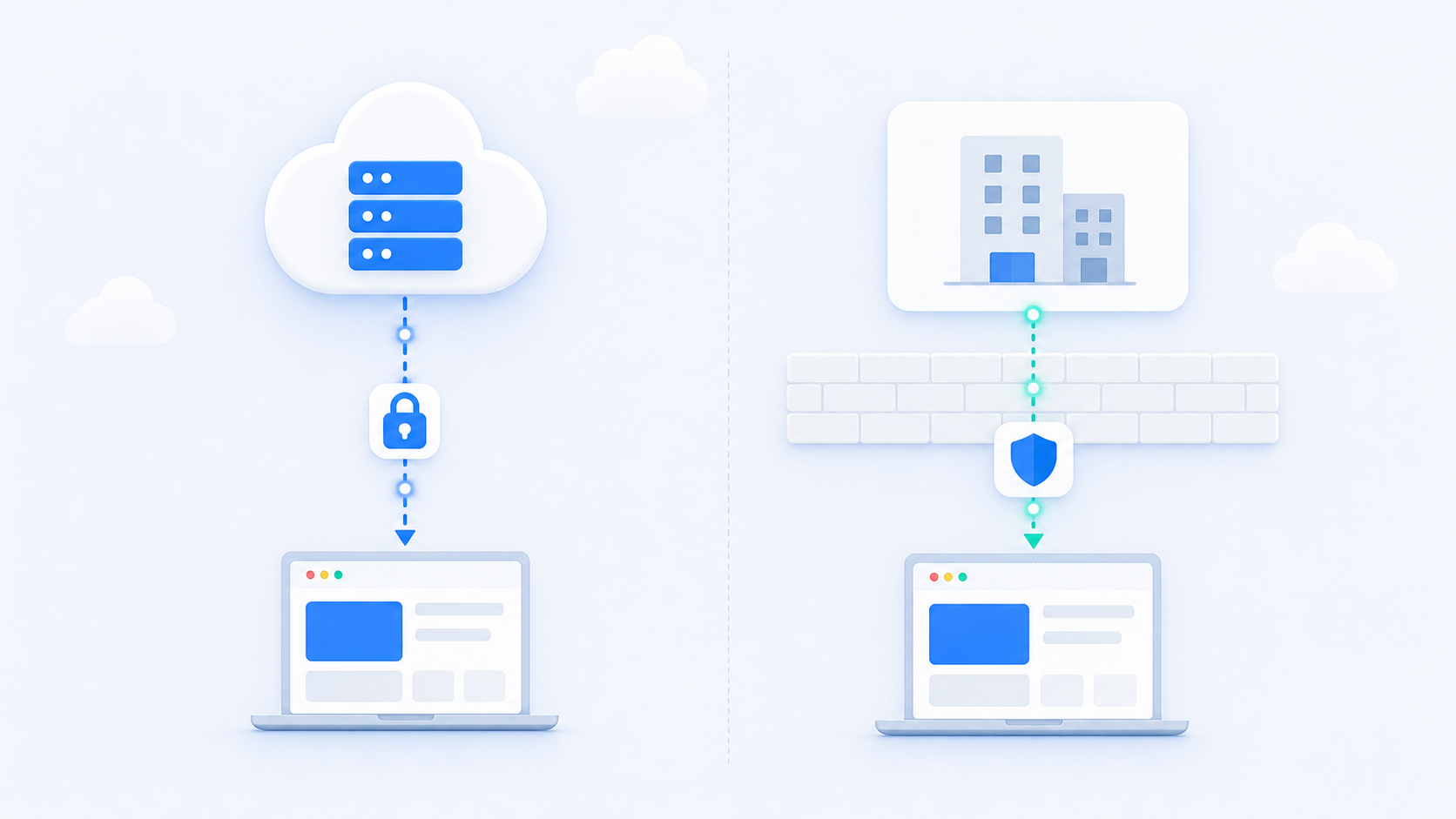
| Edition | Deployment | API Access | Connector Approach |
|---|---|---|---|
| Sage 200 Standard | Cloud-hosted | REST API + OAuth 2.0 | Direct HTTPS requests |
| Sage 200 Professional | On-premise | No public endpoint | Proxy/agent inside customer network |
Worth asking early: "Are you on Standard or Professional?" It is a five-second question that can save weeks of rework.
The Sage 200 API Architecture: REST, OData, and What You Can Actually Write
The Sage 200 API is RESTful, secured with OAuth 2.0, and routes all requests over HTTPS. As the official Sage developer docs describe it, the API lets your application read and modify data in a Sage 200 site, covering customers, suppliers, products, sales and purchase orders, and nominal accounts. Endpoint base URLs differ between Standard and Professional editions, so you cannot assume the same URL structure works across both.
On top of the REST layer sits an OData query interface, letting you filter, sort, and page results without pulling full datasets on every request, a pattern common to most API connectors built for ERP systems. That matters once your customers have thousands of products or orders in the system.
The more pressing question for most SaaS teams is what can actually be written, beyond read-only access. The API supports writes across several key objects:
- Products and product categories
- Customers
- Sales orders and sales order lines
- Sales invoices and credit notes
- Nominal transactions
Read-only objects include bank transactions and certain reporting views. The boundary is not always obvious from the docs, and a few objects that look writable have validation rules that reject partial payloads silently, surfacing as a vague 400 error at runtime instead of something useful during development.
Writing Products to Sage 200: What the API Actually Requires
Product writes sound like the easy part. They rarely are.
To post a product record via the Sage 200 API, you need more than a name and a price. Required fields include a product code, product group, and unit of measure at minimum. Product codes must be unique across the site and cannot contain certain special characters. Send a code that already exists and the API returns a conflict error. Send a new code that references a product group that does not exist yet and you get a foreign key validation failure.
Product groups must be created separately before any product that references them, in the right order, with confirmation they were created before attempting product writes downstream.
A few specifics worth knowing before you write your first record:
- Unit of measure must match an existing Sage unit exactly, string match, case-sensitive
- Decimal precision on prices and quantities follows Sage's site-level settings, not yours
- If the product already exists in Sage, you are updating instead of creating, and the endpoint and method change accordingly
- Products with active sales orders attached may reject certain field updates
There is no native upsert. You fetch, compare, then decide whether to POST or PUT, and both paths need their own error handling.
Writing Sales Orders to Sage 200: The Full Order Lifecycle
Sales orders sit at the center of most Sage 200 integration requests, and they require more than a single API call.
Before you can post an order, you need a valid customer record in Sage. Look up the customer by account reference first. If they do not exist yet, create them, confirm the response, and hold the returned customer ID before touching the order header. Skipping that lookup is the most common cause of rejected order payloads in production.
The order breaks into a header and one or more lines. The header carries customer reference, delivery location, and order date. Each line references a product code, quantity, and unit price. A single unrecognized product code will reject the entire payload.
To prevent duplicates, set an analysis_code or external reference field to your system's order ID on every write. Without it, a retry after a timeout creates a second order in Sage with no way to tell which one is real.
What happens after the order depends on fulfillment:
- Fully despatched orders can trigger invoice generation through a separate API call
- Partially fulfilled orders stay open in Sage until the remaining lines are confirmed
- Cancelled lines need an explicit status update or they remain as open demand
Each stage, despatch confirmation, invoice posting, and payment matching, requires its own write operation in sequence. The lifecycle does not close on its own.
Writing Invoices to Sage 200: Posted Transactions and What That Means
Sales invoices in Sage 200 behave differently from every other write operation you will make against the API. When you POST an invoice, Sage records it as a posted transaction immediately. There is no draft state, no pending queue. As the Zynk documentation for Sage 200 Online notes, uploading a sales invoice creates a posted transaction directly. Reversing a posted invoice requires a credit note, not a delete call. A retry that runs twice creates two invoices. Your accounting customer notices.
The practical implication: idempotency logic is not optional here. Set an external_id on every invoice write, mapped to your system's source record ID. Before posting, query whether that external ID already exists. If it does, skip the write. If your lookup fails and you post anyway, you now have a duplicate invoice sitting in a customer's ledger.
A few things to get right before the POST goes out:
- The customer account must already exist in Sage and be in an active state.
- Invoice lines reference product codes that must be present in the product catalog.
- Tax codes on each line must match Sage's configured VAT codes exactly.
- Nominal account codes need to be valid or the posting will reject at the ledger level.
A partial write failure on a multi-line invoice does not roll back cleanly. Some implementations will post the invoice header and reject on a line, leaving an incomplete record in Sage. Build your pre-flight validation before the API call, not after.
Authentication and Connection Management Across Tenants
Getting a single customer's Sage 200 connected is a one-afternoon problem. Getting 50 customers connected, with isolated credentials, automatic token refresh, and correct company file selection for each one, is a different project entirely, and exactly the kind of tenant infrastructure challenge hotglue was built to solve.
For Sage 200 Standard, OAuth 2.0 is the auth mechanism. Each tenant completes their own authorization flow, generating a per-tenant access token and refresh token. Those need to be stored separately per customer, refreshed before expiry without user intervention, and scoped to the correct Sage site. If a token expires mid-sync and your refresh logic fails silently, the job posts nothing and the customer sees stale data with no error surfaced.
Sage 200 Professional adds another layer. There is no public OAuth endpoint, so credentials are managed at the proxy level inside the customer's network, a setup that mirrors on-premise systems covered in our Sage 300 integration guide. Each Professional customer effectively has a different connection architecture from every Standard customer, and those two groups cannot share the same credential store or refresh logic.
Multi-company setups compound this. A customer with more than one Sage company file needs a separate connection per entity, and nothing in the API prevents writes from going to the wrong company if your tenant-to-company mapping is off by one row. Debugging a cross-entity write after the fact is unpleasant.
The engineering work involved (isolated token storage, refresh scheduling, company selection, and per-tenant error attribution) often exceeds the write logic itself. It scales linearly with tenant count, and it needs to be right before you onboard your tenth customer, not your fiftieth. This is the kind of work that tends to land on whoever owns the integration roadmap: usually a CPO, Head of Partnerships, or the unfortunate engineer who replied too quickly to the initial Slack message.
Handling Data Conflicts, Duplicate Records, and Idempotency
The most expensive Sage 200 integration bugs are the ones that return a 200 OK.
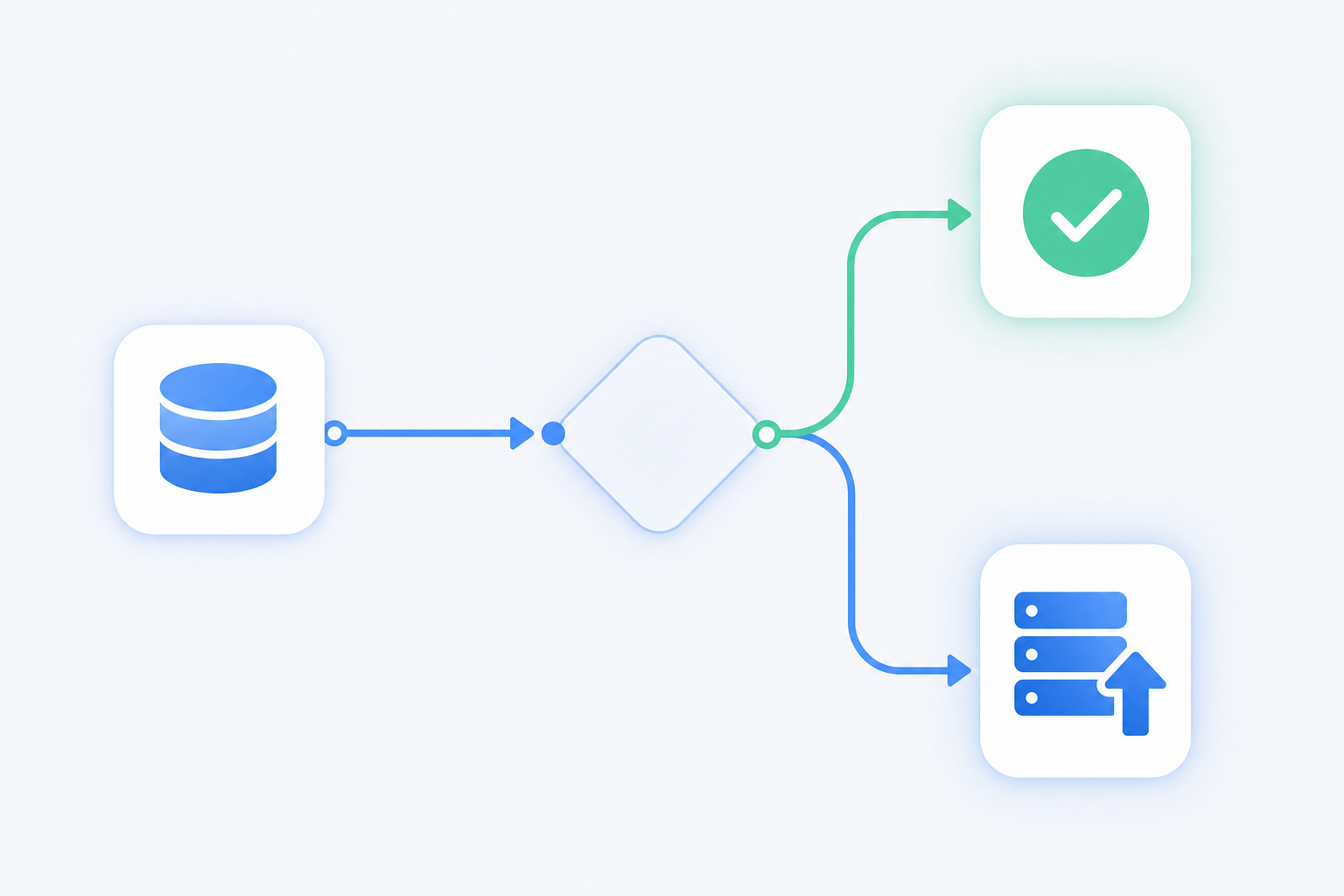
A retry fires after a network timeout. The first request had already landed. Now there are two invoices, two sales orders, or two customer records sitting in your customer's ledger, each one correct in isolation, both of them wrong together. The finance team finds it at month-end.
Three patterns prevent most of this:
- Set an external ID on every write, mapped to your source system's record ID, before the POST goes out. Query for that ID before writing. If it exists, skip.
- For products and customers, run a lookup by code or account reference before attempting a create. The API will conflict-error on duplicates, but catching it before the call is cleaner than catching it after.
- Treat invoice writes as irreversible. They are. Build pre-flight validation into the integration layer, not the error handler.
The deduplication logic belongs in the integration layer, not inside Sage, the same principle hotglue applies across its full catalog of application integrations. Sage has no concept of your external system's IDs beyond what you explicitly pass. If you do not pass them consistently, there is nothing to deduplicate against.
Sync Scheduling and Conflict Handling for Writes
Write conflicts sound like a minor edge case until your SaaS product pushes an order update to Sage while someone on the accounts team edits that same record directly in Sage within the same 15-minute window. The next write from your system has to decide whether to overwrite what the accounts team just typed in.
The default answer most teams reach for is last-write-wins: whichever write lands most recently takes precedence. For activity events like order status or fulfillment flags, that is often fine. For financial records, it is a liability. A price correction made directly in Sage by an accounts team member should not get silently overwritten because your SaaS product ran a scheduled write two minutes later.
A more defensible model treats Sage 200 and your SaaS product as authorities over different data domains. Sage 200 owns posted financial data: invoices, credit notes, nominal transactions, and payment status. Your SaaS product owns workflow events: orders created, fulfillment triggered, and product catalog changes pushed downstream. Writes stay in their lane, and anything touching posted financial records goes through an explicit step such as a credit note instead of an automatic overwrite.
Sync frequency compounds the conflict surface. Tighter schedules make sense for order creation and product catalog pushes, but invoice writes rarely need sub-hourly cadence, and the cost of a duplicate there is high enough to warrant a slower cadence.
Whatever schedule you choose, the sync layer needs to track which version of each record it last wrote to Sage. Without that state, a re-run after a failure cannot tell a legitimate update from a record it already processed.
Common Integration Failure Points and How to Avoid Them
Custom ERP integrations fail budget or timeline 50 to 75% of the time, with 40% of engineering effort going toward fixes instead of new features. Most of that waste concentrates in a handful of repeating patterns.
- Undocumented API behaviors: several Sage 200 endpoints accept a payload, return 200, and silently discard fields they do not recognize. You find out when the record in Sage is missing data your customer expected.
- Schema drift between ERP versions: Sage 200 Professional installations are customer-managed, so your connector may be tested against one patch level and deployed against another. Field names, validation rules, and available endpoints can differ without warning.
- Missing sandbox environments: Sage does not provision free sandboxes for every developer, a pain point we've also detailed when setting up a Sage 50 integration. Testing against a production company file is common and leads to test records contaminating live data.
- Token expiry at scale: a refresh failure on tenant three is an annoyance. The same bug across 50 tenants is a support incident that runs all weekend.
- Inadequate error logging: Sage's API returns vague 400 responses for many validation failures. Without structured logging that captures the full request payload alongside the error, diagnosing which field caused the rejection requires guesswork.
None of these are edge cases. They show up on almost every Sage 200 integration that moves beyond a proof of concept, which is why ERP integrations are harder than you'd think once you're past the demo stage.
Build vs. Buy: The Real Cost of Owning a Sage 200 Connector In-House
The initial build is usually the smallest part of the cost.
Getting a Sage 200 connector working against one customer's environment takes a few weeks of focused engineering. What follows is what teams consistently underestimate.
Sage releases updates. When endpoint structures shift or field validation rules tighten, your connector breaks in production, often silently, often on a Friday. That cycle repeats across every Sage update touching the objects you write, and multiplies across Professional vs. Standard differences in your customer base.
Per-tenant debugging is its own cost category. When a sync fails for one customer and succeeds for another, you need tooling that isolates whether credentials, company file mapping, or data shape caused the failure. Building that observability layer compounds as your tenant count grows.
The build vs. buy question comes down to one number: how many engineering hours per month are you willing to allocate permanently to connector upkeep, versus what it costs to see hotglue's integration pricing upfront? Research estimates 40% of integration engineering time goes toward fixes instead of new features. For most product teams, that is a tradeoff learned after the fact, not made consciously.
How hotglue Handles Sage 200 Writes
hotglue's Sage 200 connector is built around the technical realities this article has covered: a cloud proxy for on-premise Professional installs, careful invoice writes, and per-tenant credential isolation.
For Sage 200 Professional customers, hotglue connects through a cloud proxy, so your team doesn't have to build and maintain agent software for each on-premise install. Standard customers connect through the REST API directly. Both paths run through the same per-tenant job and credential model, so your SaaS product needs no separate connection logic per edition.
hotglue's Sage 200 connector is a target. It writes products, product categories, customers, sales orders, invoices, and credit notes to Sage 200, and it is one-directional today, so it does not read data back out of Sage. hotglue's record-matching engine supports multi-field deduplication, so the connector can decide whether to update or create a record before anything reaches Sage.
Each customer connects as an isolated tenant. Token storage, refresh scheduling, and company file mapping are all managed per-tenant by hotglue's infrastructure, not your engineering team. That isolation holds whether you have ten Sage customers or five hundred.
The infrastructure underneath this is not a prototype. hotglue processes roughly 10 billion records weekly across 38,000+ active tenants. When a write reaches Sage 200 through hotglue, it runs on the same production-grade stack handling that volume every week.
Final Thoughts on Sage 200 Write API Integration for SaaS Teams
Sage 200 rewards preparation and punishes teams who skip it, usually at month-end when the finance team is already unhappy. The more you understand edition differences, write ordering, and idempotency before you start, the fewer awkward conversations land in your calendar. For product teams that want the connector without the ongoing maintenance overhead, book a demo of hotglue's Sage 200 integration. It covers writes for products, customers, sales orders, invoices, and credit notes across Standard and Professional, with cloud proxy support, per-tenant credential isolation, and production-grade infrastructure processing 10 billion records weekly. Your engineering time can stay on your actual product, where it belongs.