Integration testing gets tricky when one change fans out to hundreds of connectors. A tweak to a pagination helper never touches the Xero connector's own code, yet that's exactly where the bug shows up. It doesn't have to be a guessing game, because a few well-placed checks and a staged rollout make shared changes a lot less scary.
TLDR:
- One shared SDK change can break hundreds of connectors while CI unit tests still pass.
- Smoke tests check auth, discovery, extract, job status, and delivery within minutes, per connector.
- Regression suites diff output against golden files to catch silent drift in pagination, state, and field mapping.
- Ship in order: map blast radius, smoke test, regression test, canary one connector per code path.
- Hotglue supports Git integration for ETL scripts and separate dev/production environments, so a bad transformation change reverts to a known-good commit.
What Integration Testing Means for a Connector Fleet
Integration testing here means confirming a connector still authenticates, extracts, reshapes, and syncs data correctly after something underneath it changes. Unit tests and mocks are a different job.
That "something" is usually shared code: a Singer tap base library, an auth module, a pagination helper. Touch it once and you touch every connector built on it. Bump retry logic in a shared SDK, and the Shopify connector may re-pull orders it already synced.
Your CI unit tests will pass cheerfully in that case. They check code against mocks, while the break lives in the seam with a live third-party API.
This post covers the fleet version of the problem: what to test when one change fans out across hundreds of integrations, which pairs well with our guide to connector maintenance after API changes.
Why One Shared Dependency Can Break Many Connectors
A change to one shared code path reaches every connector that imports it, including tenants who share nothing but that code. A Salesforce admin and a Notion workspace owner have never met, yet one library bump can break both on the same afternoon.
- A shared OAuth library changes how it refreshes tokens, so Salesforce and Notion reconnects fail in the same release.
- A transformation update changes how nulls and dates are serialized, so Sage Intacct and Xero output drifts. It's worth checking when you see a Sage Intacct period-close data gap.
- A Singer or Airbyte spec bump lands in the base dependency, and dozens of connectors pick it up at once.
Per the Singer specification, data exchange uses three JSON message types: schema, record, and state. Change how any one is written or parsed, and every tap and target feels it.
The failures are quiet. A job can finish green while records drop or a state bookmark lands in the wrong place, and customers notice before you do.
Smoke Testing vs. Regression Testing for Connectors
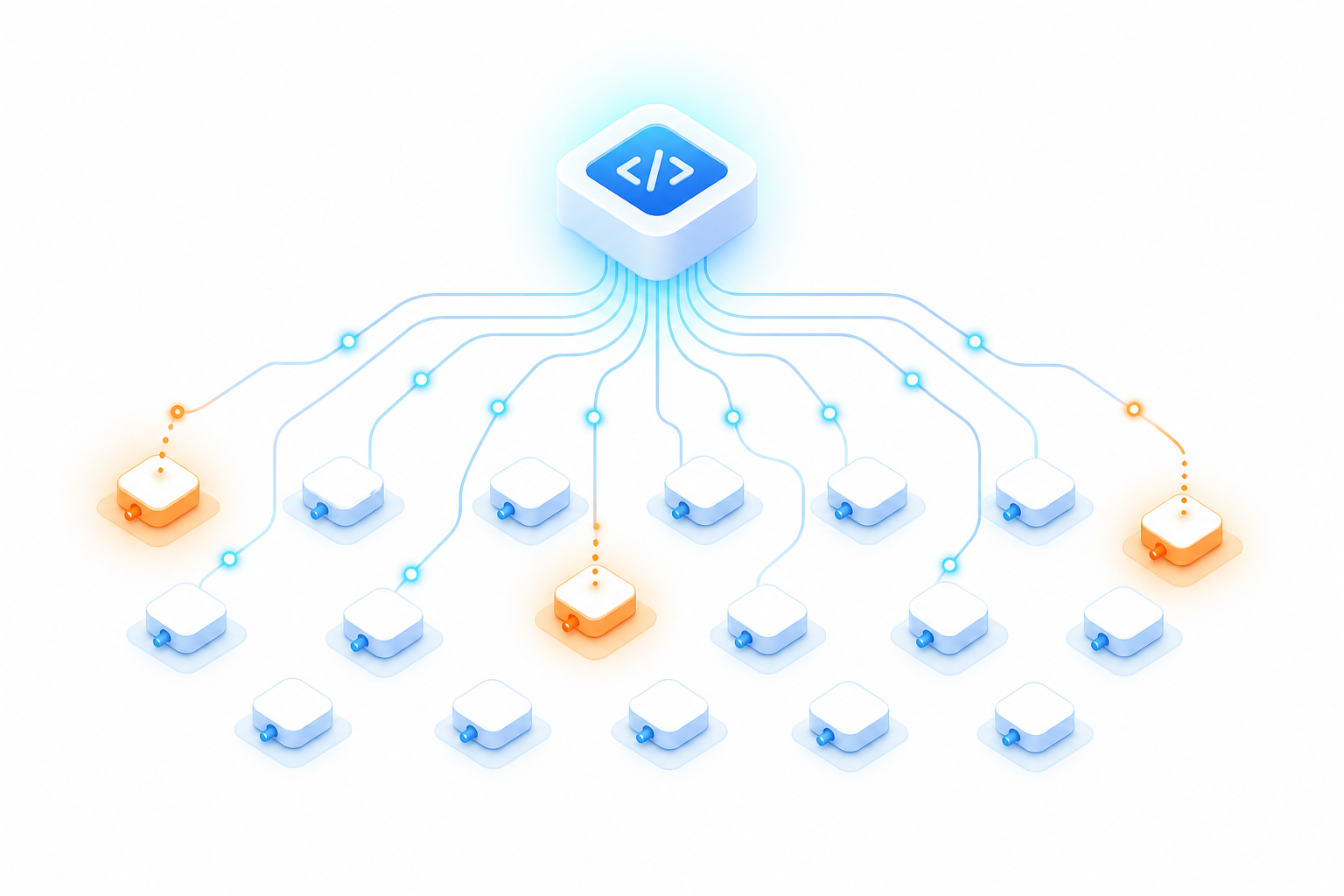
Smoke testing is the fast, shallow check. For a connector, it asks whether the critical path still works: can it authenticate, list its streams, and pull a handful of records without erroring out? Regression testing is the broad sweep that re-runs a wide set of checks to confirm yesterday's behavior still holds.
The ISTQB glossary defines regression testing as testing a previously tested program after modification, to confirm that defects have not been introduced or uncovered in unchanged areas of the software (ISTQB glossary). Hold onto "unchanged areas." Edit a shared pagination helper and the Xero connector's code never changes, yet that is where the defect shows up.
| Smoke test | Regression test | |
|---|---|---|
| Question | Does the connector work at all? | Did anything that worked before break? |
| When it runs | Every build, every connector | Before release, full suite |
| Duration | Minutes | Longer, so run in parallel |
| If it fails | Block the release | Find which change caused it |
A shared-dependency release behaves like a big-bang integration: everything changes at once, so a failure could come from anywhere. Staged rollout avoids that.
What a Connector Smoke Test Should Check
A smoke test is the "does it turn on" check. Each connector should pass five checks within minutes of any SDK or connector update:
- Auth: the OAuth, PKCE, API key, or token flow completes, and a refresh works, since silent OAuth failures and token expiry are exactly what this check is meant to catch.
- Discovery: the connector returns the expected streams or entities.
- Extract: a small, bounded sync pulls a handful of records per stream, such as recent Stripe charges.
- Job lifecycle: the job starts, finishes, and reports accurate status. A partial failure must not look like success.
- Delivery: output lands in the target format, and the webhook callback fires with the expected payload.
Give each connector its own test tenant so one broken sandbox never muddies another's result. The integrations team owns these tests, and a red smoke test blocks the shared SDK change.
Building a Regression Suite That Catches Silent Data Drift
Smoke tests tell you a connector is alive. A regression suite tells you it still behaves, so it covers what a quick pull never touches:
- Multi-page pagination, where a changed page-size default quietly drops the last page.
- Incremental sync and state bookmarks, run twice against the same data. A quiet tenant should return close to nothing the second time. A broken bookmark either misses records or triggers a full re-sync that hits rate limits and duplicates data.
- Field mapping, including custom fields, plus deduplication on email or on email plus mailing location.
Save a golden file of known-good unified schema output per connector, such as Xero v2 invoices or QuickBooks v2 reports, and run a field-level diff after every change. If Sage Intacct and Xero share a date-handling function, one diff shows the cross-contamination before a customer's ledger does. Add a human review step so vendor field additions get approved as a new baseline.
Use synthetic or masked fixtures, and refresh recorded responses on a schedule.
Testing Against Third-Party APIs You Do Not Control
A connector can break while your repo sits untouched. Salesforce has retired API versions 21.0 through 30.0, and REST calls to those versions return 410 GONE. A connector pinned to an old version passes every build until production fails.
Sandbox, Mock, or Live Account
- Vendor sandbox: closest to production, but data and rate limits differ.
- Recorded mock: fast and free, but only proves the connector handles yesterday's responses.
- Live test account: catches real drift, costs quota, and needs cleanup.
Run contract-style checks on every build, and reserve full end-to-end runs for a nightly schedule.
On-Premise and Desktop Systems
QuickBooks Desktop and Sage 300 CRE have no public endpoint to call, so tests need the same agent or proxy path production uses, as outlined in our Sage 300 on-premise integration guide. Add a multi-company-file case, since a single-file test misses silently skipped syncs. The same single-entity blind spot shows up in cloud systems too, as we cover in NetSuite multi-subsidiary sync validation.
"Tested" means knowing the date of your last passing run against that vendor, not your last commit.
Choosing a Rollout Strategy Across Hundreds of Connectors
Four rollout shapes cover most fleets, and each trades speed against how easily you can trace a failure.
- Big bang ships the SDK change to every connector at once. It is fastest, but a red dashboard could mean any of 200 things.
- Bottom-up validates the shared library, then one connector per category, then the rest.
- Top-down starts with high-traffic connectors like Shopify or QuickBooks Online.
- Risk-based hybrid groups connectors by shared code path (auth, pagination, schema handling) and canaries one per group.
The hybrid wins for a large fleet, since connectors in a group fail together.

Canary Stages and Criteria
Send the new version to a small tenant slice and compare job health against the previous version over the same window. Rank changes by risk: auth and token refresh, then state and bookmarks, then serialization, then cosmetic changes.
- Entry: smoke tests green, golden-file diff reviewed, rollback path confirmed.
- Exit: error rate and record counts within tolerance across at least one full sync cycle.
A Step-by-Step Workflow for Shipping a Shared SDK Change
Run these steps in order, and let each one gate the next:
- Map the blast radius by listing every connector that imports the changed module, grouped by auth type and sync type. These groups become your canary candidates.
- Run unit checks on the shared library in isolation.
- Smoke test every affected connector against its test tenant. One red result stops the release.
- Run the regression suite and diff output against golden files, reviewing every field-level difference by hand.
- Canary one connector per shared code path through a full sync cycle.
- Promote in stages, holding long enough for slow-cadence syncs to run once, whether those jobs use batch or trigger sync methods.
- Roll back immediately on any failed diff or health check, then debug.
- Add the test that would have caught the issue to the suite.
The change owner runs steps 1 and 2, QA signs off on steps 3 and 4, and support gets the affected connector list before step 5.
Monitoring, Alerting, and Rollback After Release
Some regressions only appear with real customer data: a custom field missing from your fixtures, a tenant with hundreds of thousands of open invoices, a company file that has been in use for over a decade. So the work continues after release.
We keep tenant-level job health in view and route failure alerts to Slack. Each alert links to the most affected tenants and jobs, so the on-call engineer starts at the evidence.
- Failure rate by connector version, compared with the previous version over the same window
- Stalled jobs that started but never finished
- Record-count deviation against the tenant's previous run
- Auth error spikes, which usually point at a token refresh change
- Webhook delivery failures, since a callback that stops firing is easy to confuse with a quiet tenant (see our guide on how webhooks work)
For rollback, keep transformation scripts in Git so a bad change reverts to a known-good commit. hotglue supports Git integration with automatic commits for ETL scripts, and separate development and production environments keep tests off live ETL.
Make partial failures loud. A job that finishes green with half the data is the worst outcome, because the next incremental run builds on a bookmark that skipped records.
How hotglue Tests and Protects Its Connector Library
hotglue maintains 650+ open-source connectors, with native support for Singer spec and Airbyte YAML, and much of that library rests on shared code. One change can reach hundreds of connectors, so shared-dependency risk is our daily engineering problem. With 70+ B2B SaaS customers and 38,000+ active tenants depending on that code, the stakes are real.
- Separate dev and production environments, plus Git integration with automatic commits for ETL scripts, make reverts straightforward.
- A CLI manages flows and transformation scripts from source control and CI.
- Unified schemas give regression diffs a stable shape to compare.
- Syncs never partially succeed. A job delivers all data or fails and preserves state for retry.
- Post-sync webhooks for real-time data transfer return record UUIDs and links, giving tests something concrete to assert on.
Internally, Slack alerts and version-level monitoring point us to the most affected tenants.
Final Thoughts on Integration Testing at Fleet Scale
You don't need to test everything everywhere on every commit. Map the blast radius, smoke test fast, diff against known-good output, and promote in stages. Our team can show you how this works in practice, just grab a demo.
FAQ
How do I test a QuickBooks Desktop or Sage 300 CRE connector when there's no public API to call?
Run your tests through the same agent or proxy path production uses. QuickBooks Desktop connects through a Windows agent and the QuickBooks Web Connector, and Sage 300 CRE installs on-premise and talks directly to the local database.
Can I do integration testing without a vendor sandbox?
Yes. Use a recorded mock for fast contract-style checks on every build, and a live test account for nightly end-to-end runs. Hotglue holds and operates sandboxes for third-party systems, so you often don't need to provision your own to test a new connector.
Smoke testing vs regression testing for a connector fleet: which should run first?
Smoke testing runs first, on every build and every connector. If a connector can't authenticate, list its streams, and pull a few records, there's no point running the longer regression suite against it. A red smoke test blocks the release, and regression testing then confirms nothing that worked before has drifted.
Which embedded integration tools have open-source connectors I can inspect and customize?
Hotglue publishes 650+ open-source connectors with native Singer spec and Airbyte YAML support, so you can read the code behind a connector before a regression change reaches it. That visibility helps testing, because you can see exactly which shared modules a connector imports and build your canary groups from that list.
How do I know a Salesforce or Shopify connector is still safe after the vendor changes its API?
Track the date of your last passing run against that vendor, not your last commit. Vendor API deprecations break connectors that pass every build. Hotglue's integrations team monitors third-party API changes and migrates connectors to new endpoints, so those fixes don't land on your engineering team.