Somewhere in your backlog right now there's an integration ticket that's been bumped three sprints in a row. The customer still wants it, your team still hasn't built it, and the cycle just keeps going. (Sprint four is looking ambitious too, realistically speaking.) Getting your first integration live doesn't require owning the full build.
TLDR:
- Embedded integration onboarding lets your customers connect their tools inside your product, no redirects or CSV workarounds needed
- Every connector you build in-house becomes a maintenance obligation when upstream APIs change their endpoints or auth requirements
- Magic Links get your first tenants live without any widget embed code, making them ideal for pilots and CSM-led rollouts
- A new connector going live does not count as "live" until a stranger can onboard at 11pm with no help from your team
- hotglue handles OAuth token storage, refresh cycles, and tenant isolation so your engineers stay on your actual product roadmap
What Embedded Integration Onboarding Actually Means
Embedded integration onboarding is the process by which your end users connect their own tools (Salesforce, QuickBooks, Shopify, whatever they run on) directly inside your product. No redirects to a third-party app, no CSV workaround, no "ask your admin to set up a Zapier zap." The connection happens within your UI, under your brand, and the user never has to leave to make it work.
This differs from how most early-stage SaaS teams handle integrations. The older model hands users off: a separate developer portal, a support doc, or a generic automation tool they have to configure themselves. That friction is a real cost. According to a 2026 guide on embedded integration, companies are increasingly treating native integration capability as a core product feature, not a nice-to-have add-on.
The "onboarding" part matters too. It refers to getting a specific tenant (one of your customers) through the connection flow for the first time: authenticating with their third-party system, mapping their data, and running a successful sync. Getting that first tenant live is the milestone.
Why Integration Requests Keep Hijacking Your Engineering Roadmap
Integration requests feel small when they arrive. One prospect needs a QuickBooks connector. One renewal account wants Salesforce sync. A new pilot customer won't sign until you have a Shopify connector. Each ask looks isolated, but together they stack into a queue that quietly colonizes your engineering roadmap. This typically lands in the lap of a CPO or Head of Partnerships — the person who promised the integration on the call and now has to explain to engineering why it's urgent. Again.
Customers don't care about your sprint plan. Their integration request feels as urgent to them as your core product does to you. So the request gets triaged, a ticket gets opened, and an engineer gets pulled off the feature that was supposed to ship last quarter.
Building in-house also undersells the ongoing cost, and building user-facing SaaS integrations yourself is rarely worth it. Third-party APIs change endpoints, deprecate fields, and shift authentication requirements on their own schedule. Every connector you built from scratch becomes a maintenance obligation. Schema drift, rate limit changes, connector rebuilds after a vendor update: these aren't hypotheticals. They're what your engineering team will be doing instead of building your product.
The problem compounds with customer growth. At ten customers, one or two integrations might be manageable. At a hundred tenants with slightly different configurations, a single upstream API change can trigger a dozen separate support tickets on the same day.
The connectors you built last year don't stay built. They need to keep working while your API partners change underneath them, your customer base diversifies, and your team tries to ship everything else on the list.
That's the systemic issue. It looks like a staffing quirk until suddenly you're running a small integrations team inside a product company.
How Embedded Integration Onboarding Works
There are two sides to the flow: what your team configures once, and what each customer does when they connect.
On the setup side, you pick a connector from the catalog, configure which data entities to sync (say, invoices and vendors from the QuickBooks connector), set a schedule, and define how that data maps to your schema. Hotglue handles the connector logic, auth scaffolding, and sync execution. Your engineering team writes any transformation code needed to reshape the incoming data, then publishes the flow.
On the customer side, the experience is short:

- They see a connection prompt inside your product
- They click to authorize via OAuth, granting scoped access to their third-party system
- Field mapping appears as a UI step if customers need to customize it, or gets skipped entirely if you've pre-configured defaults
- A tenant record gets provisioned in Hotglue automatically
- The first sync runs and data flows to your backend
Once a tenant completes that last step, they're live.
The engineering lift on your side is mostly upfront: configuring the flow, writing data conversion scripts, and embedding the widget or generating a Magic Link. After that, each new tenant follows the same path without additional engineering work.
OAuth and Authentication in Embedded Integration Flows
When a customer clicks "Connect QuickBooks" inside your product, OAuth 2.0 is what makes it work without you ever handling their credentials. As Auth0 describes it, OAuth 2.0 provides consented access and restricts what a client app can do on behalf of a user, without sharing the user's credentials.
In practice, the flow looks like this:
- Your product redirects the user to the third-party system's authorization page
- The user logs in and grants your app scoped access
- The third-party returns an authorization code to your redirect URI
- Your backend exchanges that code for an access token and refresh token
- Subsequent syncs use the refresh token to stay authorized without asking the user again
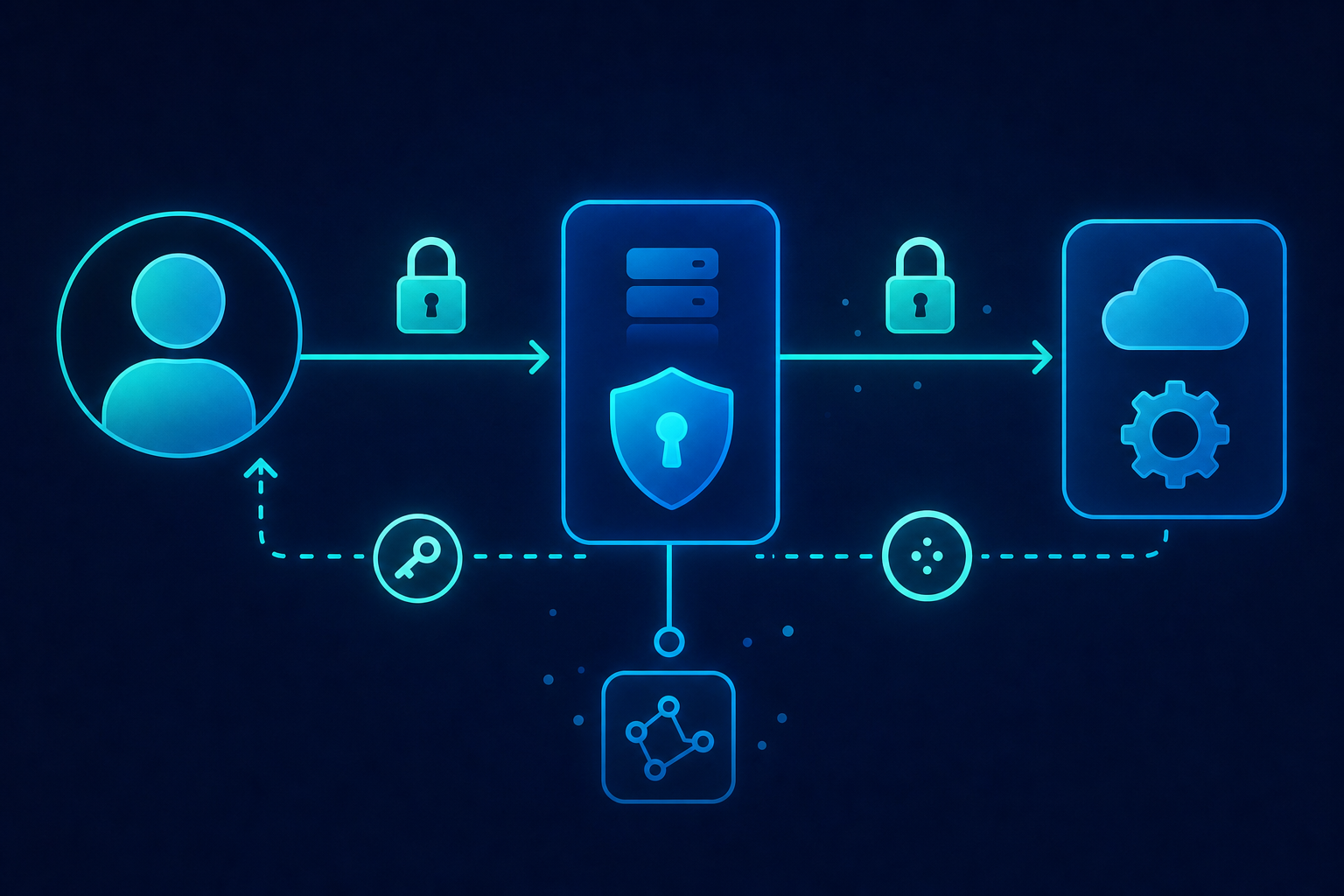
The tricky part is everything around the happy path: storing tokens securely, refreshing before expiry, handling revocation, managing scope changes when a vendor updates their API, and surfacing clean error states when auth breaks mid-sync. Each connector has its own OAuth implementation quirks.
With hotglue, that surface area moves off your plate. Token storage, refresh cycles, and OAuth error handling are managed at the connector level. Your team configures scopes once per connector, and each tenant's credentials are isolated per tenant record automatically.
No-Code Setup Options for SaaS Integration Onboarding
"No-code" means different things depending on who's selling it. In a traditional automation builder like Zapier, no-code means an end user configures their own workflow through a visual editor. Understanding different iPaaS integration platforms helps clarify why, in an embedded integration context, no-code refers to what your team configures to get a connector live without writing API client code, auth logic, or sync orchestration from scratch.
With hotglue, most of the setup a non-engineer can handle includes:
- Selecting connectors from the catalog and choosing which data entities to sync (invoices, contacts, orders), including bi-directional integrations
- Configuring sync schedules per connector and setting default field mappings for your schema
- Publishing the integration flow to your environment
Where code becomes unavoidable is data transformation. When your backend expects a specific shape and the connector returns something different, a Python transformation script bridges that gap. GluestickAI can generate that code from a plain-language description, keeping the lift minimal, but someone on your team still owns it.
| Setup Task | No-Code | Requires Code |
|---|---|---|
| Connector selection and config | Yes | No |
| Sync scheduling | Yes | No |
| Default field mapping | Yes | No |
| Custom data transformation | No | Yes |
| Custom connector build | No | Yes |
For most product teams, you can get a standard connector live without writing much. The moment you need non-standard field logic or a connector outside the catalog, you're writing Python. (So, not entirely no-code — but at least the Python is short.)
Magic Link Integration Onboarding: The No-Embed Path
Magic Links are a separate delivery path for integration onboarding. Instead of embedding a widget in your product, you generate a branded URL and send it to the customer. They open it, authenticate with their third-party system, and complete the connection flow in a standalone page hosted by hotglue under your brand. Your engineering team does not touch the embed.
The use cases where this fits best:
- Early pilots where you want to test a connector before committing to a full widget integration
- CSM-led rollouts where your team walks a customer through onboarding over a call
- Customers who need to connect but don't sit inside the product regularly enough to encounter an embedded prompt
The tradeoff versus a fully embedded widget is surface area. A widget lives inside your product at exactly the right moment in the user's workflow. A Magic Link gets emailed or shared, which adds a step. For high-volume self-serve onboarding, the widget wins. For getting your first ten tenants live without an engineering sprint, Magic Links win. If you're still weighing your options, knowing how to choose the best embedded iPaaS will help you decide.
Generating a Magic Link requires no widget code at all. You configure the flow in hotglue, generate the link via API or the admin UI, and share it. Each link is scoped to a specific tenant, so credentials and sync configuration stay isolated per customer automatically.
Onboarding Multiple Pilot Users Without Disrupting a Live Integration
Tenant isolation is what keeps a pilot with one customer from affecting another. In hotglue, every connected customer is a separate tenant record with its own credentials, sync state, and job history. When tenant A has an auth error, tenant B keeps syncing. That separation is structural, not something you configure per deployment.
For rollouts with multiple pilots running simultaneously, a few practices keep things clean:
- Onboard pilots sequentially instead of all at once, so your first successful sync validates the flow before you multiply the surface area
- Use separate hotglue environments for staging and production, so test connections from your team never appear in the same job logs as live customer syncs
- Set field mapping defaults at the flow level so each new tenant inherits a working configuration without manual setup per customer
Error visibility is the part teams underestimate. When five pilots are live and one fails, you need to know which tenant, which job, and why without digging through logs manually. Hotglue surfaces job health per tenant in the admin UI, so your CS or solutions team can see at a glance which customers have active sync issues without pulling in an engineer.
The first live tenant is the hardest. After that, each new pilot follows the same path your first one already validated.
The GTM Readiness Checklist Before You Launch
Before calling an integration "live," confirm each of these:
- The onboarding flow completes without engineering involvement for a net-new tenant
- Error states show customers something actionable, not a raw API message or a blank screen
- Your CS or support team knows how to triage a failed sync without opening a ticket with engineering
- Documentation covers what the integration does, what data it touches, and what permissions it requires
- Sync monitoring is active so your team sees failures before customers do
The items teams most commonly skip are error messaging and support routing. When a customer's OAuth token expires mid-sync, someone has to notice and tell them to reconnect. If that path runs through engineering, you've added a delay your customer will remember at renewal.
"Live" means a stranger can onboard themselves at 11pm with no help from your team and still get a working sync. If your on-call engineer is involved, it's not live: it's a demo with extra steps.
How hotglue Handles Embedded Integration Onboarding
hotglue's embedded iPaaS platform is the fastest path from "we need this integration" to a tenant actively syncing data — no multi-month build, no dedicated integrations team, and no sprawling maintenance burden as your customer base grows.
There are two delivery paths: the widget and the Magic Link. The JavaScript widget (v3) embeds natively inside your product so customers connect without leaving your UI. With the Magic Link, no embed code is needed: you generate a scoped URL, send it to the customer, and they complete onboarding on a standalone branded page. Both paths provision a tenant record automatically and start syncing on the schedule you configured.
New connectors go from API access to live in one to two weeks. Tenant-based pricing counts only active tenants on a 30-day rolling window, so you're not paying for customers who haven't synced. At scale, that model covers 38,000+ active tenants across 70+ B2B SaaS customers, processing roughly 10 billion records weekly.
Your first integration doesn't need to be a roadmap item. It needs a flow configuration, a delivery path, and a tenant willing to connect.
Final Thoughts on Embedded Integration Onboarding
Most integration problems aren't really about the connectors. They're about the maintenance, the token refresh edge cases, and the support tickets that pile up after a vendor changes their API. Solving that upfront keeps your team focused on the product. Talk to us if you want to walk through the setup.
FAQ
How do I get a QuickBooks or Salesforce integration live without pulling engineers off the core product roadmap?
Configure the connector flow, field mappings, and sync schedule in Hotglue's admin UI; most of that work requires no code. Your engineers write transformation scripts only where your schema needs reshaping, then publish once. Every new tenant that connects after that follows the same path without additional engineering work.
What is the difference between a unified API and an embedded iPaaS for SaaS integrations?
A unified API normalizes multiple third-party APIs into one schema your team codes against: you write the integration once, but you're still writing it. An embedded iPaaS like Hotglue sits inside your product and handles connector logic, auth, sync orchestration, and tenant management on your behalf, so your team configures instead of builds from scratch. The practical difference shows up in maintenance: when Salesforce changes an endpoint or QuickBooks deprecates a field, a unified API still requires your team to respond, while Hotglue's integrations team handles the migration.
How does Magic Link integration onboarding differ from embedding a widget, and when should I use each?
Magic Link generates a scoped, branded URL you send directly to a customer, with no widget embed required from your engineering team. The widget lives inside your product UI and works best for high-volume self-serve onboarding where the connection prompt appears at the right moment in the user's workflow. Magic Links are the faster path for getting your first ten pilot tenants live, running CSM-led onboarding calls, or testing a new connector before committing to a full embed.
How do I onboard additional pilot users to an integration without disrupting a pilot that's already running?
Every connected customer in Hotglue is a separate tenant record with its own credentials, sync state, and job history, so an auth error on one tenant has no effect on another. Onboard pilots sequentially so your first successful sync validates the flow before you scale, use separate staging and production environments to keep test connections out of live job logs, and set field mapping defaults at the flow level so each new tenant inherits a working configuration automatically.
Can I handle SaaS integration no-code setup without an engineering team involved at all?
For standard connectors, most of the setup (selecting connectors, configuring which data entities to sync, scheduling, and default field mapping) requires no code. The one area that still needs a developer is custom data transformation: when your backend expects a specific schema and the connector returns something different, a Python script bridges that gap. Hotglue's GluestickAI can generate that script from a plain-language description, but someone on your team still owns and deploys it.