Restaurant tech SaaS integration requests don't slow down after you ship the first connector. They compound. One customer needs Toast to sync with QuickBooks, another needs 7shifts hours to flow into ADP, and suddenly your engineering team is maintaining half a dozen connectors instead of building your actual product. (Congrats, you're now in the integration business whether you wanted to be or not.) Let's break down what these integrations actually involve and what your options are.
TLDR:
- Most restaurant operators run 5 or more tools simultaneously (POS, scheduling, payroll, accounting, and inventory), making Toast, 7shifts, and payroll integrations baseline expectations for any restaurant tech SaaS product.
- Building a Toast or 7shifts connector in-house takes 4-8 weeks upfront, but the real cost is 18+ months of auth, schema, and API version maintenance.
- A 50-location restaurant group means 50 discrete API connections per tenant, and multi-tenant credential management compounds fast.
- Per-location integration pricing breaks down at scale; tenant-based pricing keeps your margins intact as customers grow.
- Hotglue covers the core restaurant tech data flows (QuickBooks, ADP, Gusto, Paylocity, Sage) with tenant-based pricing and white-label deployment built in.
The Data Integration Problem Facing Restaurant Tech SaaS Companies
The restaurant management software market hits $24.1B. That growth pulls a lot of SaaS vendors into the space, and with them comes an uncomfortable reality: every new restaurant tech product your customers adopt becomes another integration request landing in your backlog.
Restaurant operators don't run one tool. They run five or six, and they expect the software they buy from you to talk to all of them. Toast for POS, 7shifts for scheduling, QuickBooks or ADP for payroll, maybe a separate inventory system on top. Each of those is a separate API, a separate auth flow, and a separate maintenance burden. The requests don't slow down after you ship the first connector. They compound.
How Restaurant Operators Actually Use Multi-Platform Data
Restaurant operators aren't asking for integrations out of curiosity. They're running payroll every week, and the data to do it correctly lives in three different places. Back at the SaaS vendor, this problem lands squarely on the CPO or Head of Partnerships — the person fielding customer escalations that start as feature requests and quietly metastasize into six-month engineering detours.
A typical multi-location group might pull shift hours from 7shifts, cross-reference them against Toast's time clock records, then push the verified totals into ADP or Gusto for payroll processing. Tip data adds another layer: Toast captures tips at the POS, 7shifts tracks tip pooling by role and shift, and the payroll system needs both to calculate final compensation correctly. None of that happens automatically without connected systems.
On the finance side, sales summaries from Toast feed nightly into QuickBooks or Restaurant365 to keep the P&L current. That means mapping Toast's location-level revenue data to the right GL accounts, handling voids and refunds, and making sure multi-location operators don't end up with one consolidated blob of revenue that their accountant can't unpack.
The data relationships here are genuinely non-trivial. A shift in 7shifts ties to an employee, a location, a role, and a wage rate. That same employee might work two roles in one day at two locations. Getting that data to land correctly in a payroll system requires transformation logic, beyond a simple pipe.
The Toast API: What Building a Native Integration Actually Involves
Getting approved as a Toast integration partner requires a formal application and review process, and Toast explicitly notes it ranks requests based on customer demand, so approval takes time and is not guaranteed.
Once approved, you face two distinct API account types: partner accounts for multi-restaurant access and restaurant management group accounts for single-group deployments. Each needs separate client credentials scoped per environment, and individual restaurants must grant your application access directly.
The API covers orders, payments, menus, employees, and kitchen data. That breadth means your team must scope carefully, handle credential rotation, and track endpoint changes over time, none of which is a one-time build.
The 7shifts API: Labor and Scheduling Data Complexity
The 7shifts API is a REST API authenticated via OAuth 2.0 client credentials, covering employees, schedules, work periods, time punches, departments, locations, and wages. There's also a webhook that fires when a schedule is published, useful for real-time downstream triggers, but OAuth client webhooks require the Gourmet plan (called Premium for accounts created after July 2025), per the 7shifts plan requirements docs.
The scope looks manageable until you start building. Every endpoint is scoped to a company ID, so multi-location operators with separate company accounts require separate auth flows per account. Shift data ties to employees, roles, departments, and locations simultaneously, meaning any transformation that aggregates across those dimensions needs to account for that relational structure explicitly.
Owning this natively means your team handles OAuth token refresh, rate limit management, schema changes across API versions, and any breaking changes 7shifts ships upstream, before you even touch the actual data logic.
Why Each New Connector Request Costs More Than It Looks
The initial build sprint is the visible part. A developer scopes the work, estimates two weeks, ships something that works in staging, and declares victory. (The confetti is barely off the floor before the first API deprecation notice arrives.) What the estimate rarely includes is everything that happens after.
Third-party APIs change. Toast and 7shifts both version their endpoints, and when they do, someone on your team owns the migration. Add OAuth token refresh logic, per-tenant credential storage across potentially hundreds of restaurant locations, and rate limit handling that varies by plan tier. Each of those is a maintenance surface, not a one-time cost.
Multi-tenant credential management scales badly. Fifty restaurant groups, each with separate auth flows and individual location-level permissions, consumes engineering cycles that were never budgeted in the original estimate.
Schema mapping compounds this further. The data shape 7shifts returns for a shift record is not the shape your system expects. Maintaining that transformation when either side changes their schema is a recurring problem, and it happens more often than product teams plan for.
The real cost of building a connector in-house isn't the sprint. It's the next eighteen months of keeping it alive while your API roadmap moves forward without it.
The Multi-Location Compounding Problem
Managing integrations for a single-location customer is hard enough. A restaurant group with 50 or 150 locations is a different problem category entirely.
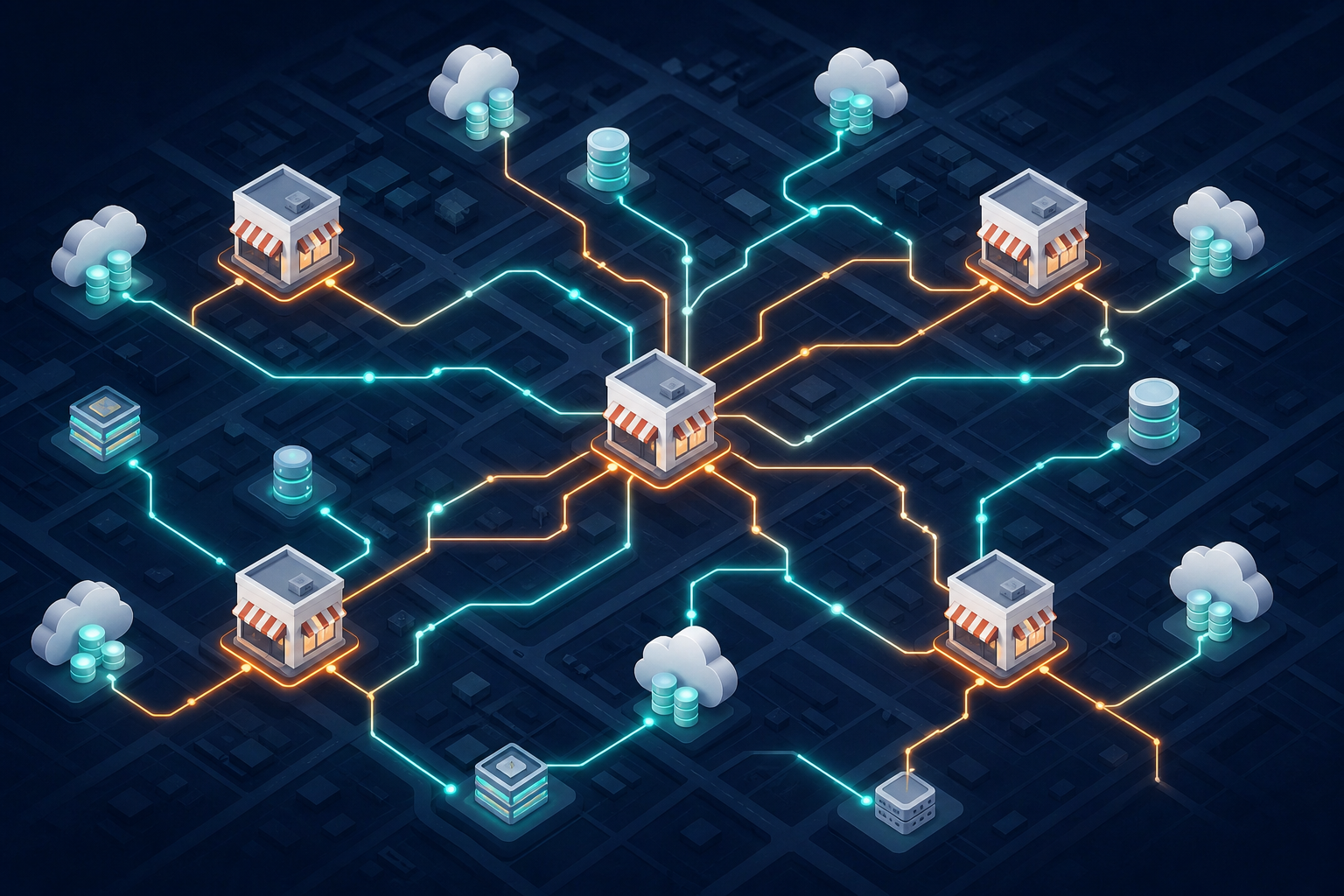
Each location typically runs its own Toast configuration, its own 7shifts or Deputy scheduling account, and its own payroll setup. Your integration layer doesn't serve one tenant with one auth flow. Instead, it serves one tenant with 50 discrete API connections, each requiring separate credentials, separate sync jobs, and separate error handling when something breaks at location 34 on a Friday night.
Integrated labor tech for multi-location ops has become a real priority because schedules, wage rates, and compliance rules differ by location, state, and even shift type. Your connector has to survive all of it.
The failure modes multiply too. A schema mismatch at one location doesn't stay contained. If your transformation logic assumes a consistent data shape and one franchisee has a non-standard Toast menu config, that can ripple into every downstream sync touching that tenant.
Embedded Integrations vs. In-House Connector Builds
The core tradeoff is straightforward. Build in-house and your team owns everything: auth flows, rate limiting, schema mapping, and every breaking change Toast or 7shifts releases. Embed an iPaaS layer as part of your SaaS integration strategy and that maintenance moves off your roadmap.
In-house makes sense if your integration requirements are narrow and stable. One connector, one data shape, low change frequency. For restaurant tech, that's rarely the reality.
| Factor | In-House Build | Embedded iPaaS |
|---|---|---|
| Time to first connector | 4-8 weeks | 1-2 weeks |
| Auth management | Your team owns it | Handled by provider |
| API change response | Your backlog | Provider's responsibility |
| Multi-tenant credential scale | Compounds with growth | Built-in |
| Engineering ongoing cost | High | Predictable |
Multi-location restaurant groups mean hundreds of discrete API connections per tenant. That scales badly when your team is also shipping product features.
What "Native" Integration Means for the End Customer Experience
From a restaurant operator's perspective, the difference between a native integration and a third-party workaround is immediately obvious. A native experience, backed by solid app integration management, means connecting their ADP payroll or QuickBooks account directly inside your product, in a branded flow that feels like part of your product, without any redirect to an unfamiliar tool or a separate setup portal.
The mechanics matter here. A few approaches make this work well:
- Widget-based authentication lets operators complete OAuth flows without leaving your app, keeping the experience contained and familiar, while bi-directional integrations keep data flowing both ways as needed.
- Magic Link-style flows let them connect integrations via a URL, with no embedding required on your end.
- White-label branding keeps your product front and center throughout the connection process.
Operators increasingly treat this as a baseline expectation. If connecting their Toast data to your reporting tool requires exporting a CSV or calling your support team, that friction is enough for a competitor to win the deal.
Key Data Flows to Support in a Restaurant Tech Integration Stack
The table above maps the core data flows any restaurant tech integration stack needs to handle. Each row is its own connector project with its own mapping logic and edge cases.
POS-to-accounting alone involves mapping Toast's location-level revenue data to GL accounts, handling voids and comp meals, and splitting revenue across departments in whatever shape your customer's accountant expects. QuickBooks Online is the most common target, but NetSuite and Sage 100 or 300 show up constantly in multi-location and franchise contexts.
Labor-to-payroll is the flow operators feel most acutely. Hours from 7shifts need to land in ADP, Gusto, Paylocity, or Employment Hero with role codes, overtime flags, and location identifiers intact. Tip reconciliation adds another join: Toast captures the POS tip, 7shifts tracks tip pool distribution by shift, and the payroll system needs the combined total per employee per pay period.
Inventory flows are less frequent but still expected. Operators running tight food cost controls want POS depletion data syncing into an ERP or inventory tool so they can catch variance before it becomes a problem at month-end.
| Data Flow | Source | Common Destinations |
|---|---|---|
| Sales summaries | Toast POS | QuickBooks, NetSuite, Sage 100/300 |
| Labor hours | 7shifts | ADP, Gusto, Paylocity |
| Tip data | Toast + 7shifts | Payroll system of record |
| Inventory levels | POS / inventory system | NetSuite, Sage, Restaurant365 (accounting & inventory) |
| Employee records | 7shifts / HR system | Payroll, accounting |
Pricing Considerations for Integration Infrastructure in a Thin-Margin Vertical
Pricing integration infrastructure for restaurant tech requires real care. Operators run on thin margins, and that sensitivity flows upstream to every vendor they buy from.
Per-location and per-transaction pricing models have burned restaurant tech vendors before. A franchisee with 80 locations paying per-location fees will find a cheaper workaround, or a cheaper vendor.
Tenant-based iPaaS pricing holds up better here. When a single restaurant group counts as one tenant regardless of location count, your costs stay predictable as the group scales. You can bundle it into your product tier without worrying that one large franchise customer tanks your margin.
The model that tends to work: flat integration access included in a mid or high product tier, with the underlying infrastructure cost baked into your per-seat or per-location SaaS fee. Operators get a native experience; you get a margin structure that survives your largest customers.
How hotglue Approaches Restaurant Tech SaaS Integrations
Hotglue's connector catalog covers the flows described throughout this piece. QuickBooks Online, QuickBooks Desktop, Sage 100, Sage 300, ADP, Gusto, and Paylocity are all available today, meaning a restaurant tech SaaS company can offer native connections to the tools their customers already run without building those connectors from scratch.
The tenant-based pricing model matters here. One restaurant group with 80 locations counts as one tenant, not 80 billable units. That's the structure that avoids the per-location fee trap that made Omnivore's math unworkable at scale.
A few things that make this concrete for restaurant tech teams:
- New connectors go from sandbox access to production in 1-2 weeks, so if a key customer needs a specific payroll system your product doesn't yet support, that's not a multi-month project.
- Hotglue processes roughly 10 billion records weekly across 38,000+ active tenants, so the infrastructure behind your integration isn't experimental.
- Connectors are open-source and built for developers, which means your engineering team can inspect and extend them instead of trusting a black box.
- Hotglue is SOC 2 Type II compliant and never stores customer data; it processes and delivers directly to you.
- White-label deployments keep your brand front and center throughout the connection flow.
If you're building restaurant tech and the integration backlog is eating roadmap time, hotglue is the best embedded iPaaS on the market for exactly this problem, purpose-built for SaaS teams who want native, white-labeled integrations without turning their engineering org into a connector maintenance crew. Book a demo and see how it fits your stack.
Final Thoughts on the Real Cost of Restaurant Tech SaaS Integrations
The two-week build estimate looks reasonable until you account for the next 18 months of keeping it alive. Multi-location restaurant groups with separate auth flows per site make that cost grow in ways that are hard to budget for upfront. Getting the infrastructure right early saves your team a lot of catch-up work later. Book time with hotglue to walk through how it fits your stack.
FAQ
What's the best way to sync payroll data from ADP, Gusto, or Paylocity into a restaurant tech SaaS product?
The most reliable approach is to use an embedded iPaaS that handles OAuth, token refresh, and schema mapping on your behalf, so your team ships the integration once and isn't on the hook every time ADP or Paylocity updates an endpoint. Hotglue supports all three natively, with transformation logic that preserves role codes, overtime flags, location identifiers, and tip pool data through to the payroll system of record. For multi-location restaurant groups, tenant-based pricing matters here: one restaurant group counts as one tenant regardless of how many locations sync payroll, which keeps your infrastructure costs predictable.
How does Hotglue's pricing model hold up for restaurant tech companies serving multi-location groups with thin margins?
Hotglue charges per tenant, not per location, so a restaurant group running 80 locations counts as one billable unit, not 80. That's why tenant-based pricing holds up when your largest customers are franchise groups: your infrastructure cost stays flat as they open new sites. You can bundle integration access into a mid or high product tier without worrying that one big customer breaks your margin math.
How do I build a native Toast and 7shifts integration for my SaaS product without owning the ongoing maintenance?
Using an embedded iPaaS layer moves API maintenance (credential rotation, rate limit handling, schema changes, breaking endpoint updates) off your engineering backlog entirely. Hotglue's connectors are open-source, so your team can inspect and extend them, and the integrations team actively monitors third-party API changes and migrates connectors to new endpoints without requiring work on your end. The Toast and 7shifts data flows described in this piece (labor hours, tip reconciliation, sales summaries to accounting) each have their own transformation logic requirements, and owning all of that in-house compounds fast as you add restaurant groups.
Toast integration vs. 7shifts integration: which should a restaurant tech SaaS company build first?
Build the one your customers are losing deals over. For most restaurant tech products, that's whichever system touches payroll. Toast covers POS and time clock data; 7shifts owns scheduling and shift-level labor data. The tip reconciliation flow requires both, since Toast captures POS tips and 7shifts tracks tip pool distribution by shift and role. If your product touches labor costs or payroll at all, you likely need both running before you can deliver a complete data picture to a multi-location operator.
What does embedded ETL mean and how is it different from a traditional iPaaS for a SaaS product like a restaurant tech platform?
Traditional iPaaS tools (think Zapier or MuleSoft) are standalone products your customers log into separately. Embedded ETL means the integration lives inside your product: your customer connects their Toast or 7shifts account directly within your app, in a branded flow, without any redirect to an outside tool. The ETL layer handles extraction, transformation, and loading behind the scenes, but the experience looks and feels like a native feature of your product. For restaurant tech, that distinction matters: operators who have to leave your app to manage an integration will either skip it or call support, and either outcome costs you.