There's a part of the Sage Intacct API that most integrations quietly skip: the REPORTINGPERIOD object. It's not a transaction record, so it doesn't make it into the initial scope. But without it, your integration has no way to know whether a period is open, closed, or locked, and that missing context is usually the root cause when close-day syncs start failing.
TLDR:
- Most Sage Intacct integrations skip
REPORTINGPERIODentirely, leaving your sync blind to whether data is final or still in flux. - Open, closed, and locked periods carry different write constraints; treating them the same causes silent failures your finance customers debug manually.
- Fix it by querying
REPORTINGPERIODon every sync cycle, independent of your delta logic for transactional records. - Tighten your sync cadence in the final 48 hours of a close cycle; a nightly schedule reports stale numbers as final truth.
- Hotglue's Sage Intacct connector syncs reporting period data as a standard stream alongside GL and subledger records, no secondary pipeline needed.
What Is Sage Intacct Period-Close Data (And Why It Exists)
Sage Intacct organizes financial data around reporting periods: named time ranges tied to your fiscal calendar. Each period carries a status of open, closed, or locked. That status controls what transactions can be posted, what reports can pull from, and whether an external system can write into that period at all.
The core object here is REPORTINGPERIOD, exposed through Sage Intacct's API. It stores the period name, start and end dates, and its current state. Reporting periods apply across the general ledger and subledgers like Accounts Payable and Cash Management, and each subledger can carry its own open/close state independently. If you're also working with Sage 300, period handling follows similar principles but through a different connector.
Per Sage Intacct's documentation, these periods govern when books are opened or closed and limit what data appears on reports. For an integration pulling financial data, period status is the gating condition for whether your data is final, in-flight, or off-limits.
Why Period-Close Data Matters for Downstream Integrations
When your integration pulls transactions from Sage Intacct without knowing which period those transactions belong to, you lose the ability to tell whether a number is final. A journal entry sitting in an open period looks identical to one in a locked period at the record level, so your downstream system has no way to distinguish them.
That ambiguity creates real problems across common use cases:
- Revenue recognition tools need to know when a period closes before they can finalize recognized amounts. Without that signal, they're working with incomplete data.
- Budgeting and forecasting products that pull actuals from Sage Intacct can end up comparing budget figures against actuals that are still in flux.
- If a period reopens and transactions get adjusted, your integration may have already reported stale data upstream as confirmed.
Audit risk is the quieter concern. If your product writes journal entries back to Sage Intacct, posting to a closed or locked period will fail with a sync error. Without period-close context baked into your integration logic, those failures surface as generic errors instead of actionable signals, and your customers' finance teams end up debugging something your product should have caught first.
How Sage Intacct's API Exposes Accounting Period Information
Sage Intacct exposes accounting period data through its XML Web Services API via the REPORTINGPERIOD object. A standard query returns fields including the period name, start date, end date, and current status. You can filter by status to return only open or closed periods, which is how integrations can gate their sync logic against period state instead of guessing from transaction dates alone.
The open and close process in Sage Intacct is separate from the transactional layer. Closing the books changes the period's status flag, which governs what the API will accept as a write target. Querying REPORTINGPERIOD gives you that flag before you attempt any write.
A few things worth knowing before you build against this:
- Period status lives on the
REPORTINGPERIODobject, not on individual journal entries or subledger records. - Each subledger (AP, Cash Management) can be open or closed independently of the GL period.
- The API won't infer period status from a transaction date; you have to fetch it explicitly.
Common Reasons Your Integration Is Missing Period-Close Data
Most Sage Intacct integrations are built transaction-first. The connector pulls invoices, payments, and journal entries because that's what the initial use case required. REPORTINGPERIOD never makes it into scope. It's the accounting equivalent of forgetting to put the date on a check. Technically everything else is correct, and yet.
A few specific patterns cause this:
- The connector was scoped to transactional objects only.
REPORTINGPERIODis a configuration/metadata object, and it gets skipped when no one explicitly adds it to the data model. - Delta sync logic tracks record-level changes but misses period state changes. A period transitioning from open to closed does not create a new transaction record; it updates a status flag. Connectors built around incremental record fetching won't catch that.
- Period data gets deprioritized during the initial build. Finance teams often ask for it later, after the connector is already live, which means retrofitting it into an existing pipeline.
- Subledger periods are ignored entirely. Even integrations that pull GL period state frequently omit AP or Cash Management period status, which behave independently.
The result is a connector that looks complete but has a blind spot exactly where finance teams need precision most.
The Impact on Finance Workflows When Period Data Is Absent
The Sage Intacct month-end close averages 15 to 18 days. An integration missing period data compounds errors across that entire window, and the damage is spread throughout, not concentrated at a single point.
The most immediate problem is failed writes. When your integration posts a transaction to a closed period, Sage Intacct rejects it. Without period context in your connector logic, those rejections surface as generic sync failures that someone on the finance team has to trace manually.

Multi-entity environments make this worse. Each entity or subsidiary can carry its own period state, so Entity A might have closed December while Entity B is still open. An integration without per-entity period awareness applies the same write logic across all entities and fails inconsistently, making the pattern hard to diagnose.
Budget variance reporting breaks in a subtler way. Pulling actuals from an open period means comparing against numbers that haven't been finalized. The variance looks real; it's just measuring noise from an incomplete period, not actual performance.
Sage Intacct Integration Architecture Options
Four patterns come up repeatedly when teams integrate Sage Intacct into a SaaS product, and they vary in how much accounting period context they carry by default.
| Architecture | Period Data Coverage | Notes |
|---|---|---|
| Direct API (custom build) | Only what you explicitly add | Full control, but REPORTINGPERIOD rarely scoped in v1 |
| Marketplace / pre-built connector | Usually transactional only | Fast to deploy, limited GL metadata |
| Embedded iPaaS | Varies by vendor | Depends on connector depth; open-source connectors are inspectable (see embedded iPaaS for a full breakdown) |
| Hybrid (API + embedded layer) | Highest coverage potential | Metadata gaps are addressable, though coordination is complex |
The tradeoffs break down along a familiar axis: speed versus control. Pre-built connectors (such as a QuickBooks connector) get you to transactions quickly, but rarely include REPORTINGPERIOD out of the box. Direct API builds give you total flexibility while putting the full burden of period coverage on your team. Embedded iPaaS sits in the middle, where how much period data you get depends entirely on whether the underlying connector was built with GL metadata in scope.
How to Add Period-Close Data to an Existing Sage Intacct Integration
Adding REPORTINGPERIOD to an existing connector is straightforward, but the sequencing matters.
Start by adding an explicit query for the REPORTINGPERIOD object on each sync run. Pull NAME, START, END, and STATUS fields at minimum. This gives your transformation layer a period index to join against transaction dates, stamping each record with its period's current state.
The key detail: period status is stateful and changes out of band. A period transitioning from open to closed does not touch any transaction records, so incremental sync logic built around record modification timestamps will miss it. Run a full REPORTINGPERIOD fetch on every sync cycle, independent of your delta logic for transactional objects.
For the transformation layer, map period status to a stable downstream field instead of passing Sage Intacct's raw status string. A simple enum works well:
open: transactions may still changeclosed: books are closed, but the period can still be reopenedlocked: no further edits permitted; treat as final
Stamp that status on each transaction record before it reaches your downstream system. Your revenue recognition tool or budget product can then filter on finality without knowing anything about Sage Intacct internals. The same pattern applies when you integrate QuickBooks with your SaaS platform.
For subledger coverage, query AP and Cash Management period state separately from the GL period. They close independently, and a transaction in a closed GL period may still sit in an open AP period. Teams also running Xero alongside Sage Intacct face similar subledger timing challenges.
Handling Open Periods, Closed Periods, and Locked Periods Differently
Treating all three period states as functionally the same is where most integration bugs hide. Open, closed, and locked carry meaningfully different constraints, and your connector logic needs to branch on them.
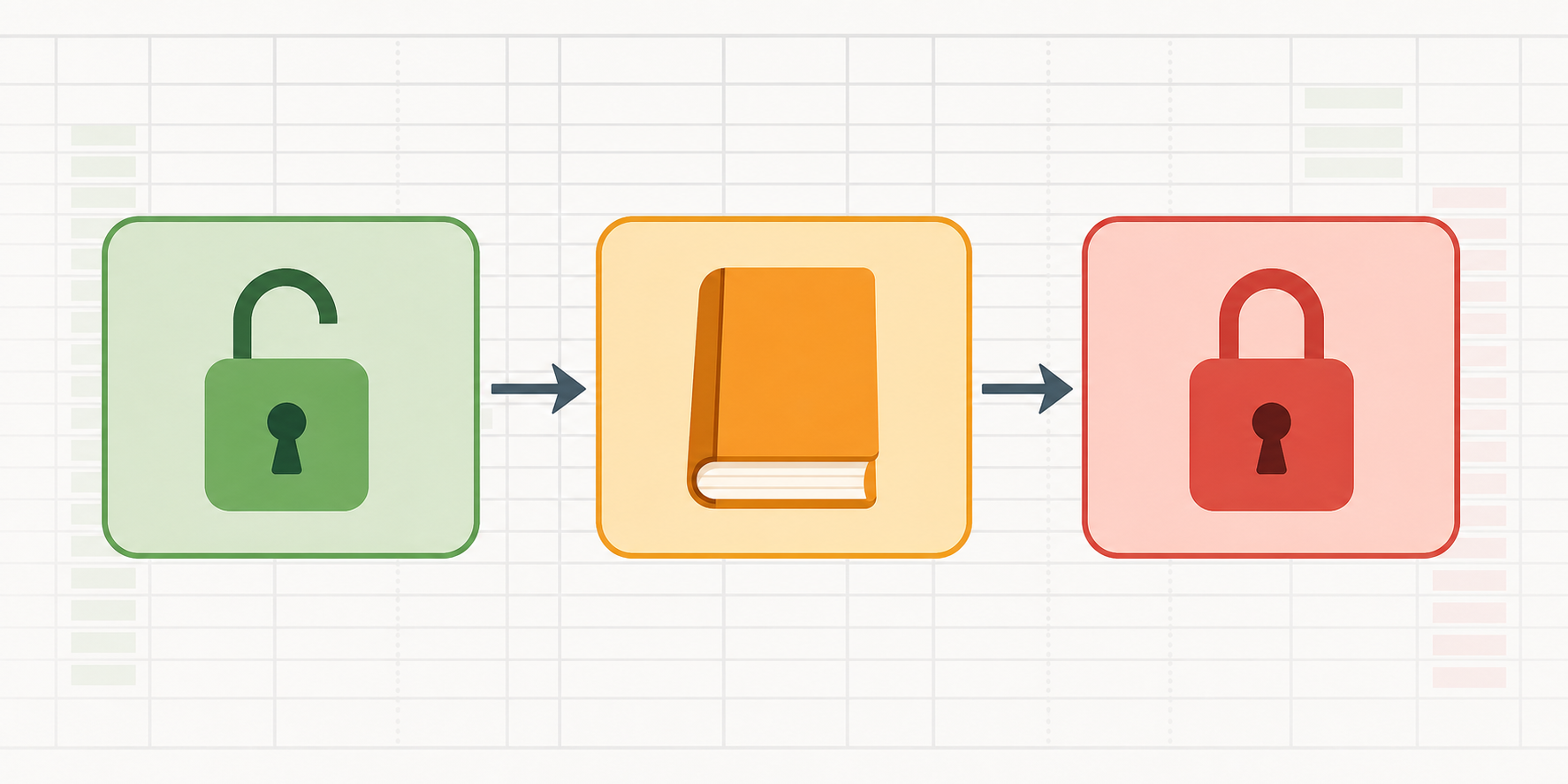
open: transactions can be created, edited, or deleted freely. Writes proceed normally.closed: the period is done, but can be reopened to accommodate adjustments. Writes will fail until reopened.locked: no edits permitted under any circumstances. GAAP compliance is the reason; treat any data here as final.
The practical implication: a write attempt against a locked period will fail silently if your connector has no period-state check upstream of the API call. Your customer's finance team sees a generic sync error and starts digging through Sage Intacct logs for something your product should have caught before the request was ever sent.
Build conditional routing before any write operation: proceed if open, queue or surface a warning if closed, and hard-block with a clear user-facing message if locked. This same period-gating logic applies when building a NetSuite connector for similar GL metadata scenarios. Surfacing period status directly in your product UI is worth the extra work, since finance users already know which periods are closed and will expect your product to reflect that context.
Sync Scheduling Considerations for Period-Close Workflows
A nightly sync works fine for most of the month. At period-end, it falls apart. Understanding the tradeoffs between batch and trigger sync methods is key to designing the right close-cycle schedule.
During a normal week, transaction data in Sage Intacct moves slowly enough that a 24-hour lag rarely causes problems. In the final 48 hours of a close cycle, that same lag means your downstream system is showing numbers finance already revised three times. Tighten the sync window during close or your connected product is reporting yesterday's close as today's truth.
A few scheduling patterns worth considering for period-close workflows:
- Run
REPORTINGPERIODfetches on a shorter cadence than transactional syncs. Period status can flip from open to closed at any point on close day, and catching that transition within minutes versus hours changes how your product behaves downstream. Frequent fetches also have API cost implications, so it's worth reviewing QuickBooks API fees to understand how usage-based pricing affects sync design. - Configure per-connector sync frequency independently. GL period data and AP transactions don't need identical schedules. Hotglue supports flexible cron-based scheduling configurable per connector, so you can fetch period status hourly while running full transaction syncs nightly.
- Trigger an on-demand sync after a customer signals their books are closed. A manual sync trigger gives finance teams a way to pull final data immediately, without waiting for the next scheduled run.
Event-driven syncs solve the last-mile problem that cron schedules can't. No matter how tight your cron window, a status flag change between runs creates a gap. Teams migrating from Microsoft Dynamics Business Central to Sage Intacct face this exact gap problem during cutover periods. An on-demand sync, triggered by the user or by a webhook from your own close workflow, collapses that gap to near-zero.
How hotglue Handles Sage Intacct Period and Fiscal Calendar Data
The hotglue Sage Intacct connector includes reporting period data as part of its standard sync, covering fiscal calendar context alongside transactional records. Your downstream product receives period status alongside invoices, journal entries, and GL data, without a separate custom query or secondary pipeline.
A few specifics worth noting:
- Reporting period data syncs as a first-class stream, not an afterthought bolted on after the fact
- Flexible cron-based scheduling per connector means you can tighten the period-status fetch cadence independently from your transaction sync, no rebuild required
- The open-source connector is inspectable, so your engineering team can verify exactly what fields are included
At the scale hotglue operates, roughly 10 billion records weekly across 38,000+ active tenants, period data fidelity matters. Building a data integration pipeline without tech debt is what makes that scale sustainable. A single missing status flag propagated across hundreds of tenants creates compounding errors across every downstream revenue or budget product those customers run.
Final Thoughts on Getting Period-Close Context Right in Sage Intacct Integrations
Skipping REPORTINGPERIOD is one of those decisions that feels fine until close day, and then it isn't. Ownership of this typically falls on the engineering team building or maintaining the integration, but the CPO or Head of Partnerships is the one who hears about it first when a finance customer calls. Build period state into your sync logic now, and you'll save everyone a painful conversation at month-end. Book a demo to see how hotglue approaches this.
FAQ
Why does my Sage Intacct integration fail writes at month-end even when transactions look correct?
The most common cause is posting to a closed or locked period without checking REPORTINGPERIOD status before the write attempt. Sage Intacct rejects those writes at the API level, and without period-state logic upstream of your API call, the failure surfaces as a generic sync error instead of a clear signal your finance team can act on. Build conditional routing that checks period status first: proceed if open, queue with a warning if closed, and hard-block with a user-facing message if locked.
How should I handle Sage Intacct accounting period sync differently for AP versus GL periods?
Query AP and Cash Management period state separately from the GL period, because each subledger can be open or closed independently. A transaction sitting in a closed GL period may still be in an open AP period, and applying the same write logic across both will produce inconsistent failures that are hard to trace.
What's the fastest way to add reporting period data to an existing Sage Intacct integration without rebuilding the connector?
Add an explicit REPORTINGPERIOD fetch on every sync cycle, independent of your delta logic for transactional objects, since period status changes don't touch transaction records and won't be caught by incremental sync. Pull NAME, START, END, and STATUS at minimum, map status to a stable enum (open, closed, locked) in your transformation layer, and stamp it on each transaction record before it reaches your downstream system. Hotglue's Sage Intacct connector includes reporting period data as a first-class stream out of the box, so this is already handled if you're using it.
Embedded iPaaS vs building Sage Intacct integration in-house: which gives better period-close coverage?
In-house builds give you full control but REPORTINGPERIOD almost never makes it into scope on the first pass, which means retrofitting it later into a live pipeline. An embedded iPaaS like Hotglue ships with reporting period data already included in the connector, open-source so your engineers can inspect exactly what fields are covered, and with per-connector cron scheduling so you can tighten the period-status fetch cadence independently from your transaction sync without a rebuild.
How often should I sync Sage Intacct period status during a month-end close?
Run REPORTINGPERIOD fetches on a shorter cadence than your transactional syncs, ideally hourly on close day, since a period can flip from open to closed at any point and a 24-hour lag means your downstream system reports numbers finance has already revised. Pair a tighter cron schedule with an on-demand manual sync trigger so finance teams can pull final data immediately after the books close, without waiting for the next scheduled run.