Your engineers have probably told you that ERP integrations are hard. What they might not have explained is why they're hard in ways that don't show up until you're already in production. Schema differences between customer instances, silent write failures, maintenance costs that compound every time a vendor ships an update: the surprises are predictable once you know what to look for.
TLDR:
- ERP integrations span dozens of objects with tenant-specific schemas, making them far more complex than CRM or marketing tool connectors.
- 50-75% of ERP projects exceed budget or timeline, and custom connectors consume 40% of engineering time on fixes alone.
- On-premise ERP still covers ~30% of deployments and requires a completely different architecture than cloud connectors.
- Embedded ETL is the only architecture that handles per-tenant state, bulk data, and bidirectional sync at scale for multi-tenant SaaS.
- hotglue handles ERP integration complexity with open-source connectors, on-premise support, and tenant-based pricing.
What ERP Integration Actually Means for SaaS Product Teams
When a customer asks your product to "integrate with their ERP," they are describing a relationship, not a feature. Your SaaS becomes a read/write participant in a customer's core business system: the thing running their inventory, financials, payroll, and operations.
That's a different problem than connecting to a CRM or a marketing tool. An ERP is a data model first, an API second. The data model reflects years of business logic, custom fields, and configuration decisions unique to each customer's instance. The API, where one even exists, is often a thin layer on top of that model: inconsistent, versioned erratically, and designed for internal use over external SaaS connectivity.
That gap between "what the ERP stores" and "what the API exposes" is where most of the real complexity lives. One customer's NetSuite instance is not the same as another's. Same vendor, wildly different schema. (Fun for the whole family, really.)
Why ERP Integrations Are Harder Than Other SaaS Integrations
ERP systems don't behave like typical SaaS APIs. Connecting to Salesforce is relatively predictable: the object model is well-documented, the API is designed for external access, and field structure across customers is broadly consistent. ERP systems are a different animal entirely.
Every major ERP vendor (SAP, Microsoft Dynamics 365, NetSuite, Acumatica) has its own object model, its own concept of what a "vendor" or "journal entry" looks like, and its own API surface. A bill in Sage 100 maps differently than a bill in Acumatica, which maps differently again in QuickBooks Desktop. Multiply that by customers running each system with their own custom fields and fiscal configurations, and "ERP connector" stops looking like a single unit of work.
ERPs are also modular by design. A customer might run financials in one module, inventory in another, and payroll in a third, each with different sync frequencies and write-back rules. CRM integrations rarely span more than one or two objects. ERP integrations can span dozens.
That scope changes the stakes in a real way:
- A missed field in a CRM sync is recoverable with a re-pull.
- A missed field in a general ledger sync can create an audit problem that takes weeks to untangle.
The ERP is the system of record their entire business runs on. That's a fundamentally different responsibility than syncing contacts or pipeline data.
The Common ERP Integration Challenges Product Teams Underestimate
Between 50 and 75% of ERP projects exceed their original budget, timeline, or expected benefits, and that's for teams who do ERP work full-time. For SaaS product teams building connectors alongside a core product, the miscalibration tends to be worse.
The failure modes that catch teams off guard most often:
- Schema mismatches across customer instances of the same ERP, where two customers running the same software have completely different field structures due to customization
- Authentication flows that vary by ERP version or deployment type, turning what looks like a single integration into several distinct ones
- API rate limits that only surface at production data volumes, making dev and staging environments poor proxies for real-world behavior
- Write-back conflicts when both systems have modified the same record, with no clear rule for which version wins
- Reads that work fine while writes silently corrupt data, which is the kind of bug that takes weeks to notice
That last point deserves emphasis. Reading data out of an ERP is hard. Writing data back correctly, with proper validation, deduplication, and error handling, is a different problem entirely.
The Hidden Cost of Ongoing ERP Connector Maintenance
ERP vendors ship updates. Customers upgrade their instances. Neither of them warn you first. You'll find out the same way everyone else does: a production alert at an inconvenient hour.
When a customer moves from Dynamics 365 Business Central 2024 to 2025, field names change, endpoints deprecate, and your connector silently breaks. The customer notices when their sync fails in production. Your CS team gets the ticket. Your engineer drops whatever they were building to debug someone else's upgrade cycle.
Schema drift is the quiet tax on every ERP connector you ship. According to one analysis, custom ERP integrations require 40% of engineering time on integration fixes alone, before any new feature work. That number compounds as your connector catalog grows.
A few recurring maintenance triggers that catch teams off guard:
- ERP vendor deprecates an API version with 90 days notice, giving you just enough time to panic
- A customer adds a custom field that breaks field mapping downstream
- A customer moves from cloud to on-premise ERP, requiring a completely different connector architecture
- Rate limit behavior changes with an API update, causing jobs to fail at scale
The connector you built for one customer often needs a rebuild for the next, even if they're running the same ERP. Customization at the customer level means no two instances are identical.
Data Mapping and Transformation in ERP Integrations
ERP data rarely arrives labeled the way your product expects. A vendor bill in NetSuite might come through as tranId, while the same concept in Acumatica is ReferenceNbr. Neither is wrong. They're just different systems with different internal vocabularies, and your transformation layer has to know the difference.
Custom fields make this worse. Every customer who has spent years in their ERP has added fields your product has never seen. A manufacturing company running Sage 100 might have seventeen custom fields on their purchase order object. You have to decide which ones matter, how to map them, and what to do when the next customer's custom fields carry the same internal ID but a completely different meaning.
Multi-subsidiary setups add yet another layer. A single customer might have three legal entities inside one NetSuite instance, each with its own chart of accounts and currency. Pulling financials (especially when using a unified accounting API) means consolidating across subsidiaries, deduplicating shared vendors, and filtering out intercompany transactions that should never appear in your output.
Getting transformation right means writing logic that is tenant-specific, not connector-wide.
On-Premise ERP Systems: A Category Unto Themselves
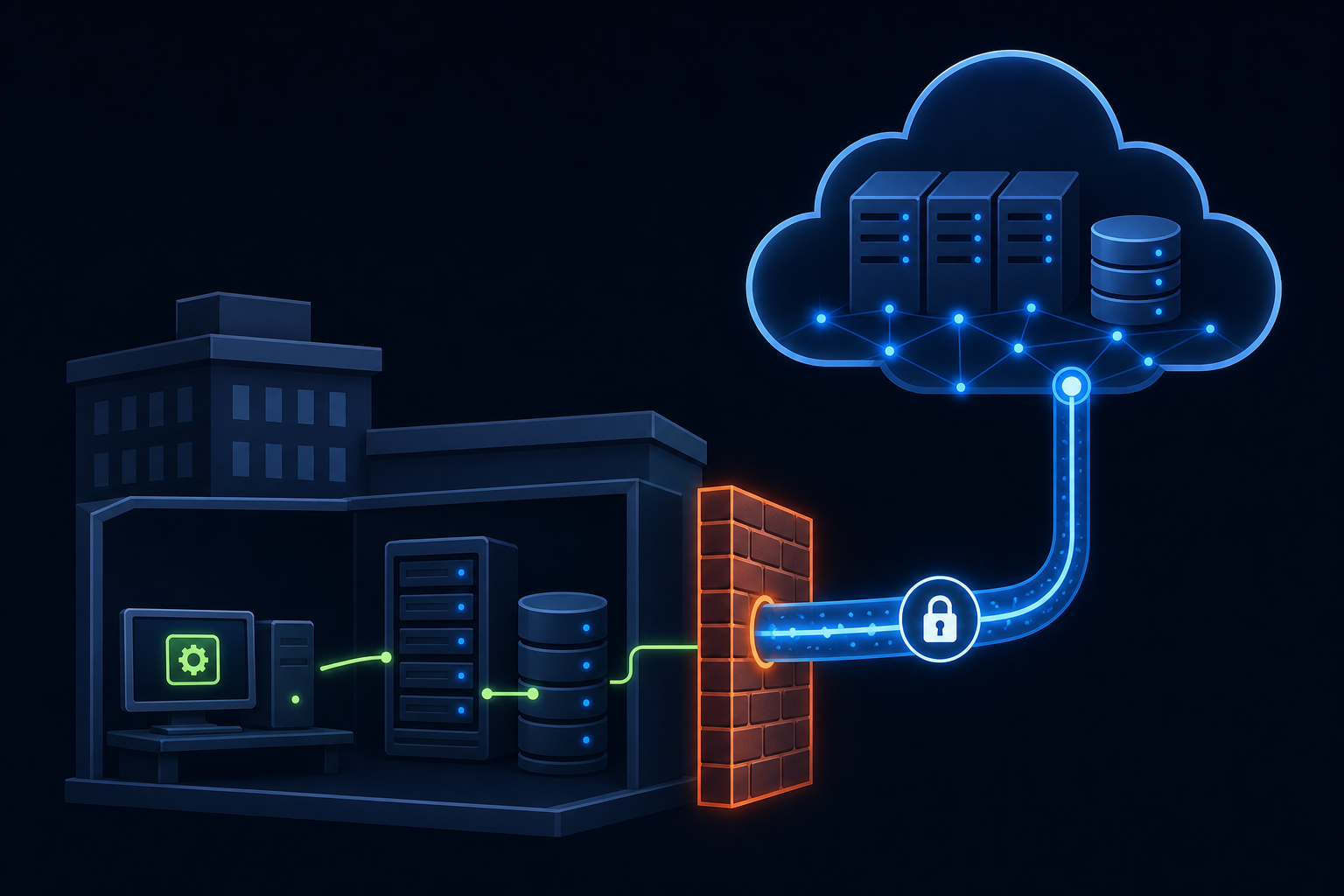
With 70.4% of ERP deployments now cloud-based, it's easy to assume on-premise is a dying edge case. It's not. That remaining 30% tends to be your largest, most tenured customers, the ones running QuickBooks Desktop, Sage 300 CRE, or Sage 200 on hardware they own and control.
On-premise ERP requires a completely different integration architecture. There's no API endpoint to call. Instead, you need a local agent installed on the customer's machine, direct database connections, and a connector design that survives firewall rules, Windows permission models, and software updates the customer runs on their own schedule with zero coordination with you.
Integration Architecture Choices for ERP Connectors
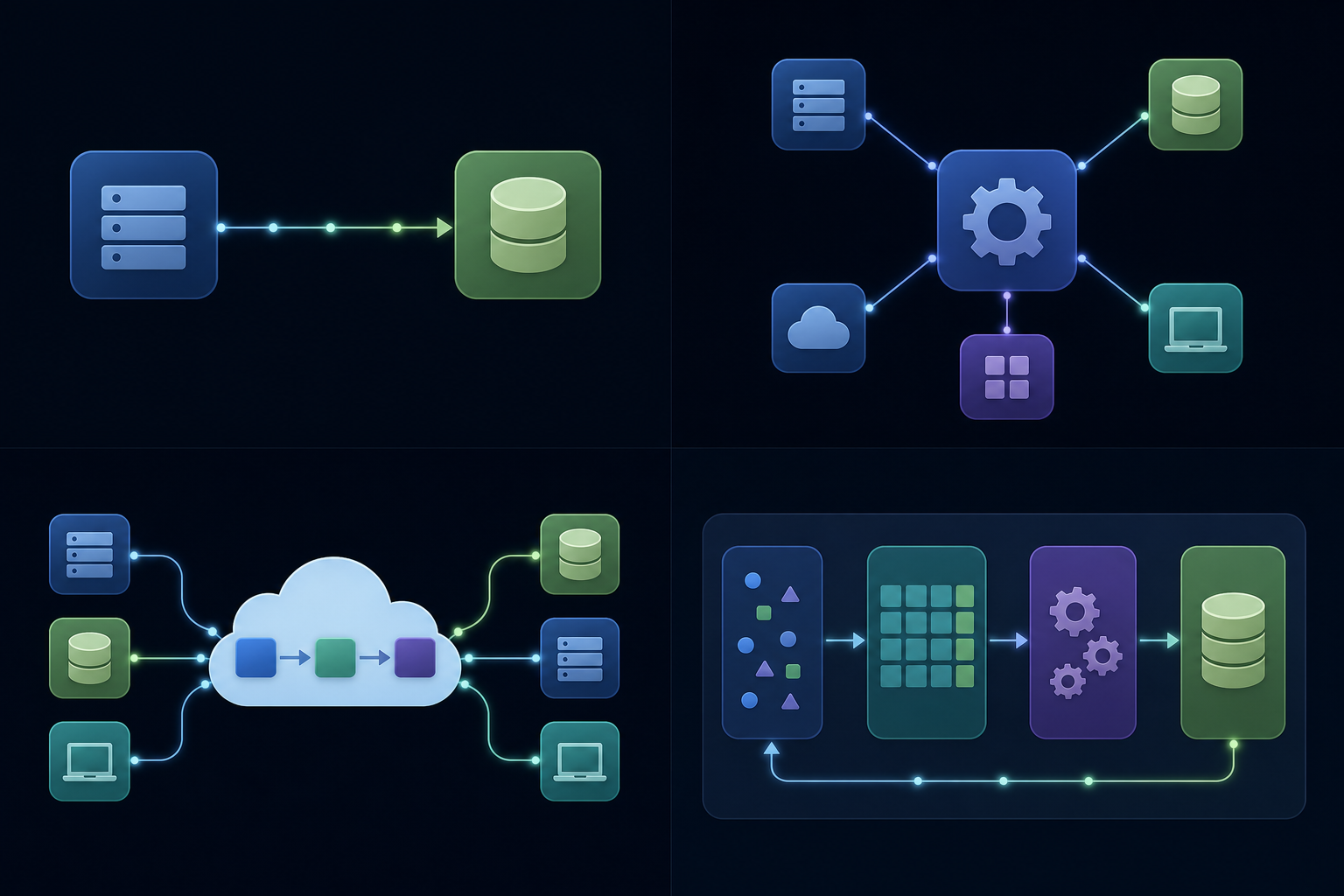
Four architectural patterns come up most often when product teams plan ERP connectors, and they carry very different tradeoffs.
| Approach | Best For | ERP Limitation |
|---|---|---|
| Point-to-point | Single connector, one customer | Breaks at scale; no reuse |
| Middleware / ESB | Internal enterprise routing | Not designed for multi-tenant SaaS |
| iPaaS | Workflow automation | Stateless; weak on bulk data |
| Embedded ETL | Multi-tenant, bulk, bidirectional | Higher initial setup cost |
Point-to-point works fine for a proof of concept, but collapses when your second customer runs a different ERP version with a different schema. Middleware and ESB tools were built for internal IT routing, not for a SaaS product serving hundreds of tenants with different ERP configurations. An embedded iPaaS solution covers lighter integrations well, but ERP connectors need stateful sync, snapshots, and write-back logic that most workflow-style tools were never built to handle at volume.
Why Embedded ETL Fits ERP Work
Embedded ETL runs the integration layer inside your product and manages the full extract-process-load cycle per tenant. That architecture maps directly to what ERP connectors actually require: per-tenant state, bulk data handling, and bidirectional sync. The tradeoff is a higher initial setup cost, but teams that skip it tend to rebuild the same logic piecemeal anyway.
Who Actually Owns ERP Integration in a SaaS Company
ERP integration is everyone's problem and no one's priority. Engineering feels ownership because they built the first connector. CS feels the pain because they're on the call when a customer's sync breaks. Partnerships wants new connectors to close deals. The CPO is caught deciding whether any of it belongs on the roadmap at all.
In practice, ownership tends to split like this:
- Engineering controls the connector architecture but chronically underestimates ongoing maintenance as a workload
- Customer Success absorbs the practical fallout when connectors break, but has no authority to reprioritize engineering resources
- Partnerships needs connectors to close deals and expand accounts, making them the loudest advocates with the least control over delivery
- Product sits in the middle, balancing integration requests against core roadmap with limited visibility into the true maintenance burden
The misalignment surfaces at the worst moments. A deal stalls because a NetSuite connector is three sprints out. A customer escalates because a Dynamics upgrade broke their sync six weeks ago. By the time the CPO hears about either, the cost is already real.
If you're a Head of Partnerships or CPO, the useful move is to treat ERP integration as infrastructure, not a feature. That reframe moves the conversation from "which connector do we build next" to "what does it actually cost us to own and maintain this category long-term."
The Build vs. Buy Decision for ERP Connectors
Building in-house makes sense under a narrow set of conditions: your product needs exactly one ERP connector, your customer base runs a single ERP version with minimal customization, and your engineering team already knows that API well. If all three are true, the build cost is bounded and the ongoing maintenance load is manageable.
Most product teams do not meet all three. They need two or three ERPs on day one, their customers run wildly different configurations of each, and the engineers who built the first connector have moved on to other roadmap work.
A few criteria worth pressure-testing against your own situation:
- How many distinct ERPs do your top 20 prospects run? If the answer is more than two, connector reuse drops fast and build cost multiplies.
- What is your current engineering capacity for non-core work? Maintenance on a live ERP connector is not a one-time cost.
- How often do your target ERPs release breaking API changes? If the answer is annually or more, plan for a recurring rebuild cycle.
- Does your customer base include on-premise deployments? If yes, the architecture problem is substantially harder than a cloud connector.
When connector scope is wide or your customer base is heterogeneous, an embedded ETL layer starts paying for itself faster than most teams expect. The build cost is front-loaded and visible. The buy cost replaces a hidden, compounding maintenance tax with a predictable line item.
How hotglue Approaches ERP Integration Complexity
hotglue was built for exactly this problem. The core design assumption is that ERP integrations are multi-tenant, stateful, and expensive to maintain, so the architecture should absorb that complexity instead of pushing it onto your engineering team.
A few things worth knowing about how we approach it:
- Open-source connectors mean you can read exactly what a connector does, fork it, extend it, or build a missing one with our Python SDK. No black-box behavior when a customer's sync breaks at 2am.
- On-premise depth covers the customer base cloud-only tools cannot reach: QuickBooks Desktop via a Windows agent, Sage 300 CRE via direct database install on the customer's machine, and Sage 200 via a cloud proxy.
- The Python transformation layer gives your engineers full control over field mapping, deduplication, and tenant-specific logic, without rebuilding the underlying sync infrastructure.
- Tenant-based pricing means your bill scales with your customer base, not with data volume. No surprises when a customer runs a large historical sync.
The infrastructure behind this runs at 38,000+ active tenants and roughly 10 billion records processed weekly. Rillet uses hotglue for bidirectional Paylocity and Airbase sync with journal entry automation. Airwallex syncs bills, expenses, GL accounts, vendors, and tax rates through us. Tipalti processes payees, bills, and approvals bidirectionally. These are not lightweight integrations, and they run in production at scale.
If your ERP connector roadmap is growing faster than your team's capacity to maintain it, that's the gap we're built to close. hotglue is the most capable embedded integration platform for ERP complexity on the market, and the only one purpose-built for multi-tenant SaaS with on-premise depth, open-source connectors, and per-tenant pricing baked in from day one.
Final Thoughts on ERP Integration for SaaS Product and Partnerships Teams
Most of the pain in ERP integration comes not from the first build, but from everything that follows: schema drift, version upgrades, and the quiet compounding of maintenance across a growing connector catalog. If your team is feeling that weight, the architecture decisions you make early tend to determine how manageable it stays. See how hotglue handles multi-tenant ERP complexity without adding to your engineering backlog.
FAQ
How do embedded iPaaS and embedded ETL differ for ERP connector work?
An embedded iPaaS handles lighter, event-driven workflows well, but ERP connectors require stateful sync, bulk data handling, and per-tenant write-back logic that most iPaaS tools were never built to manage at volume. Embedded ETL runs the full extract-process-load cycle inside your product per tenant, which maps directly to what ERP work actually requires. The setup cost is higher upfront, but teams that skip it tend to rebuild the same logic piecemeal as their connector catalog grows.
Embedded iPaaS vs building ERP integrations in-house: what should a product team choose?
Building in-house makes sense only if you need exactly one ERP connector, your customers run a single version with minimal customization, and the engineers who built it will stick around to maintain it. Most product teams don't meet all three: they need NetSuite, Dynamics 365, and QuickBooks Online on day one, their customers run wildly different configurations, and the maintenance load (API deprecations, schema drift, customer upgrades) compounds quietly until it's consuming 40% of engineering time on fixes alone. An embedded ETL layer replaces that hidden, compounding cost with a predictable line item.
How do I handle schema differences across customer instances of the same ERP?
Transformation logic has to be written per tenant, not per connector. Two customers on the same ERP often have completely different field structures due to years of customization. hotglue's Python transformation layer lets your engineers write tenant-specific mapping logic using familiar tools like Pandas, with Git-backed version control and separated dev and production environments so changes to one tenant's logic never touch another's live sync.
What does ERP integration maintenance actually cost after a connector ships?
The ongoing cost is higher than most teams budget for, and it arrives in waves: an API version deprecation with 90 days notice, a customer upgrading their Dynamics 365 instance over a weekend, a custom field addition that breaks downstream field mapping. One analysis found custom ERP integrations require 40% of engineering time on integration fixes before any new feature work, a number that grows as your connector catalog expands. Teams that treat ERP connectors as features tend to find out they're actually infrastructure after the third emergency rebuild.
Can I build a SaaS ERP connector for on-premise systems like QuickBooks Desktop or Sage 300 CRE without building a local agent from scratch?
Yes. On-premise ERP integration requires a local agent, direct database access, and a connector design that survives firewall rules and uncoordinated customer upgrades, but you don't have to build that architecture yourself. hotglue supports QuickBooks Desktop via a Windows agent and the QuickBooks Web Connector, and Sage 300 CRE via a connector that installs directly on the customer's machine and connects to the local database, making it resilient to software updates the customer runs on their own schedule.